Fonts make or break a Cricut project. The right one turns a plain vinyl decal into something people pay for. The wrong one costs you a customer, or worse, gets you a takedown notice.
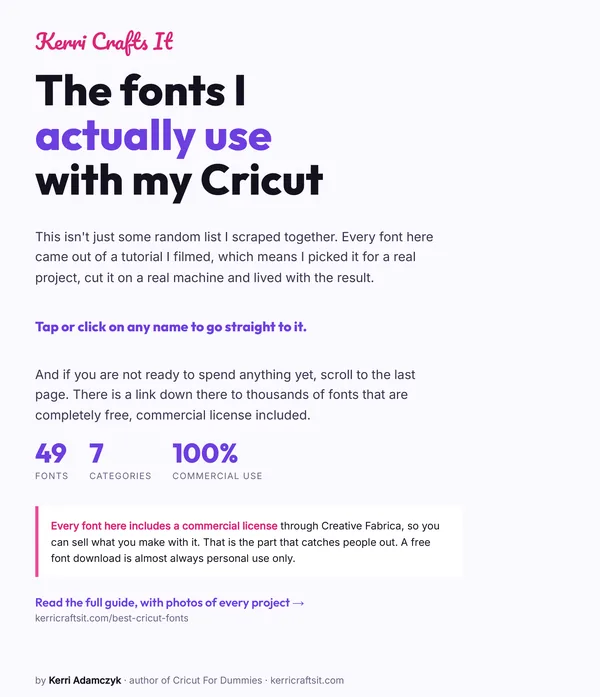
I have been buying, downloading and occasionally regretting fonts since I started selling Cricut projects, and I wrote the Wiley book on this machine. Here is where I actually get fonts, which free ones are safe to sell with, and the licensing trap that catches almost everyone at least once.
This post contains affiliate links. If you buy through them, I may earn a small commission at no extra cost to you.

Quick Links
- Can You Use Any Font With a Cricut?
- The Licensing Trap That Catches Everyone
- Where I Actually Get Fonts
- Fonts I Actually Use (and the Projects I Used Them On)
- Magnolia Sky, for script that reads well
- Baskerville Bold and Cricut Sans, for signs read across a room
- Baby Giovani Script, for names on gifts
- Handwritten, for names on apparel
- Thick Font, when the vinyl has to survive
- Litha Lotte and Super Stacked, from the laser side
- The pattern worth taking away
- TTF or OTF: Which File Should You Download?
- Getting Fonts to Actually Cut Properly
- Frequently Asked Questions
- Where to Start
Can You Use Any Font With a Cricut?
Mostly, yes. Cricut Design Space can use two kinds of font:
- Cricut fonts. Built into Design Space. Some are free, most come with Cricut Access.
- System fonts. Anything installed on your computer or device, including free downloads and anything you have bought.
That second one is the important one. It means you are not limited to Cricut’s library at all. Any font sitting on your machine shows up in Design Space, which is why knowing where to get good fonts matters more than which Cricut you own. Not done that before? Here is how to add fonts to Cricut Design Space, step by step.
The catch is not technical. It is legal.
The Licensing Trap That Catches Everyone
Here is the thing nobody tells you when you download your first font. Free almost always means free for personal use only.
When I started, everyone recommended dafont.com. It is a genuinely useful site, but the free downloads there are usually personal-use licenses. The moment you sell something made with that font, you need a commercial license, and that is a separate purchase.

Take Magnolia Sky, one of the most downloaded fonts on the site. The free download is personal use. The commercial license is $39 for desktop and $390 for app use. I fell in love with it, used it on a project, then found out what selling with it would cost. These days I mostly stick to my own go-to font list instead of gambling on a free download.
That pattern repeats constantly. A font is free to download, gorgeous, and then the commercial license costs more than your whole month of sales.
This is not a technicality. Violating a font license is copyright infringement. If you are selling anything at all, even at a craft fair, you need to know the license on every font you use. Getting this wrong can end with a cease and desist, and font foundries do pursue it.
If you are building a business rather than crafting for yourself, here is how to start a Cricut business properly, licensing included.
Where I Actually Get Fonts
Creative Fabrica, for anything I sell
Creative Fabrica is where I get almost everything now. The subscription gives commercial access to their whole library, currently over 270,000 fonts, which removes the per-font licensing question entirely.
The reason I switched was arithmetic. My link gets you a free month, then it renews at $4.99 a month unless you cancel. Put that next to the Magnolia Sky license above: $39 for that one font is roughly eight months of unlimited commercial access to everything.
That is the whole value for a Cricut business. You design without stopping to work out whether you are allowed to sell it.
Cricut Access, if you live in Design Space
Cricut Access includes a large font library built straight into Design Space. No downloading, no installing, no license research. Those fonts are covered under Cricut’s Angel Policy for limited commercial use.
It is the convenient option rather than the cheap one. If you already pay for Access for the images and projects, the fonts come along with it.
Free sources, used carefully
Free fonts are fine when you are crafting for yourself or gifting. Google Fonts is the safest of the free options, because most of its library is open source and genuinely licensed for commercial use, which is unusual.
For everything else, read the license file. Every single time.
Fonts I Actually Use (and the Projects I Used Them On)
Font lists are easy to write and mostly useless, because a font that looks beautiful on screen can be miserable to weed. These are ones I have actually cut, with the project each one earned its place on.
Magnolia Sky, for script that reads well
The one from the licensing story above. It is a bold script, which is exactly what you want for vinyl: strokes thick enough to survive weeding, with enough character to look handmade rather than generic.
I used it for a “Best Nanny Ever” wine glass decal, which is the project I use to teach welding, since script fonts fall apart without it.
 6:43
6:43
See this step
Cricut Blade Replacement Guide: Cheap Amazon Replacement Blades That Work!
Just remember what it costs to sell with. That is the whole reason the licensing section above exists.
Baskerville Bold and Cricut Sans, for signs read across a room
Both are already on your machine, and both are unglamorous choices that work. Baskerville Bold reads classic and holds up at size. Cricut Sans is clean and gets out of the way.
For wood round signs, legibility beats personality every time. A sign is read from six feet away, not six inches, so I reach for these rather than anything delicate.
 16:34
16:34
See this step
DIY Wood Round Cricut Sign Hack - Make 3d Text WITHOUT Cutting Wood!
Baby Giovani Script, for names on gifts
A Creative Fabrica script I used for personalized Easter baskets. It is softer than Magnolia Sky and suits children’s names and gift tags, where you want charm rather than impact.
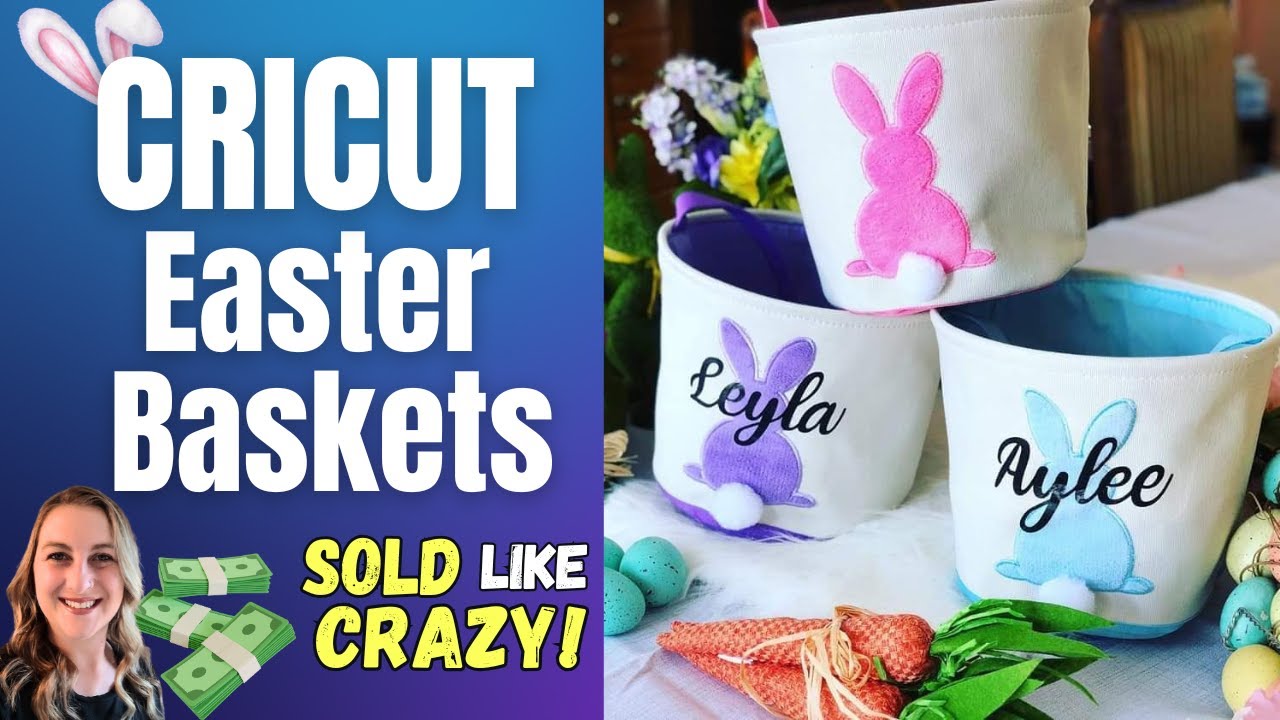 14:24
14:24
See this step
Cricut Tutorial: Personalized Easter Baskets with Flocked Vinyl (Easy DIY Gift Idea)
Handwritten, for names on apparel
Another Creative Fabrica script, and the one I reach for on shirts. Handwritten looks like someone actually wrote it, which is exactly what you want on a garment. Printed-looking fonts read as bought; handwritten ones read as made for someone.
I used it for the names on a Father’s Day fist bump t-shirt. It has enough weight in the strokes to survive being weeded in HTV, which a lot of thinner handwriting fonts do not.
Thick Font, when the vinyl has to survive
Exactly what the name says, and that bluntness is the point. I used it on personalized budget binders because thick letterforms weed easily, stick reliably and do not lift at the corners after a month in a bag. If you are new to weeding, start here rather than with a fine script.
Litha Lotte and Super Stacked, from the laser side
These two came from laser projects rather than Cricut ones, but the font logic is identical.
Litha Lotte is a heart font, meaning the letters nest inside a heart shape. I used it for kids’ names inside a monogram on an engraved cutting board.
Super Stacked stacks words into a solid block, letting the font do the layout work for you. It made the design for a leather-wrapped flask, shown in where to find laser cut files.
The pattern worth taking away
Look at that list and one thing repeats: bold beats delicate, nearly every time. Thin, wispy fonts photograph beautifully and then tear as you weed them, lift off the garment, or vanish at engraving size.
Buy the pretty script if you love it. Just keep a thick, boring, reliable font in your library too, because that is the one you will reach for when an order is due.
TTF or OTF: Which File Should You Download?
Most font downloads give you a TTF file, an OTF file, or both. TrueType and OpenType are just two formats for the same thing, and both install and work with Design Space. If you get both, installing both does no harm.
The practical difference shows up with fancy fonts. OTF can carry extras: alternate letter shapes, swashes, ligatures, the curly tails that made you want the font in the first place. Design Space does not give you an easy way to reach most of them.
That is why a font can look stunning on the seller’s preview and plain once you type it out. The alternates are in the file; you just cannot click them.
The workaround is to pull the character from outside Design Space. Use Character Map on Windows or Font Book on a Mac, find the glyph you want, copy it, and paste it into your text box. Fonts sold with “PUA encoded” in the description are the ones where this works reliably, and it is worth looking for that phrase before you buy.
If you only want clean lettering with no decorative extras, TTF is the simpler choice and you will never notice the difference.
Getting Fonts to Actually Cut Properly
Downloading a font is the easy half. Making it cut cleanly is where beginners lose an afternoon.
Script and cursive fonts are the usual culprit. Letters that look joined on screen cut as separate shapes unless you weld them, so you end up with a decal that falls apart on the transfer tape. The fix takes one click once you know it exists.
Thin fonts are the other one. A font that looks elegant at 60pt on screen can be too fine for vinyl to survive weeding, and it will tear as you pull it.
I cover the mechanics of both in how to use Cricut Design Space, and here is how to make a font look heavier without switching typeface:
 1:00
1:00
See this step
Cricut Design Space Tip - Get Thicker Fonts
Frequently Asked Questions
Can I use any font with Cricut Design Space?
Yes. Design Space uses both Cricut’s own fonts and any system font installed on your computer or device. Installing a font on your machine makes it available in Design Space automatically.
Are Cricut fonts free?
Some are. Design Space includes a set of free fonts, and more come with a Cricut Access subscription. Any font already installed on your computer is also free to use in Design Space, though whether you can sell with it depends on that font’s license, not on Cricut.
Can I sell things made with free fonts?
Only if the license allows it. Most free font downloads are personal use only, and commercial licenses are sold separately, sometimes for far more than you would expect. Google Fonts is the notable exception, since most of its library is open source. Always read the license file that comes with the download.
Why do my cursive fonts cut as separate letters?
Because the letters are separate shapes until you weld them. Select the text in Design Space and use Weld, which fuses the overlapping letters into one continuous piece. Without it, a script decal comes apart the moment you lift the transfer tape.
What is the best font size for a Cricut project?
There isn’t one, and anyone quoting a single number is guessing. It depends entirely on the project.
A keychain might only work at 8 point, which would be completely unreadable on a t-shirt. The rule I actually use: big enough to read from a reasonable distance for that object, without crowding the design area. A decal on a car window gets read from further away than a label on a spice jar, so it needs to be bigger.
Check it at real size before you cut. Design Space shows dimensions in inches, and holding a ruler up to the screen has saved me more wasted vinyl than any other habit. For decal dimensions rather than font size, what size decal for a shirt has the measurements by garment.
Where to Start
If you are crafting for yourself, download freely and enjoy it. If you are selling anything at all, sort your licensing out before it becomes a problem, because it is far cheaper to solve at the start.
For most people running a Cricut business, one subscription with blanket commercial rights removes the entire question. That is why Creative Fabrica ended up being the tool I reach for most.
Still finding your way around the machine? What a Cricut can do covers the basics, and Cricut For Dummies walks through the whole thing from unboxing onward.