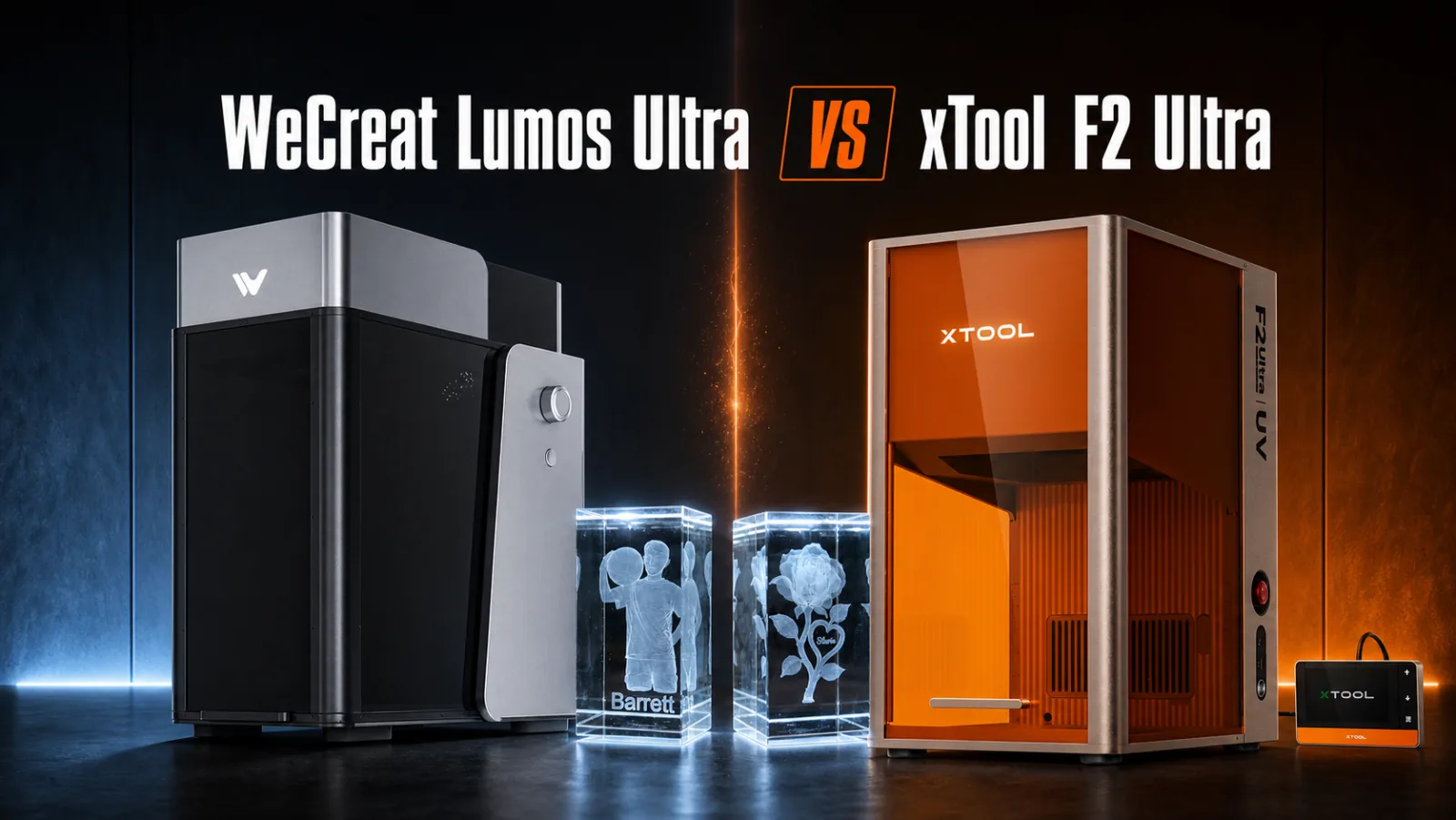

If you have been shopping for a laser that can do full color metal and 3D engraving inside crystal, you have probably landed on these two names. The WeCreat Lumos Ultra and the xTool F2 Ultra get compared constantly, and almost every comparison I have read misses the single most important difference between them.
Here it is. The Lumos Ultra puts a UV laser and a MOPA fiber laser inside one enclosure. xTool splits those two jobs across two separate machines. That one fact changes the price, the bench space, and the answer for most people.
I have spent the last month making everything I could think of on the Lumos Ultra, so I can tell you exactly what it does. I have not tested the xTool F2 Ultra, and I will be clear about that throughout.
This post contains affiliate links. If you buy through them, I may earn a small commission at no extra cost to you.
Key Takeaways
- The WeCreat Lumos Ultra is the only one of these that has UV and MOPA in one box. The xTool F2 Ultra is MOPA plus diode, and UV is a completely separate machine called the F2 Ultra UV.
- Matching the Lumos Ultra with xTool costs $7,999 and takes two machines. That is xTool's own MOPA plus UV bundle price, against $6,390 for the 60 watt Lumos Ultra in a single enclosure.
- The MOPA engraved jewelry pendants in about 15 seconds each. That is the number that turns personalized metal into a real product line rather than a favor for a friend.
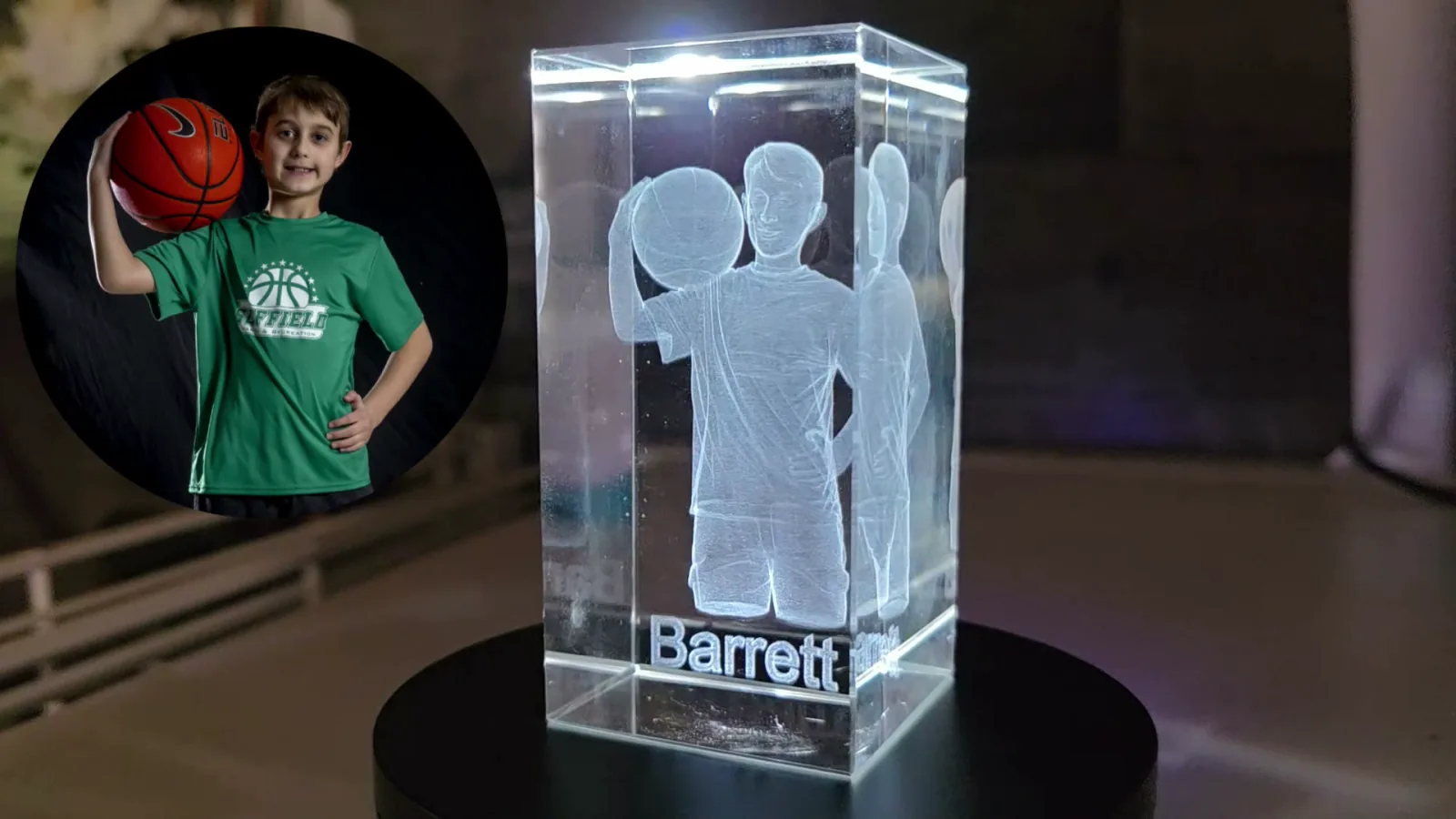
- A 3D portrait inside a crystal block took about 30 minutes and worked on the first try. The UV laser engraves inside the glass, not on the surface, and it needs no paint or coating.
- Only the xTool has a diode, and that is what gets you dark engraving on wood. The Lumos Ultra will cut thin wood, 3mm basswood in my case, but it will not engrave wood dark. That is the real trade and the reason this is not a clean win either way.
Quick Answer
Buy the WeCreat Lumos Ultra if you want UV and metal work in one machine and one footprint. It is the cheaper and simpler route to that combination, and the 3D crystal engraving is genuinely special.
Buy the xTool F2 Ultra if metal marking plus cutting wood and acrylic is your actual workload, and inner crystal engraving is a nice to have rather than the point.
Buy the xTool F2 Ultra UV only if you want UV on its own and nothing else. At $4,299 it is $500 more than WeCreat's UV only Lumos Ultra at $3,799.
Quick Links
- Key Takeaways
- Quick Answer
- How I Tested This and What I Did Not Test
- Comparison Table
- One Machine or Two
- WeCreat Lumos Ultra
- xTool F2 Ultra
- xTool F2 Ultra UV
- Metal Work on Both Machines
- Crystal and Glass Engraving
- What the xTool Does That the WeCreat Cannot
- How to Choose
- FAQ
- Final Recommendation
- More Guides You'll Love
How I Tested This and What I Did Not Test
I want to be straight with you about where these numbers come from, because it matters when you are spending this kind of money.
The WeCreat Lumos Ultra I tested myself. WeCreat sent me a beta machine with the 100 watt MOPA, and I used it for a month. Every time and every result I quote for it came off my own bench. You can read the whole thing in my full WeCreat Lumos Ultra review, including the project that went badly.
The xTool F2 Ultra and F2 Ultra UV I have not tested. Everything I say about them comes from xTool's published specifications and current pricing. I am not going to pretend otherwise, and I am not going to tell you how their engraving looks when I have not seen it come off the bed.
I am not new to xTool, though. I have put real projects through the xTool M1 Ultra, the xTool M2 and the xTool Apparel Printer, so xTool Studio, the camera alignment workflow and the way xTool organizes its material settings are all familiar territory. That matters more than it sounds, because software is where most people actually get stuck with a new machine, and it is the part of owning an F2 Ultra I can speak to even without one on my bench.
What I can do honestly is compare what the machines are built to do, what they cost, and how the configurations line up. That is the part most buyers get wrong, and it is answerable from the spec sheets.
Comparison Table
| Spec | WeCreat Lumos Ultra | xTool F2 Ultra | xTool F2 Ultra UV |
|---|---|---|---|
| UV laser | 6W | None | 5W |
| MOPA fiber laser | 60W or 100W | 60W | None |
| Diode laser | None | 40W | None |
| Work area | 210 x 210 mm | 220 x 220 mm | 200 x 200 mm |
| Inner crystal engraving | Yes | No | Yes, 70 x 70 x 150 mm |
| Longest expansion | Conveyor, 200 x 1000 mm | Conveyor, 220 x 500 mm | Conveyor, 200 x 500 mm |
| Slide extension | 520 x 183 mm in one pass | Not offered | Not offered |
| Camera | Built in, full size preview | Dual 48MP | Dual 48MP |
| Software | WeCreat MakeIt | xTool Studio | xTool Studio |
| Price | $3,799 UV only, $6,390 with 60W MOPA, $7,690 with 100W MOPA | $4,299 MOPA only, $5,299 dual | $4,299 |
One Machine or Two
This is the whole comparison in one section, so if you read nothing else, read this.
A UV laser and a MOPA fiber laser do completely different jobs. UV is a cold process. It barely uses heat at all, so it can mark glass, crystal, clear acrylic, leather and plastic without scorching them. MOPA is a fiber laser built for metal, and by changing power, speed, frequency and pulse width you can pull actual colors out of bare stainless steel.
WeCreat sells you both of those in one enclosure. You buy the Lumos Ultra with the UV laser, then decide whether to add a 60 watt or 100 watt MOPA on top.
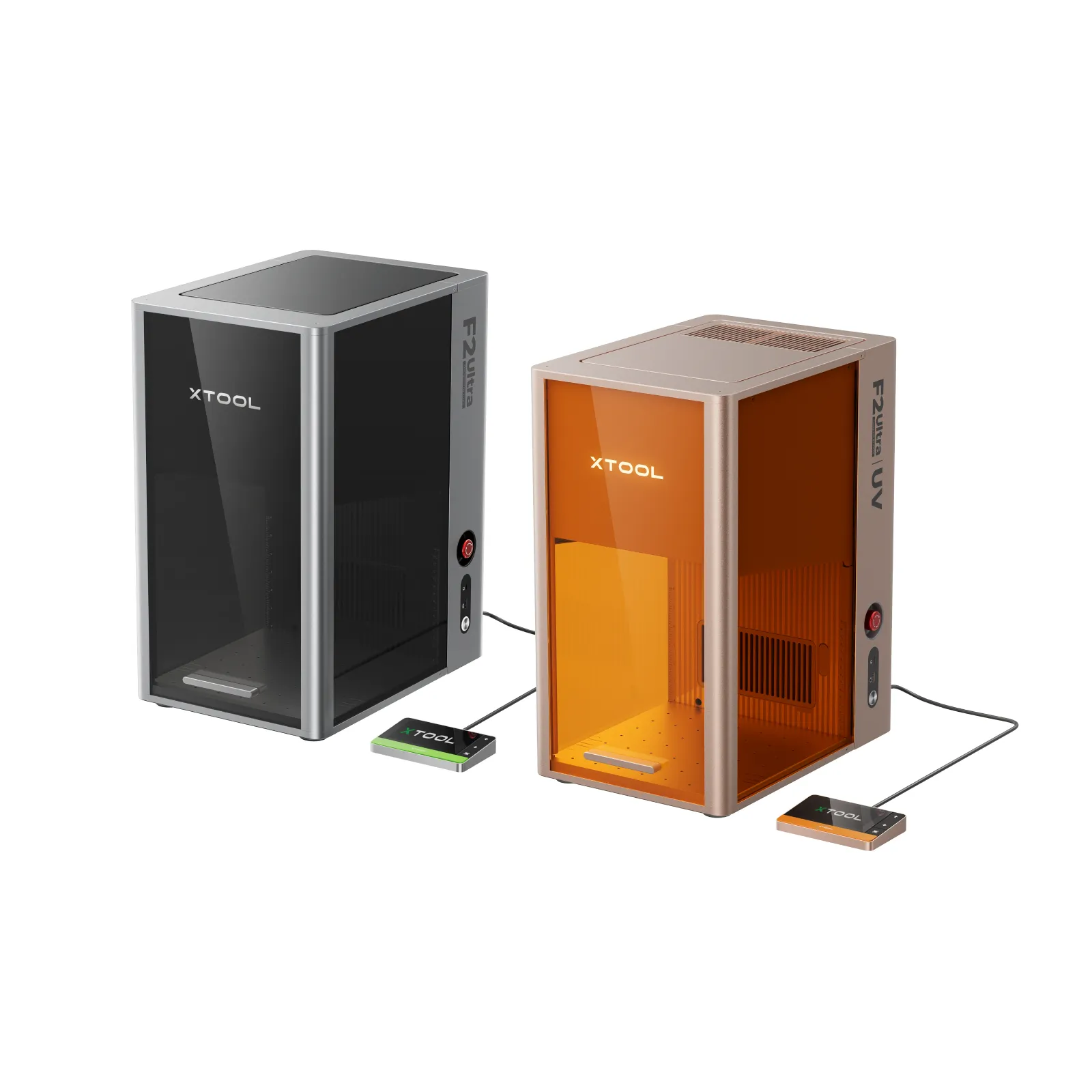
xTool sells you those as two different machines. The F2 Ultra is a 60 watt MOPA paired with a 40 watt diode. It does not do UV and it cannot engrave inside crystal. For that you need the F2 Ultra UV, which is a 5 watt UV machine with no MOPA in it.
So if you want both capabilities, here is what it actually costs:
| Route | What you get | Price |
|---|---|---|
| WeCreat Lumos Ultra, 60W | 6W UV plus 60W MOPA, one machine | $6,390 |
| WeCreat Lumos Ultra, 100W | 6W UV plus 100W MOPA, one machine | $7,690 |
| xTool Business Duo, MOPA only | 60W MOPA and 5W UV, two machines | $7,999 |
| xTool Business Duo, dual laser | 60W MOPA, 40W diode and 5W UV, two machines | $9,499 |
The cheapest xTool route is around $1,600 more than the 60 watt Lumos Ultra, and it is two boxes, two power supplies and two spots on your bench.
One thing worth knowing before you add to cart: xTool sells the pair as the F2 Ultra MOPA plus UV Ultimate Business Duo, and the bundle is about $600 cheaper than buying the two machines separately. If you are going the xTool route for both jobs, that is the version to buy.
Note that the $7,999 bundle pairs the UV machine with the MOPA only F2 Ultra, so it has no diode in it at all. If you want the 40 watt diode as well, the bundle is $9,499, which is roughly $3,100 more than the WeCreat. That diode is a real thing you are buying and I come back to it below.
WeCreat Lumos Ultra
The WeCreat Lumos Ultra is a fully enclosed desktop machine that holds two laser sources. You can buy it as UV only, or add either a 60 watt or 100 watt MOPA fiber laser. I tested the 100 watt.
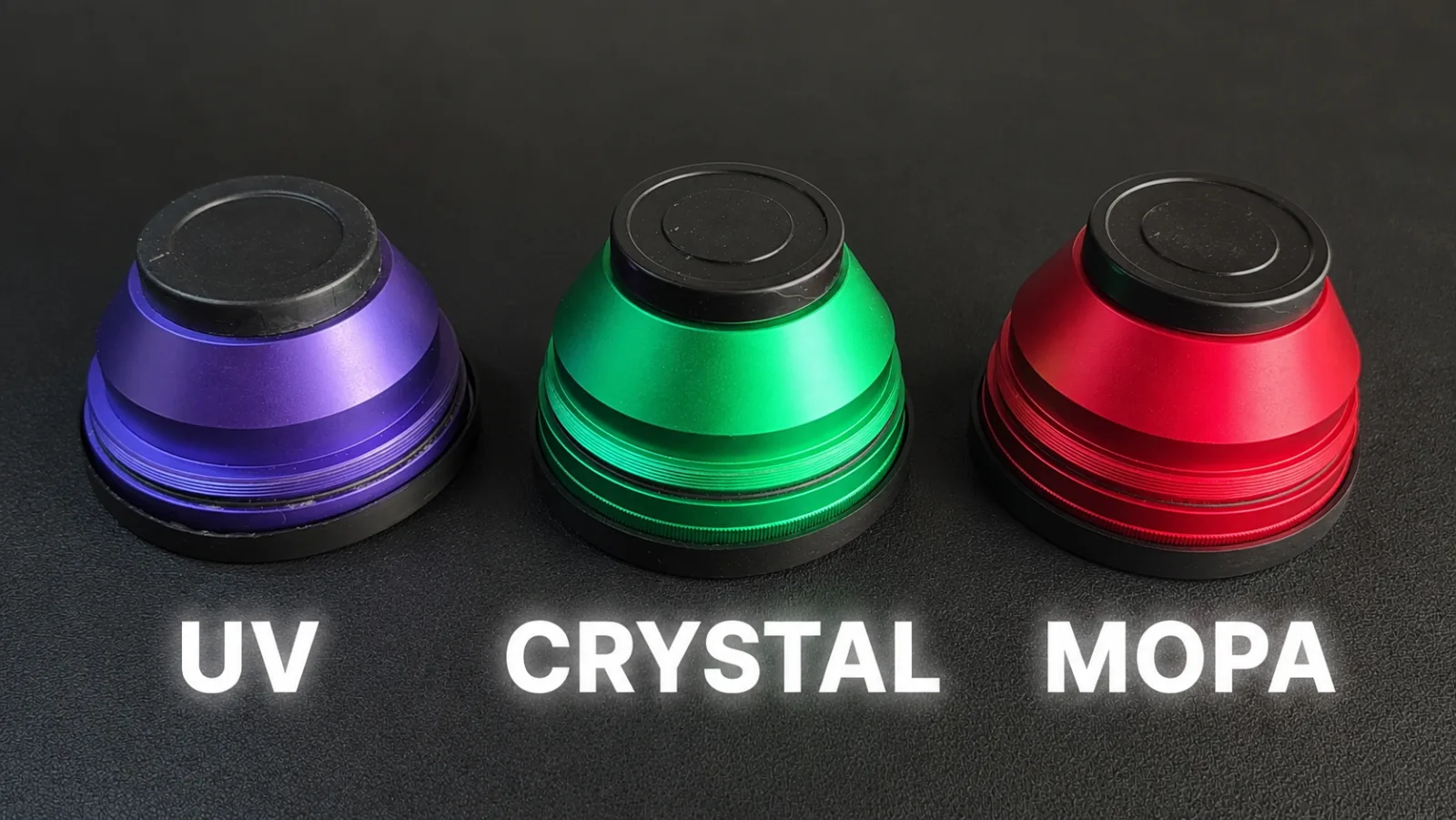
It uses three color coded lenses that you swap by hand: purple for standard UV engraving, green for engraving inside crystal, and red for MOPA metal work. Swapping takes under a minute and needs no tools. The machine checks which lens is installed and will not start with the wrong one, which caught me every single time I forgot.
Best for: an experienced maker or a small business that will genuinely use both lasers.
What I liked:
- The 3D crystal engraving is the best thing I have done on any laser. A portrait of my son took about 30 minutes and came out right on the first attempt.
- MOPA color on bare stainless with no paint, ink or vinyl anywhere.
- Jewelry pendants at about 15 seconds each.
- The slide extension takes you to 520 x 183 mm in a single pass, and the conveyor goes to 200 x 1000 mm, which is the longest I am aware of on a machine this size.
What could be better:
- The 100 watt MOPA needs its own power box beside the machine. Plan the desk space.
- The fume extractor was still in development when I tested. This machine cuts and engraves metal, glass and plastic, so have a real ventilation plan on day one.
- I was on beta software, and it had rough edges.
xTool F2 Ultra
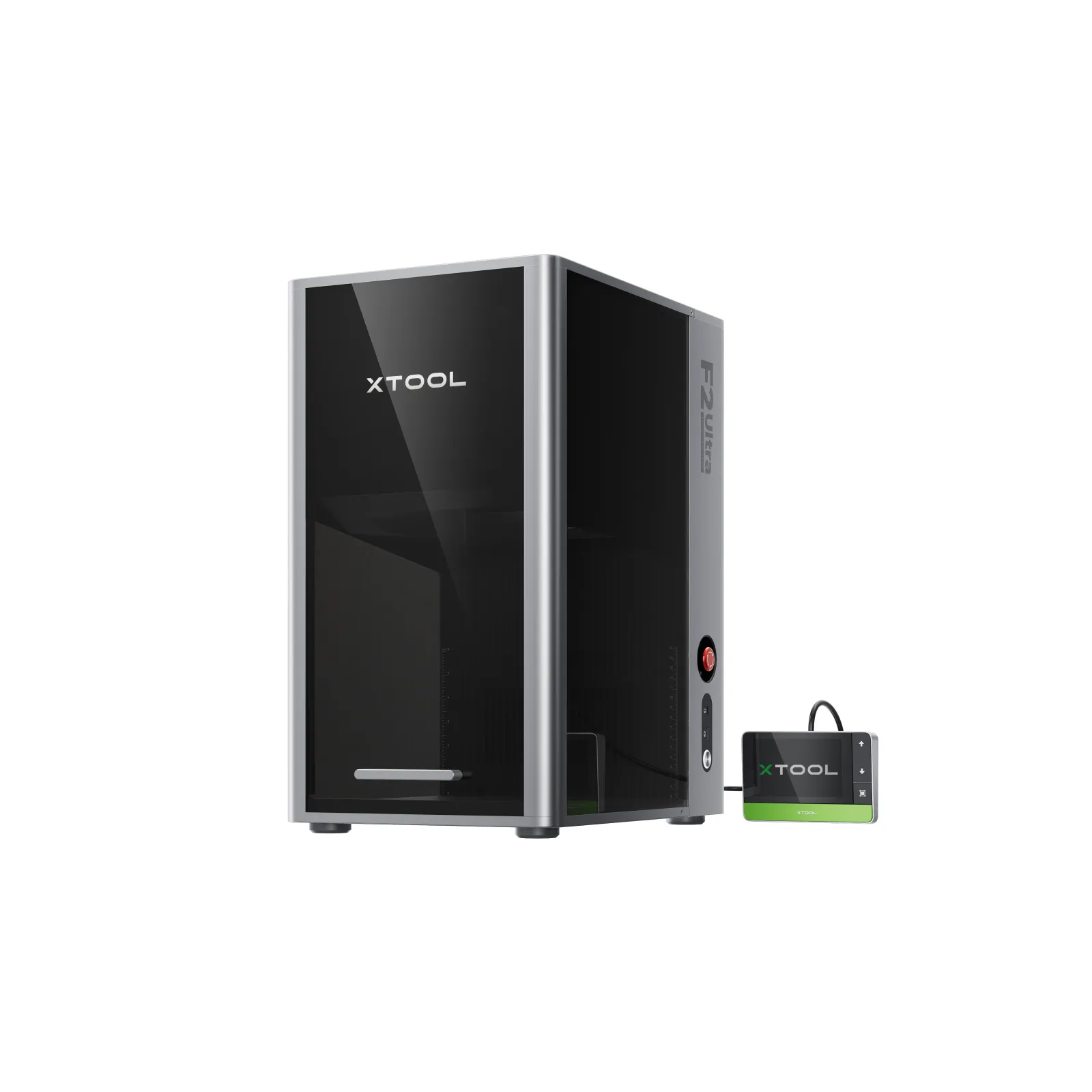
The xTool F2 Ultra pairs a 60 watt MOPA fiber laser with a 40 watt diode laser. That combination is aimed at someone who wants metal marking and also wants to cut wood and acrylic on the same machine.
It has a 220 x 220 mm work area, expandable to 220 x 500 mm with the conveyor, dual 48MP cameras, and a published top speed of 15,000 mm/s. It comes as MOPA only at $4,299 or as the dual laser version at $5,299.
Best for: metal marking plus material cutting, where crystal work is not part of the plan.
The thing to understand is what that diode is really for, and I want to be accurate about it rather than repeat the easy line.
The Lumos Ultra is not helpless with wood. I have cut 3mm basswood on it, and it took about as long as the same design took on my 10 watt xTool M2. Thin wood is genuinely doable.
What the Lumos Ultra will not give you is a dark engrave on wood, and that is the thing most wood projects actually need. That is a diode job. I have not run the F2 Ultra myself, but on paper its 40 watt diode should cut faster than what I measured and handle stock thicker than 3mm.
So if wood is half your work, the F2 Ultra dual is built for it and the Lumos Ultra is not.
The thing it does not do is UV. No inner crystal engraving, and none of the cold processing that lets you mark clear glass without coating it first.
xTool F2 Ultra UV
The xTool F2 Ultra UV is xTool's UV machine, and it is a separate purchase at $4,299.
It runs a 5 watt UV laser at 355nm with a 200 x 200 mm surface work area and a 70 x 70 x 150 mm inner engraving envelope for crystal. Dual 48MP cameras again, and the same 15,000 mm/s published speed.
Best for: someone who wants UV on its own, with no interest in metal color work.
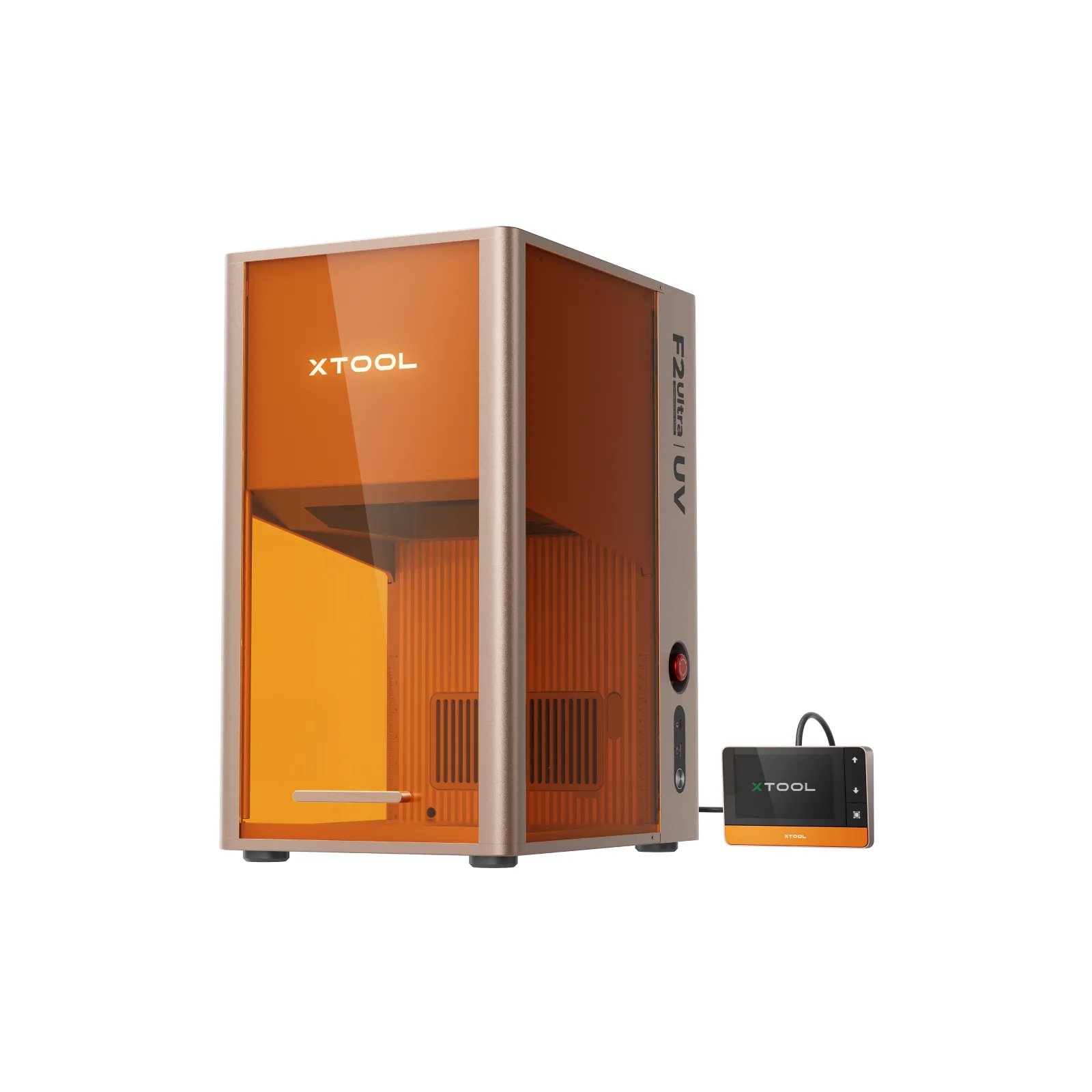
On paper it is the closest thing xTool makes to the UV half of the Lumos Ultra, and the inner engraving envelope is comparable. The crystal block I engraved was about 49 x 49 x 100 mm, which fits inside what the xTool quotes.
Worth knowing: xTool's own guidance is that UV color on stainless is less vibrant and less stable than what a fiber or infrared laser produces. So the F2 Ultra UV is not a substitute for MOPA color work, and buying it does not save you from also buying the F2 Ultra if metal is part of your plan.
Metal Work on Both Machines
This is where I have real numbers on one side and specifications on the other, so take it accordingly.
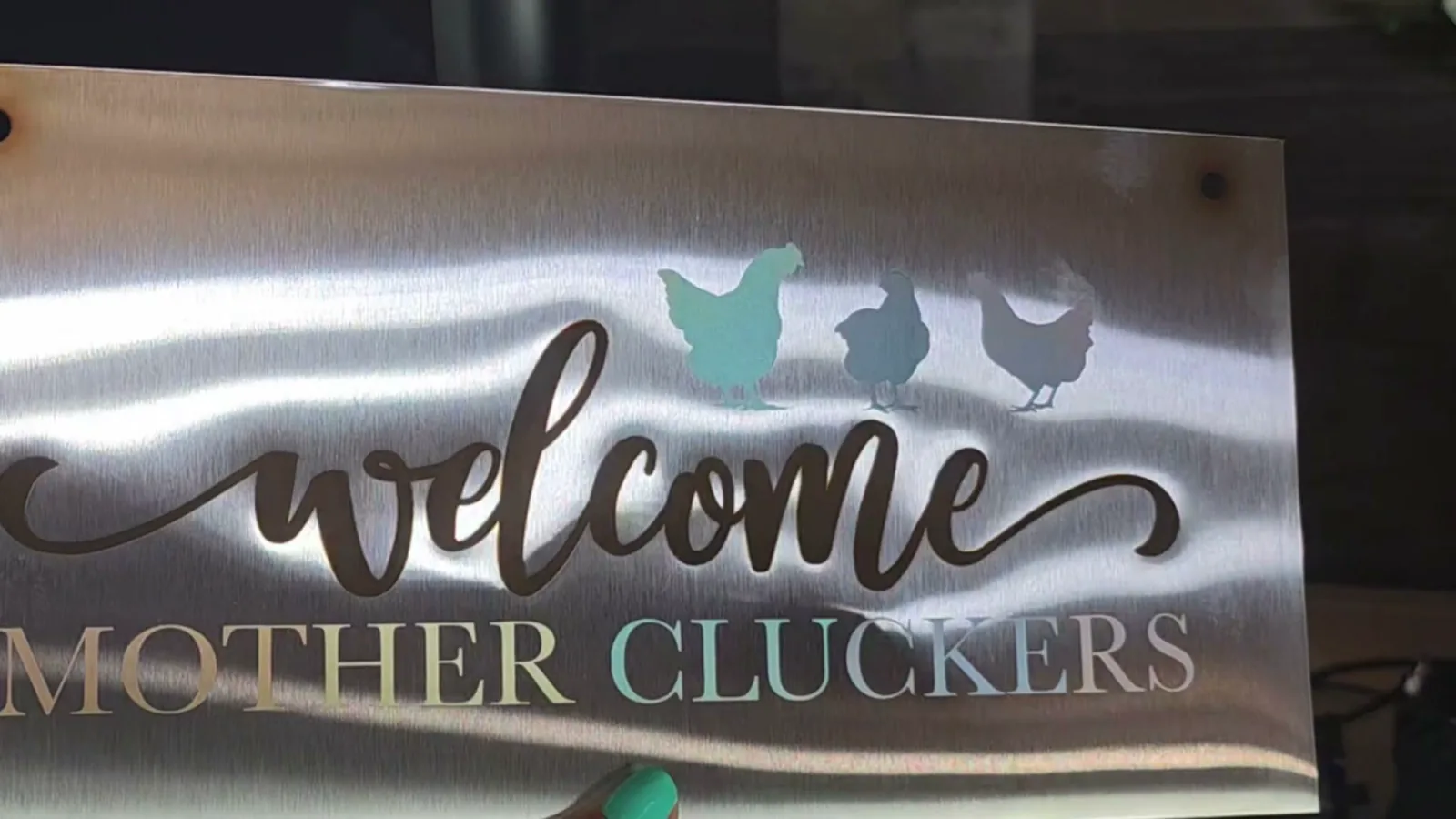
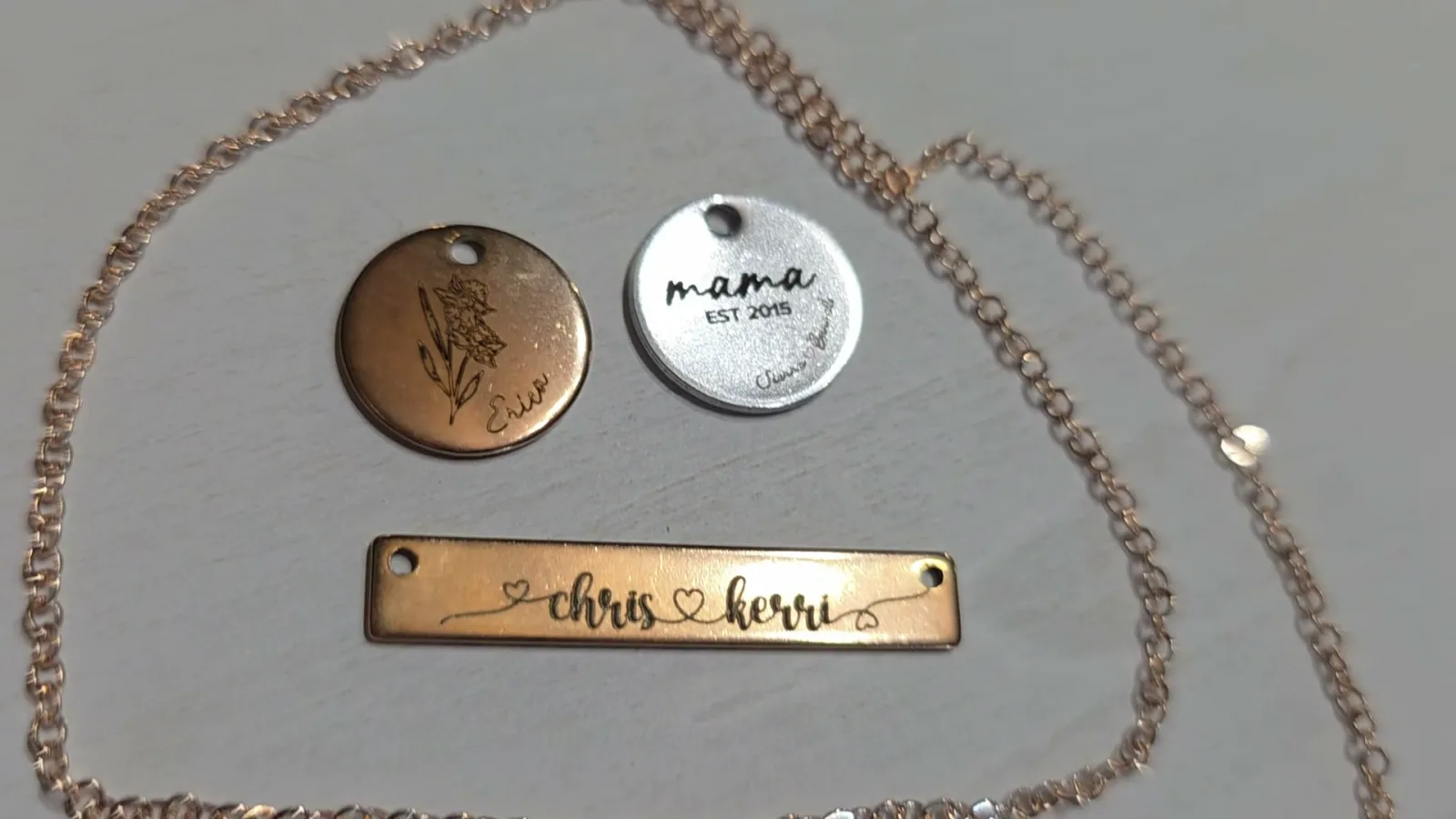
What the 100 watt MOPA did for me. Silver and rose gold pendants engraved in about 15 seconds each, in line mode because the names were too small for fill. Six leather patches batch engraved on the conveyor at about 37 seconds per patch. A full color stainless sign that took about two hours, using colors I found myself with the automatic test grid, because WeCreat's tested settings sheet has nothing at all for color engraving.
Where I hit a wall. I tried twice to cut a large sign out of sheet metal and it did not go well. The metal heated up, bent upward, and the cuts went rough as the focal distance changed. Small shapes were fine. The two hanging holes on my chicken coop sign cut clean with no slag.
I want to be fair about why. Afterward I went back through WeCreat's tested parameters and found that for cutting 1 mm metal they use 80 to 100 passes, moving much faster with a longer pulse width. I had used 5 passes, slowly, at high power. Lots of quick passes spread the heat out. A few slow ones dump it all in one spot, which is exactly the warping I got. So the machine can very likely do it and my settings were wrong. I am redoing that test properly.
The honest read for you as a buyer: small format metal marking and cutting on the 100 watt MOPA was fast and clean. Large format metal cutting is where I found the ceiling, and I have not yet proven where that ceiling actually sits.
For the xTool, I have no equivalent numbers because I have not run it. Its 60 watt MOPA sits between WeCreat's 60 and 100 watt options on paper, and MOPA color engraving is a documented capability of the machine.
Crystal and Glass Engraving
If this is what you are here for, the comparison gets simple, because only two of these three machines do it.
The Lumos Ultra uses the green lens for engraving inside crystal, and there are five glass modes: 3D, 2.5D and 2D internal engraving, surface engraving, and a textured 3D mode. WeCreat's software also has an AI tool that turns a flat photo into a 3D model, which is normally the hardest part of this whole workflow. I uploaded a photo of my son, picked a style, and it built the model on the first try.
The name took about two minutes and the portrait took around 30 minutes.
The xTool F2 Ultra UV also does inner crystal engraving, with a 70 x 70 x 150 mm envelope and its own AI powered 2D to 3D software. On specifications it is a direct competitor for this specific job.
The xTool F2 Ultra does not do this at all. If someone points you at the F2 Ultra for crystal work, they have confused the two models.
If you are getting into crystal engraving, you will need files. My guide to the best places to find STL files for 3D crystal engraving covers where I get mine.
What the xTool Does That the WeCreat Cannot
I do not want to write a comparison that only points one direction, so here is the honest other side.
The 40 watt diode. The F2 Ultra dual is built for cutting wood and acrylic and for engraving wood dark. The Lumos Ultra has no diode in it and no version of it that has one. It will still cut thin wood, but dark wood engraving is off the table. For a lot of crafters that is not a footnote, that is the main machine they use every week.
Dual 48MP cameras. xTool publishes a specific alignment figure for this. WeCreat's camera is good, and after I ran the calibration tool it was very accurate on tiny jewelry, but it is a single camera and WeCreat does not publish an equivalent number.
A finished ecosystem. xTool Studio is mature software with a large material library. I was working with beta MakeIt and there was no built in material library yet, just a PDF of tested settings that covered a lot but not everything. WeCreat has since added material settings for cutting and engraving a number of materials in an update, so this gap is narrower than it was while I was testing.
Buying one machine at a time. If you only need metal today, $4,299 for the MOPA only F2 Ultra is a lower entry point than $6,390. You can add UV later. With WeCreat you are choosing your configuration up front.
How to Choose
Work through these in order and you will land in the right place.
Do you need to work in wood? If you want dark engraved wood, or you cut stock thicker than about 3mm, you want the xTool F2 Ultra dual, possibly with the UV machine later. For the occasional thin wood cut, the Lumos Ultra will manage.
Do you need both UV and metal color? If yes, the Lumos Ultra is the cheaper and simpler route by roughly $1,600 and one entire machine.
Do you only need UV? WeCreat's UV only Lumos Ultra is $3,799 against xTool's $4,299, so the WeCreat saves you $500 for what is essentially the same job. Both are fully enclosed and both have a camera, so there is no catch to the cheaper one.
Do you only need metal? The MOPA only F2 Ultra at $4,299 is the lowest entry point of anything here. A dedicated fiber laser is also worth a look, and my ComMarker B6 review covers one at a very different price point.
Are you new to laser engraving? None of these. Start with my guide to laser cutting and engraving for beginners, and look at a diode machine first. These are specialist tools for people who already know what they want to make.
60 watt or 100 watt MOPA? WeCreat's position is that both give the same final result and the difference is time, with a 30 minute job on the 100 watt taking around 90 minutes on the 60 watt. My own experience lines up with that. The 100 watt matters most if you are cutting or filling customer orders.
FAQ
What is the difference between the WeCreat Lumos Ultra and the xTool F2 Ultra?
The Lumos Ultra combines a UV laser and a MOPA fiber laser in one machine. The xTool F2 Ultra combines a 60 watt MOPA fiber laser with a 40 watt diode laser and has no UV at all. To get UV from xTool you buy the separate F2 Ultra UV.
Can the xTool F2 Ultra engrave inside crystal?
No. Inner crystal engraving needs a UV laser, and the F2 Ultra does not have one. You would need the xTool F2 Ultra UV, which is a different machine at $4,299.
Is the WeCreat Lumos Ultra cheaper than the xTool equivalent?
For UV and MOPA together, yes. The 60 watt Lumos Ultra is $6,390 in one enclosure. xTool's own MOPA plus UV bundle is $7,999 across two machines, or $9,499 for the version that also has the 40 watt diode.
Can either machine cut metal?
The 100 watt MOPA in the Lumos Ultra cut small shapes cleanly for me, including holes in stainless steel with no slag. My attempts at cutting a large sign warped, though WeCreat's tested settings use 80 to 100 passes for 1 mm metal and I only used 5, so that is very likely my settings rather than the machine.
Which one is better for a small business?
If your products are personalized metal, glass or crystal, the Lumos Ultra does more per square foot of bench. If your products lean on wood, especially dark engraved wood, the xTool F2 Ultra dual is doing a job the WeCreat cannot.
Do you have to swap lenses on the Lumos Ultra?
Yes. Three color coded lenses, purple for UV, green for crystal and red for MOPA. It takes under a minute with no tools, and the machine refuses to start if the wrong lens is installed.
Final Recommendation
For most people reading this, the WeCreat Lumos Ultra is the better buy, and the reason is structural rather than a matter of taste. It is the only machine here that does UV and MOPA in one box, and doing both with xTool costs about $1,600 more and takes a second machine.
After a month with it, the 3D crystal engraving is the thing I keep going back to, and the 15 second jewelry engraving is the thing most likely to make anyone money.
But think twice if wood is your main material. The Lumos Ultra has no diode laser. It will cut thin wood, but it will not engrave wood dark, and that is what most wood projects need. If wood is part of your weekly work, the xTool F2 Ultra dual at $5,299 is the machine that actually fits your bench, and you can add UV later if crystal becomes a thing you want.
💰 Save $200 on the WeCreat Lumos Ultra with code KERRICRAFTSIT at wecreat.com.
xTool runs its own site wide discounts too, usually a set amount off once you pass a spend threshold, so check the banner on the product page before you check out.
And if you are still deciding between brands more broadly, my WeCreat vs xTool comparison covers the whole lineup rather than just these top end machines, and choosing the best WeCreat laser walks through WeCreat's own range.
 12:35
12:35
Watch the full tutorial
NEW WeCreat Lumos Ultra Review: The Most Versatile Laser Yet?
💰 SAVE $200 ON THE WECREAT LUMOS ULTRA UV+MOPA package! Code: KERRICRAFTSIT