People ask me which fonts I use more than almost anything else. So I went back through every tutorial I have ever filmed and pulled the name of every single font, and this is the honest list of the best Cricut fonts I reach for over and over.
There are almost 50 of them! Not 50 fonts I found in a roundup somewhere, 50 fonts I have paid for, installed, cut, weeded and sold projects with.
Some of them show up in seven different videos. A few I bought once and never touched again. I will tell you which is which.
This post contains affiliate links. If you buy through them, I may earn a small commission at no extra cost to you.
Quick Answer
If you only download three, make it these.
Tatertot is my most used font, full stop. It is playful, thick, and it cuts cleanly at small sizes, which is why it ends up on every kid project I make.
Baby Giovani Script is my go to cursive. It is bold enough to read from across a room and thick enough that it actually sticks.
Lovely Home is the one I put on personalized pumpkins every single fall.
All three come from Creative Fabrica, which is where I get almost everything.
Get the Free Printable Font List
I turned this whole list into a printable cheat sheet. Every font name is set in that font, so you can see exactly what it looks like before you download anything, alongside what it is best for and a link to the video where I used it on a real project.
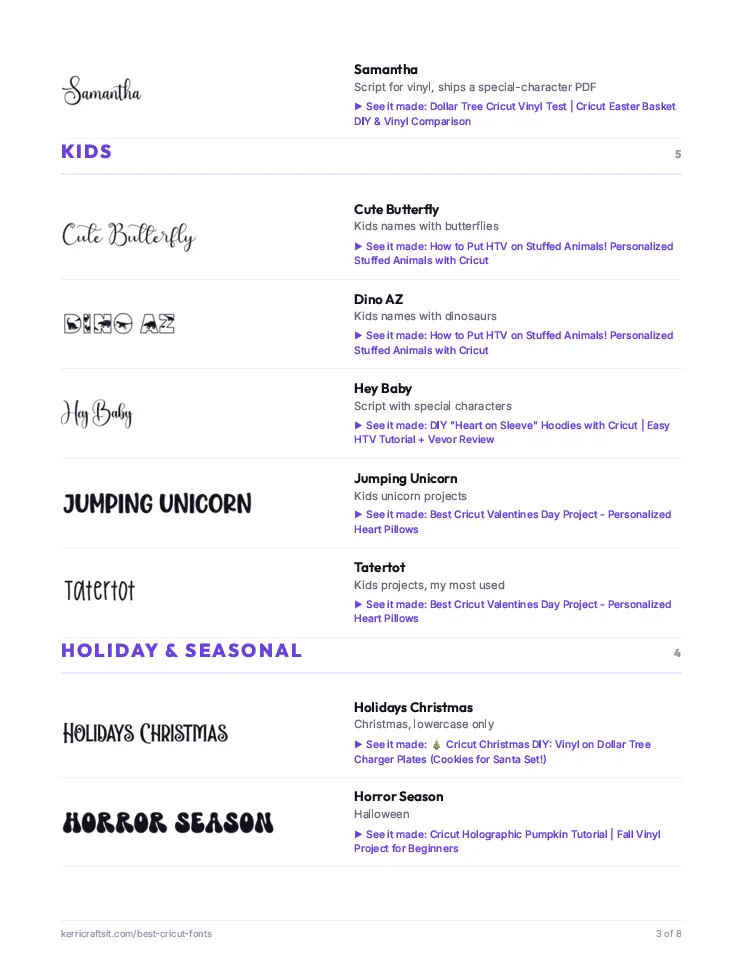
Tell me where to send it and it will land in your inbox in a few minutes.
Quick Links
- How I Picked These Fonts
- The Best Cricut Fonts at a Glance
- Best Script Fonts for Cricut
- Best Cricut Fonts for Kids Projects
- Best Holiday and Seasonal Fonts
- Best Thick Fonts for Vinyl
- Best Monogram Fonts for Cricut
- Best Fonts for Signs and Home Decor
- The Complete List of All 50 Fonts
- How to Choose a Cricut Font
- Font Tricks Every Cricut Owner Should Know
- Frequently Asked Questions
How I Picked These Fonts
I did not pick them randomly, at the last minute just for this blog post. My own project history did.
Every font on this list came out of a tutorial I filmed, which means I had already chosen it for a real project, cut it on a real machine and lived with the result. If a font made my life harder, it never came back for a second video.
That is why the counts matter. Tatertot appears in seven of my tutorials. Baby Giovani Script appears in five. Pumpkin Butter shows up in three. Those are not opinions, those are the fonts I kept going back to.
Everything here comes with a commercial license through Creative Fabrica, which matters enormously if you sell what you make. I go deep on that in my guide to where to get the best fonts and graphics, including the font that costs $39 for one commercial license.
The Best Cricut Fonts at a Glance
| Font | Style | Best for |
|---|---|---|
| Tatertot | Playful print | Kids names, teacher gifts, Easter baskets |
| Baby Giovani Script | Thick cursive | Names on anything, birth announcements |
| Lovely Home | Script | Pumpkins, home decor, farmhouse signs |
| Pumpkin Butter | Chunky fall | Fall signs, mini pumpkins |
| Hello Honey | Script with swashes | Shirts, hats, leather patches |
| Thick | Heavy sans | Permanent vinyl on glassware |
| Holidays Christmas | Festive script | Stockings, ornaments, Santa plates |
| Ashley Southine | Calligraphy | Wood round name signs |
| Brown College | Varsity block | Graduation shirts, team gear |
| Amillina Monogram | Split monogram | Flower pots, tumblers, gifts |
Best Script Fonts for Cricut
Script is what most people want and it is also the category that causes the most trouble. Thin, delicate cursive looks gorgeous on screen and then tears apart when you weed it.
Every script below is one I picked specifically because it survives.
Baby Giovani Script
This is my favorite cursive font and it has been for years. What makes it work is the weight. It is nice and thick, almost like a bold font already, so it is easier to read and far easier to weed than a hairline script.
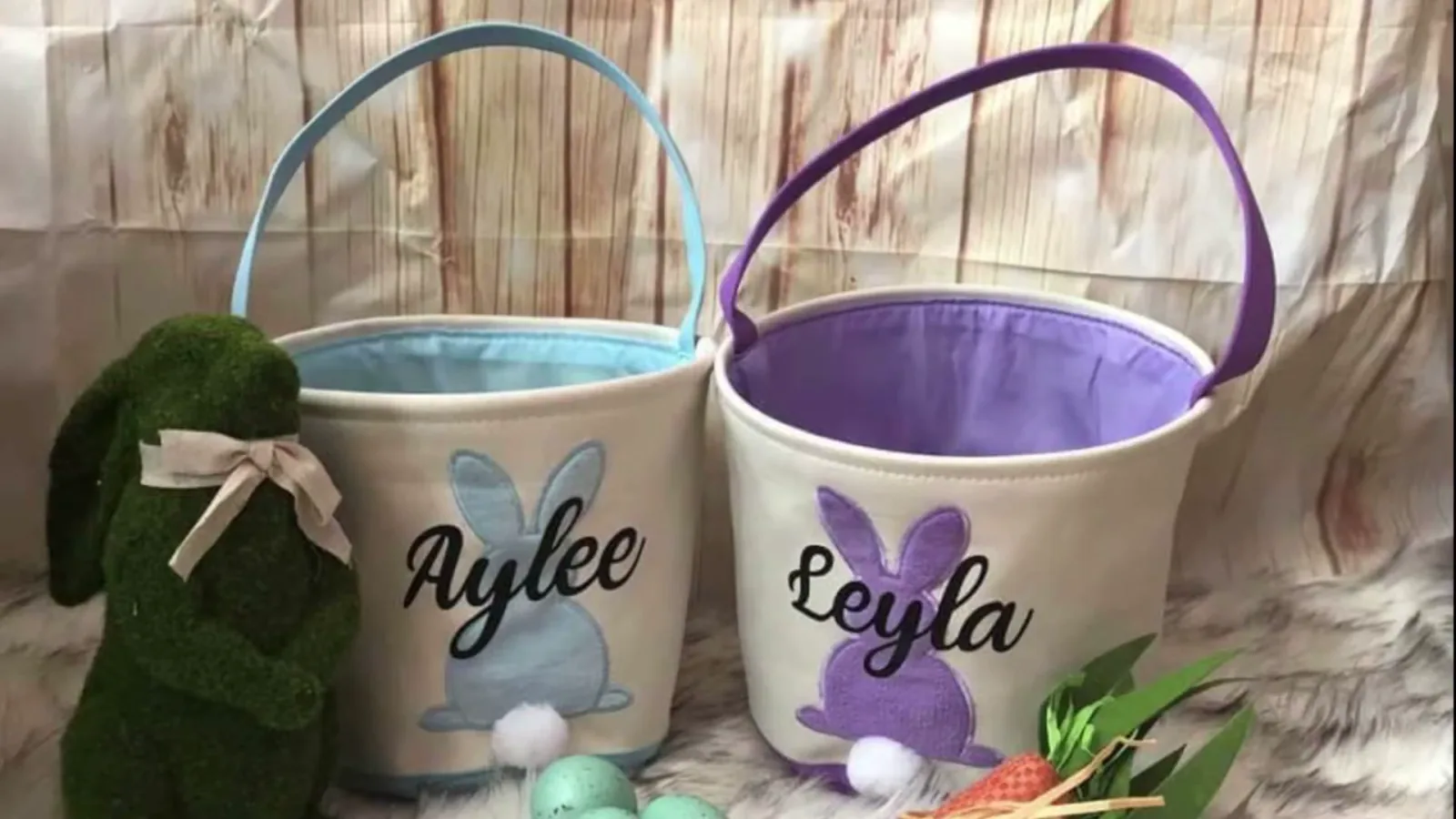
I have used it on Easter baskets, birth announcement elephant ears, and more personalized names than I can count.
Hello Honey
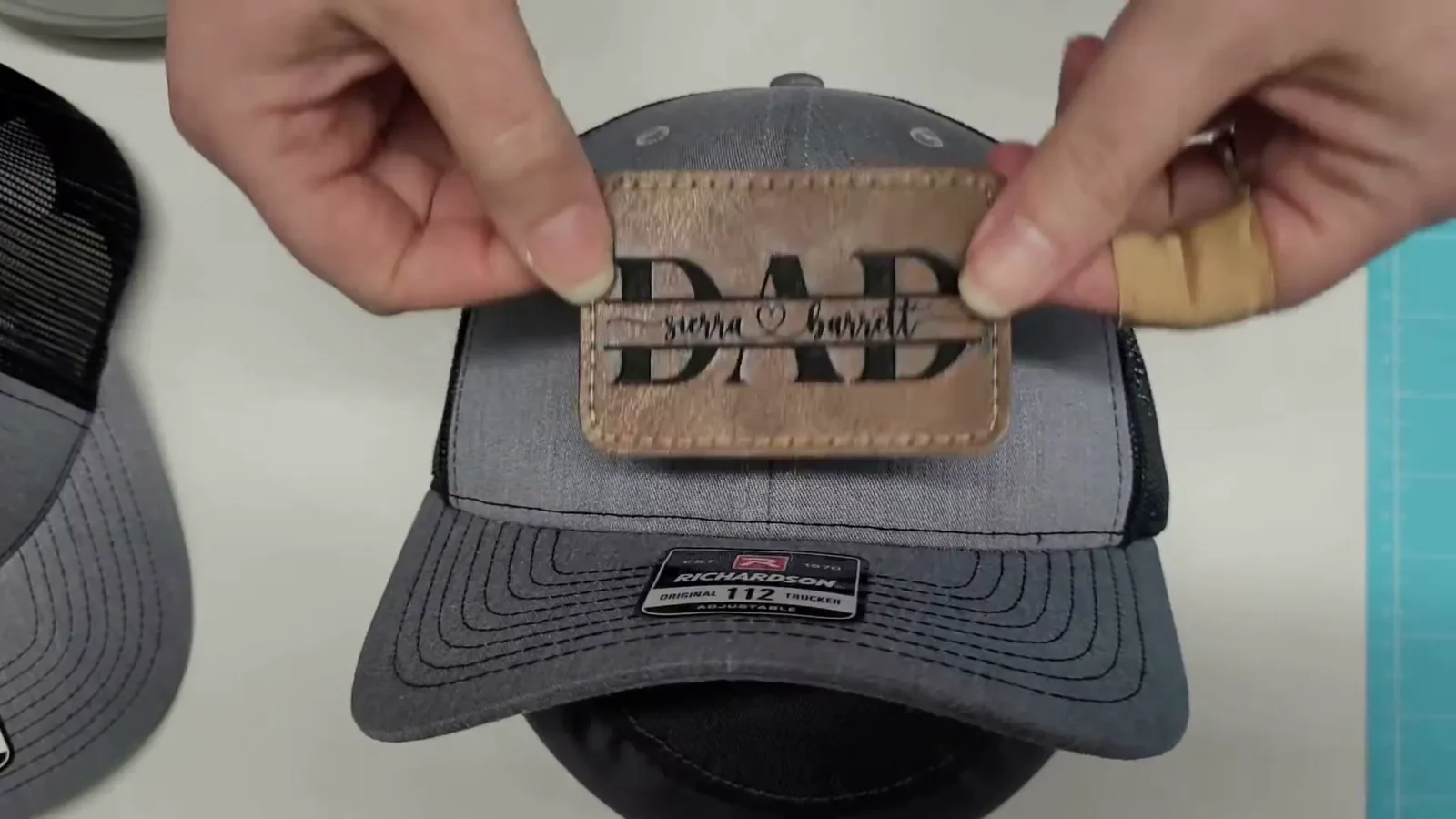
Hello Honey downloads as three separate files, and that trips people up. You get the regular font, plus a Tail version that gives you the long swash on the last letter, plus a plain one. Install all of them.
Type your first letter in one, the rest of the name in the other, then weld it together. That is how you get the fancy trailing tail you see on my hats and leather patches.
Angellie
Angellie is the script I pair with Lovely Home when I want two different weights in the same design. It came up so often in my old projects that I made a whole video about finding font names after you have welded them, purely because I kept forgetting which one I had used.
Carley
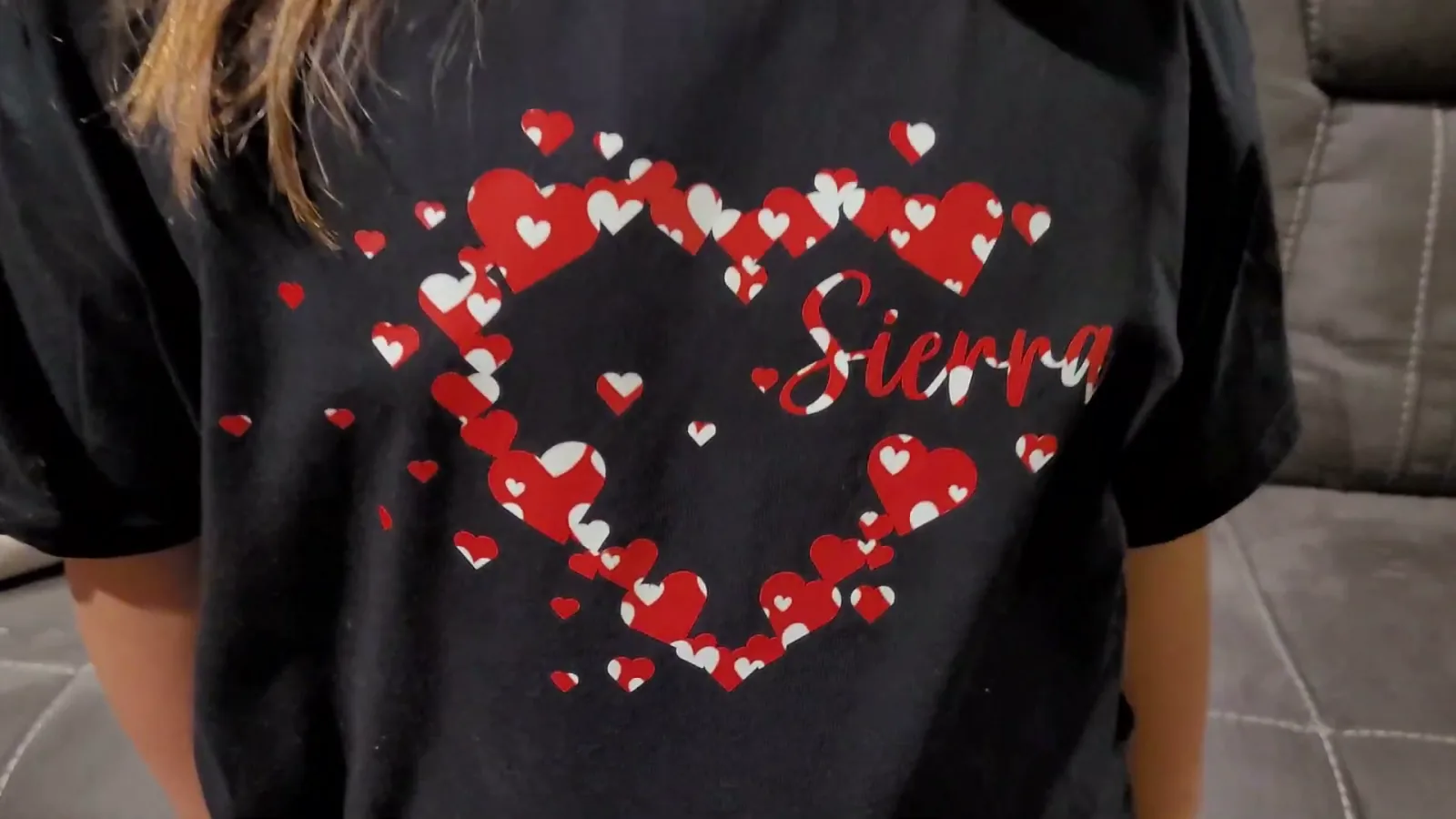
Carley is a softer, rounder script. I used it for my daughter's Valentine's shirt and it is one of my favorites for anything sweet or girly.
Breathine
Breathine is the fancy half of the pair I used on custom candle labels. It is genuinely pretty, and it works beautifully next to a plain traditional font like Montage.

Flowerbloom
Flowerbloom is one I have used on pocket pillows and heart pillows. Delicate but still weedable, which is a hard balance to strike.
Ashley Southine
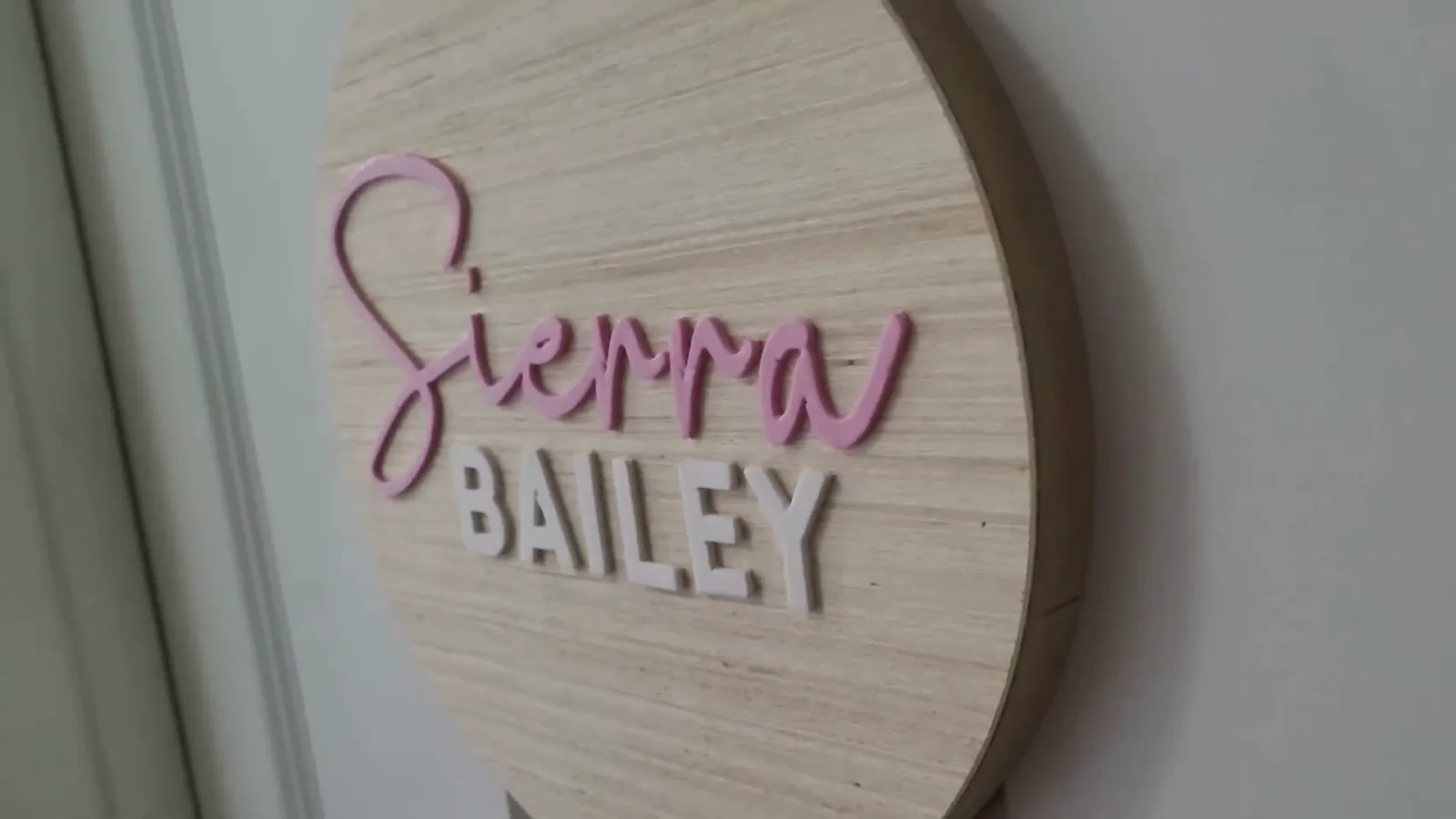
This is my calligraphy pick for wood round signs. On those projects I write the first name in Ashley Southine and the middle name in a clean sans serif, and that contrast is what makes the sign look professional instead of homemade.
Samantha
Samantha is one I keep coming back to for vinyl. It downloads with a bonus PDF that shows you every special character it includes, which is more than most fonts bother to do.
Litha Lotte
Litha Lotte is the one with the little heart built into it. I used it on a laser engraved cutting board and it is charming for anything romantic or family themed.
Best Cricut Fonts for Kids Projects
Tatertot
If you buy one font from this whole list, buy this one. Tatertot appears in seven of my tutorials, more than any other font I own.
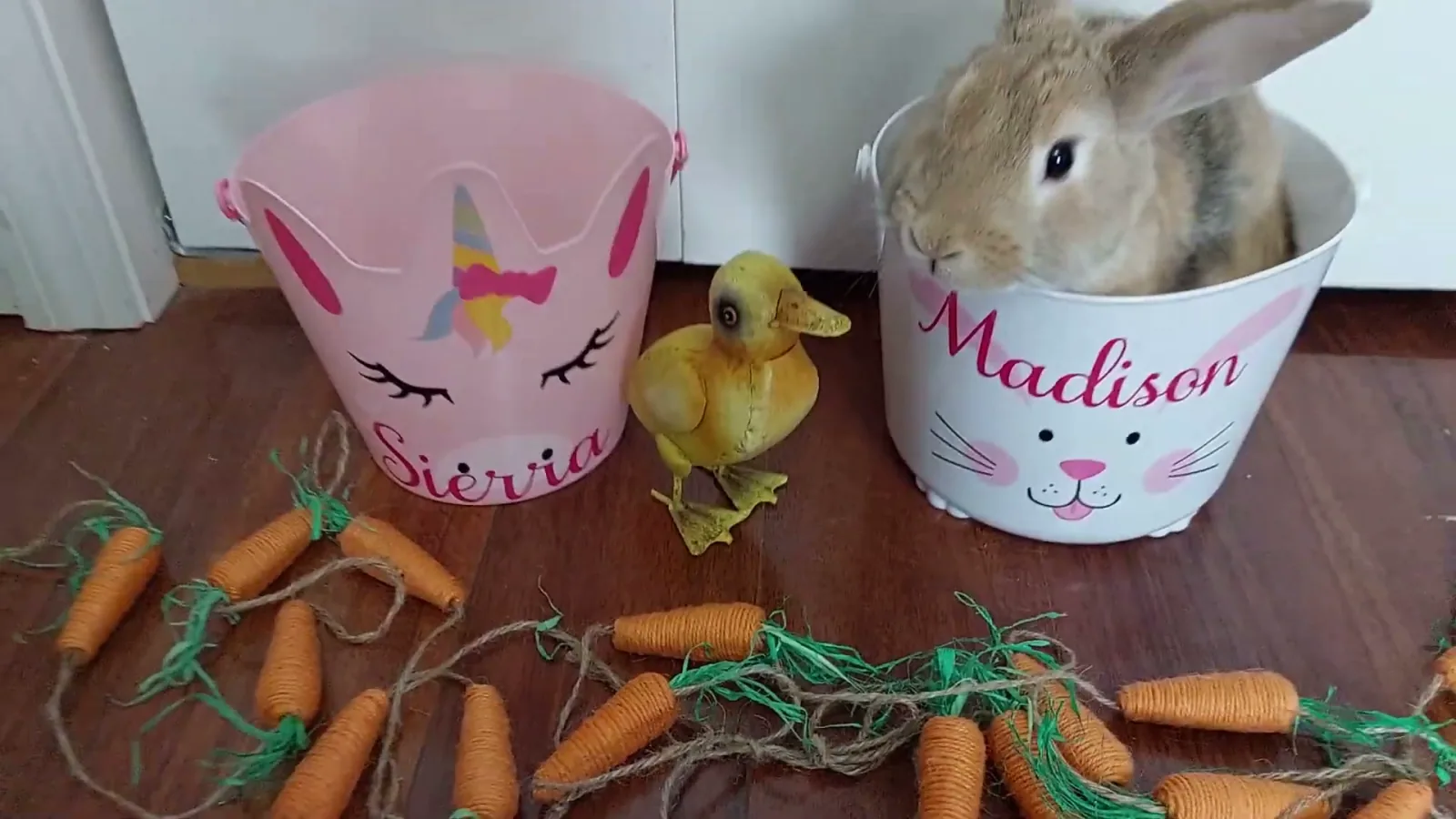
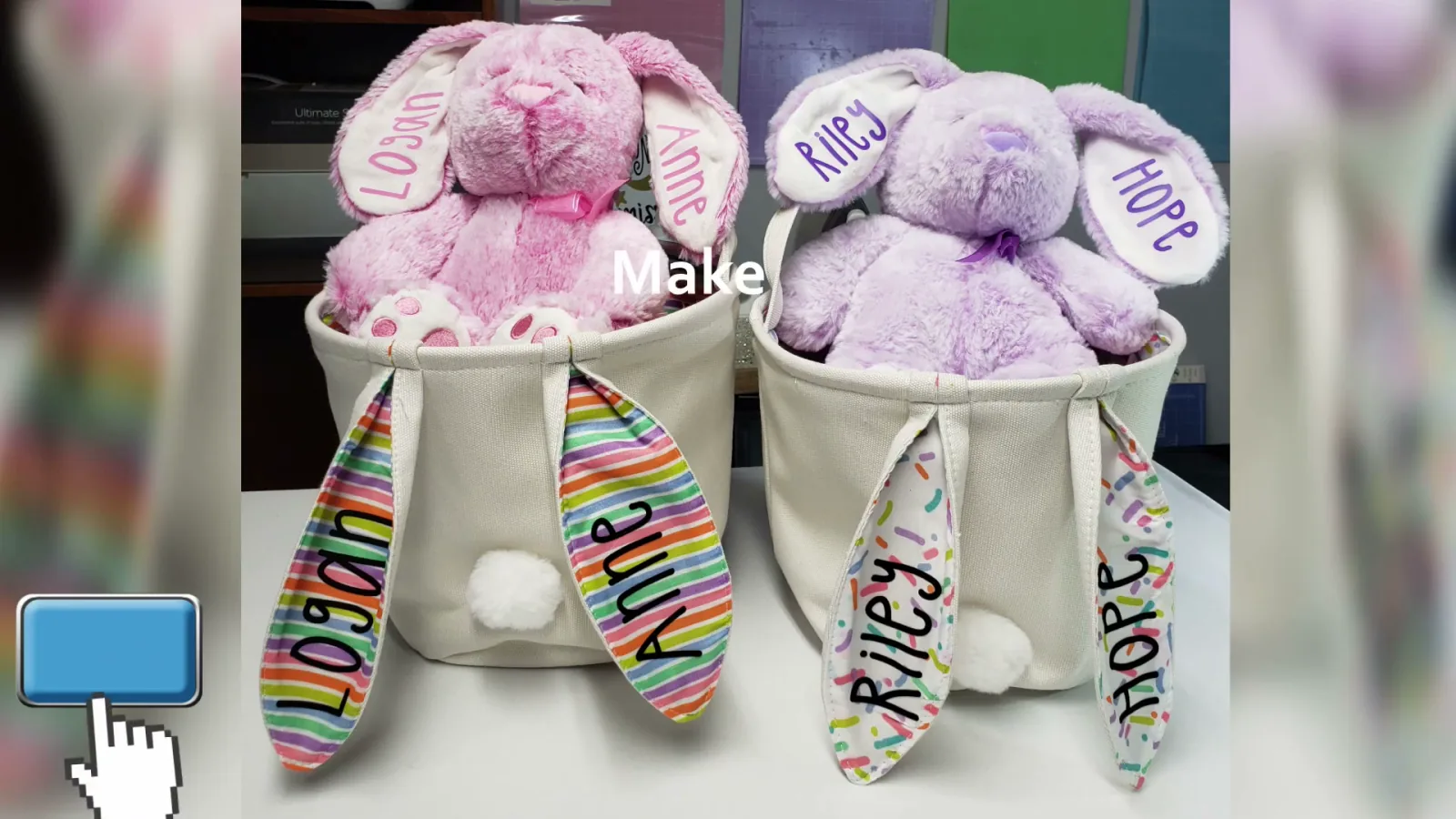
It is bubbly and fun without being babyish, and it is thick enough that it weeds easily and sticks well. I use it for so many kid projects. Teacher appreciation gifts, Easter bunnies, Easter baskets, candle labels for kids to give.
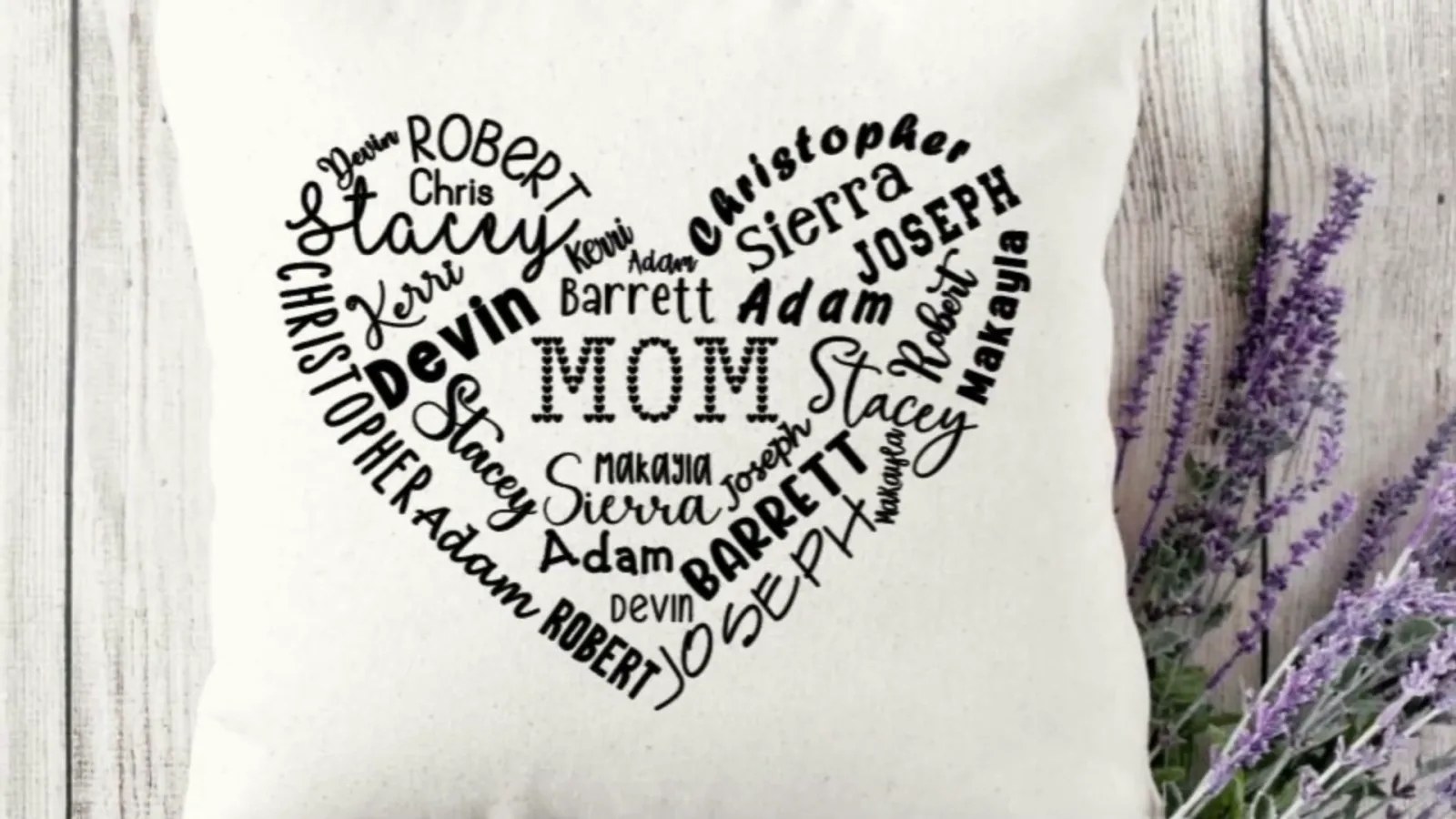
Watch how I used it on personalized heart pillows:
 9:34
9:34
Watch the full tutorial
Best Cricut Valentines Day Project - Personalized Heart Pillows
Best Cricut Valentines Day Project - Personalized Heart Pillows
Dino AZ and Cute Butterfly
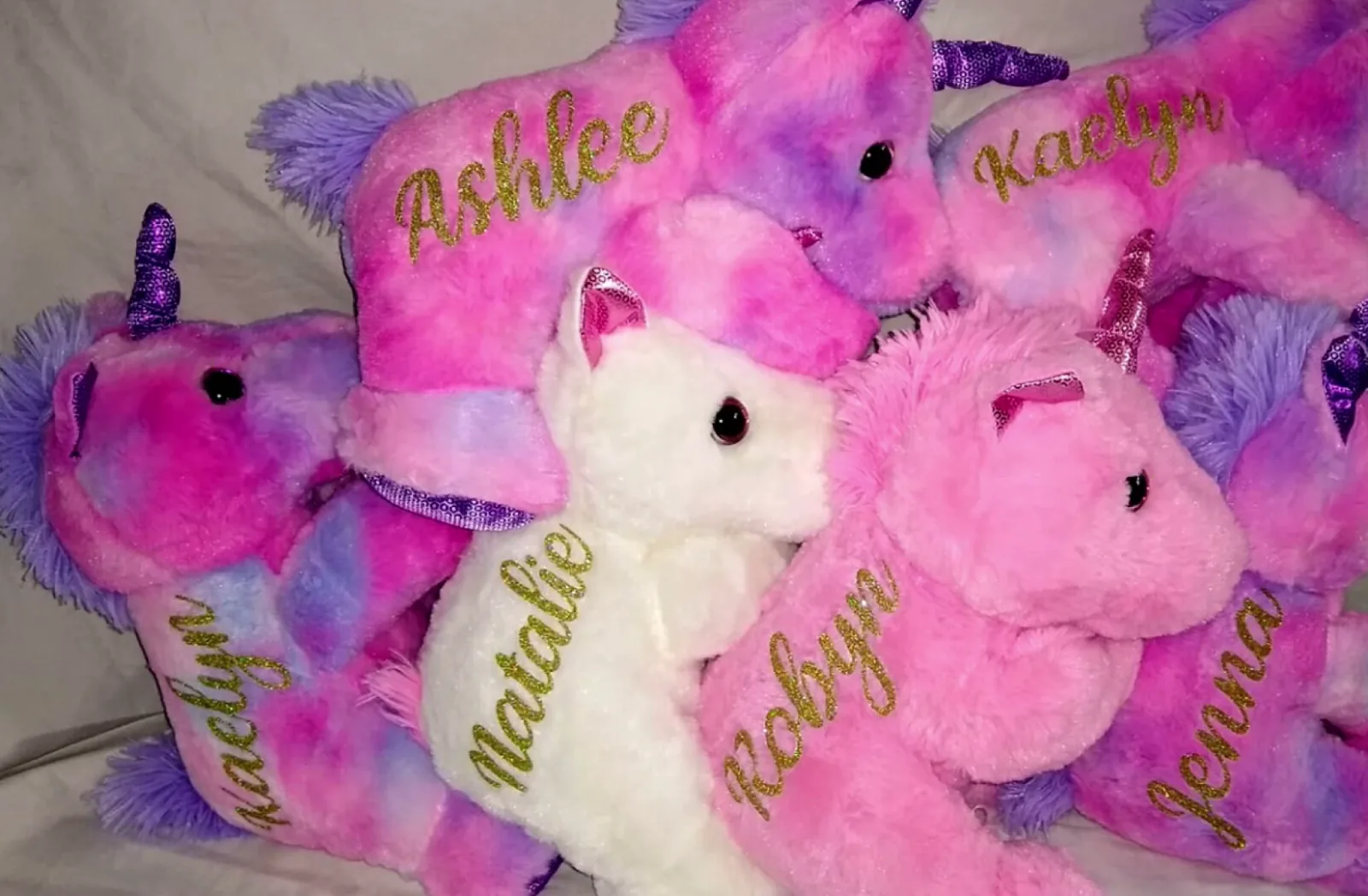
These two came out of my stuffed animal personalizing tutorial. Dino AZ has little dinosaurs worked into the letters and Cute Butterfly does the same with butterflies.
They are novelty fonts, so they are not everyday workhorses. But when a four year old sees their name spelled out in dinosaurs, the reaction is worth the download.

Jumping Unicorn
Same idea as the two above. Jumping Unicorn is exactly what it sounds like and it sells well on kid blanks.
Hey Baby
Hey Baby is the font I use when I want the special characters. It ships with extra flourishes you can only reach through Character Map, which I explain further down.
Best Holiday and Seasonal Fonts
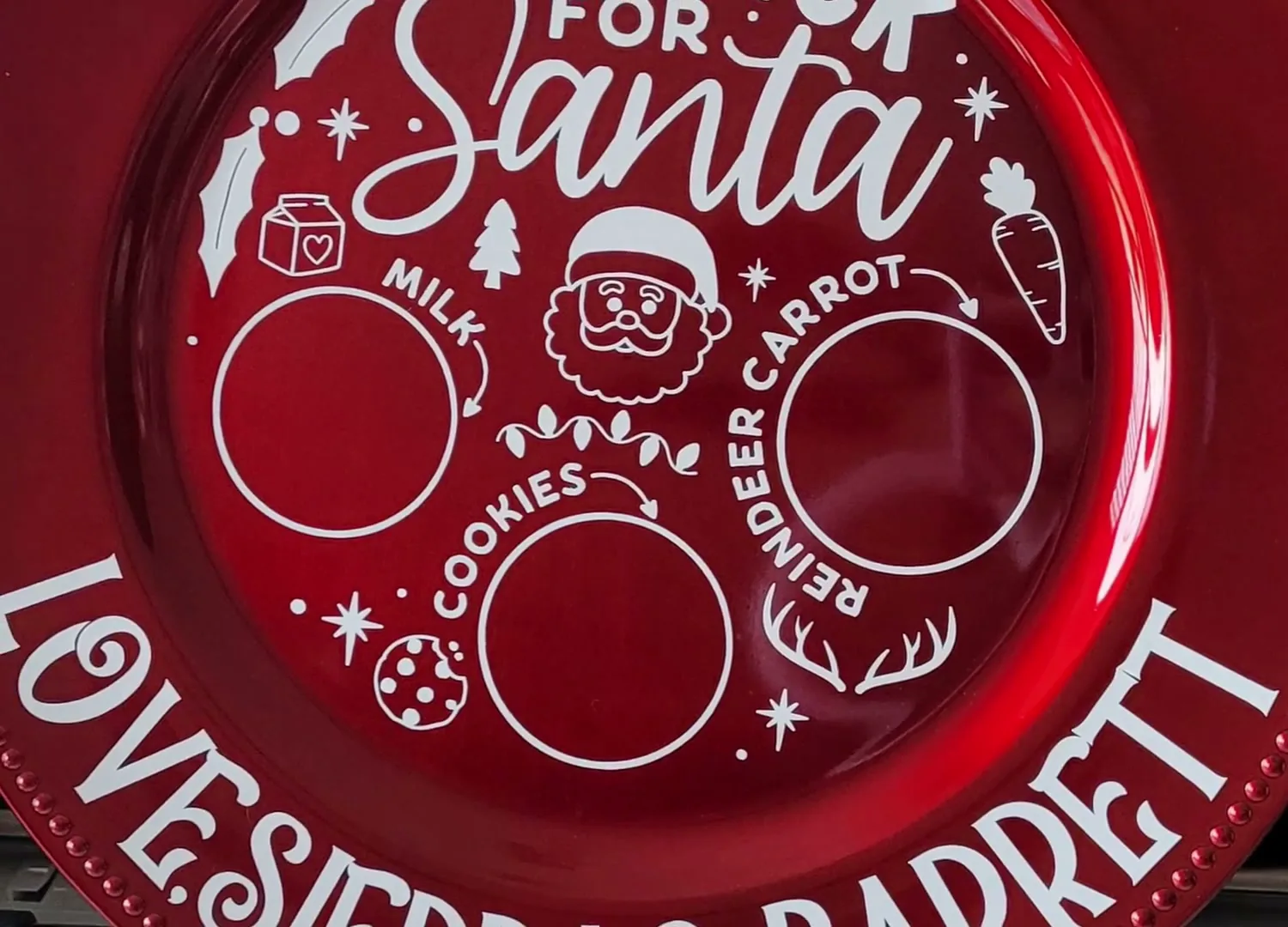
Holidays Christmas
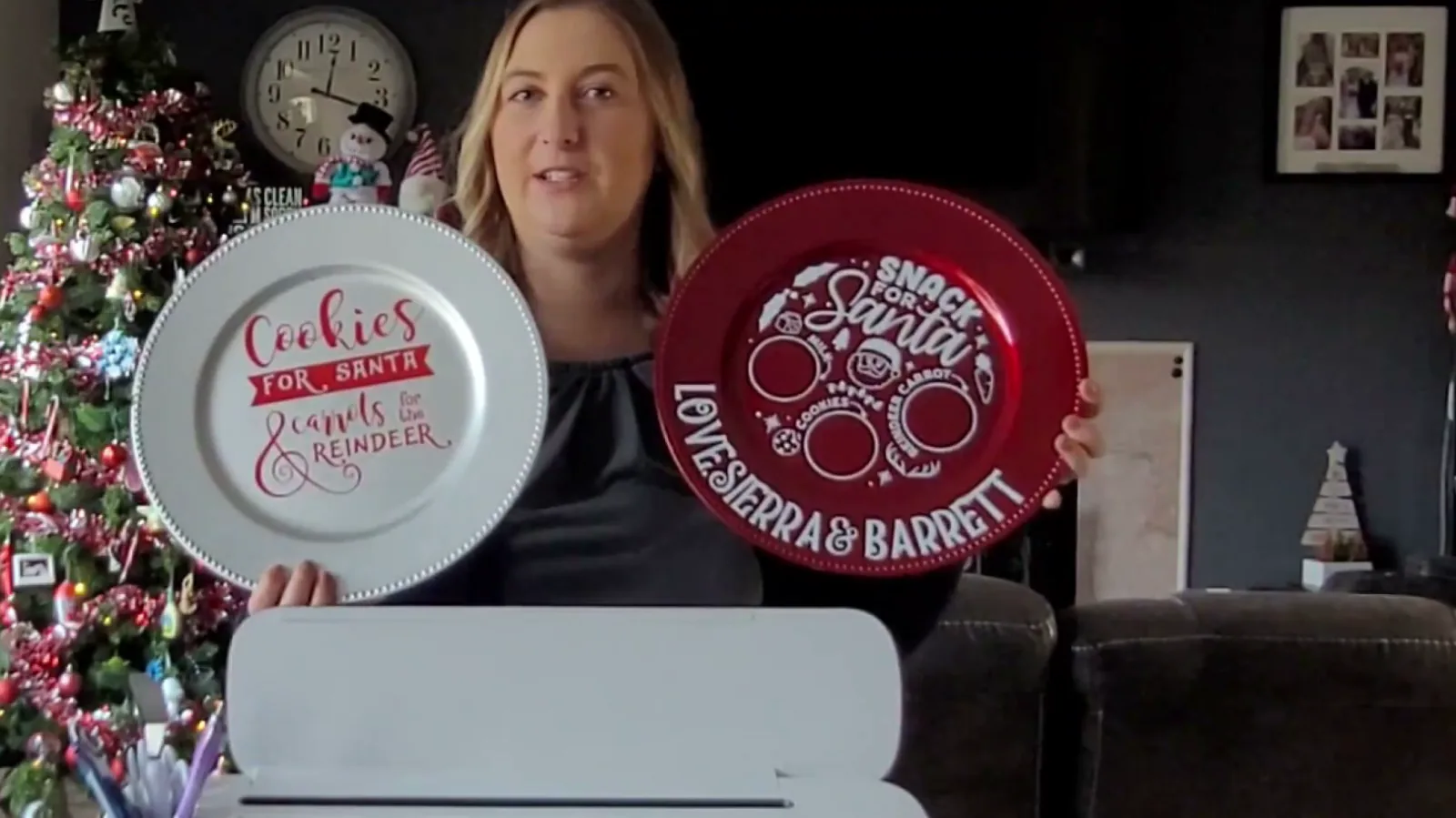
This is my Christmas workhorse. I have used it on Dollar Tree Santa plates and personalized elves.
One important warning. Type it in lowercase. If you use capital letters, the letters drop below the baseline and stick out awkwardly, and it gets much worse once you curve the text. Lowercase only.
Pumpkin Butter
Pumpkin Butter is my fall font. Mini pumpkins, Dollar Tree signs, anything autumn.
One quirk to know: it does not recognize the dash character. When I needed a hyphen I had to type it separately in a different font. Not a dealbreaker, just plan for it.
Horror Season
Horror Season is my Halloween pick. I used it on holographic pumpkins and it has exactly the right creepy feel without being illegible.
Simple Grinches
Simple Grinches is a fun festive one I used for laser engraved bridesmaid tumblers, paired with Outside for the names.
Best Thick Fonts for Vinyl
Here is the single most useful thing I can tell you about choosing a Cricut font, and it has nothing to do with looks.
Thicker fonts have more surface area, so they stick better.
That is it. That is the whole rule. A skinny script on a wine glass will peel off in the dishwasher. The same design in a thicker font will not. I learned this the hard way in my first year of business, when I sold glasses with super thin vinyl and watched the details fall off.
If you are still deciding what vinyl to pair with your font, my vinyl vs HTV vinyl guide breaks down which one belongs on which blank.
Thick
The name is not subtle. Thick is what I reach for when I am putting permanent vinyl on glassware or anything that gets washed. I prefer thicker fonts for permanent vinyl because they simply stay on.
The Skinny
Do not let the name fool you. The Skinny ships with a Bold weight, and the bold is the one I use. I put it on kitchen canisters from Family Dollar and it held up perfectly.
Brown College
Brown College is a varsity block font. I used it for graduation shirts and it is the right call any time you want that team jersey look.
Super Stacked and Gemstone
Super Stacked does the stacked word effect in one font instead of you building it manually. Gemstone is a chunky decorative option I used on color changing cups.
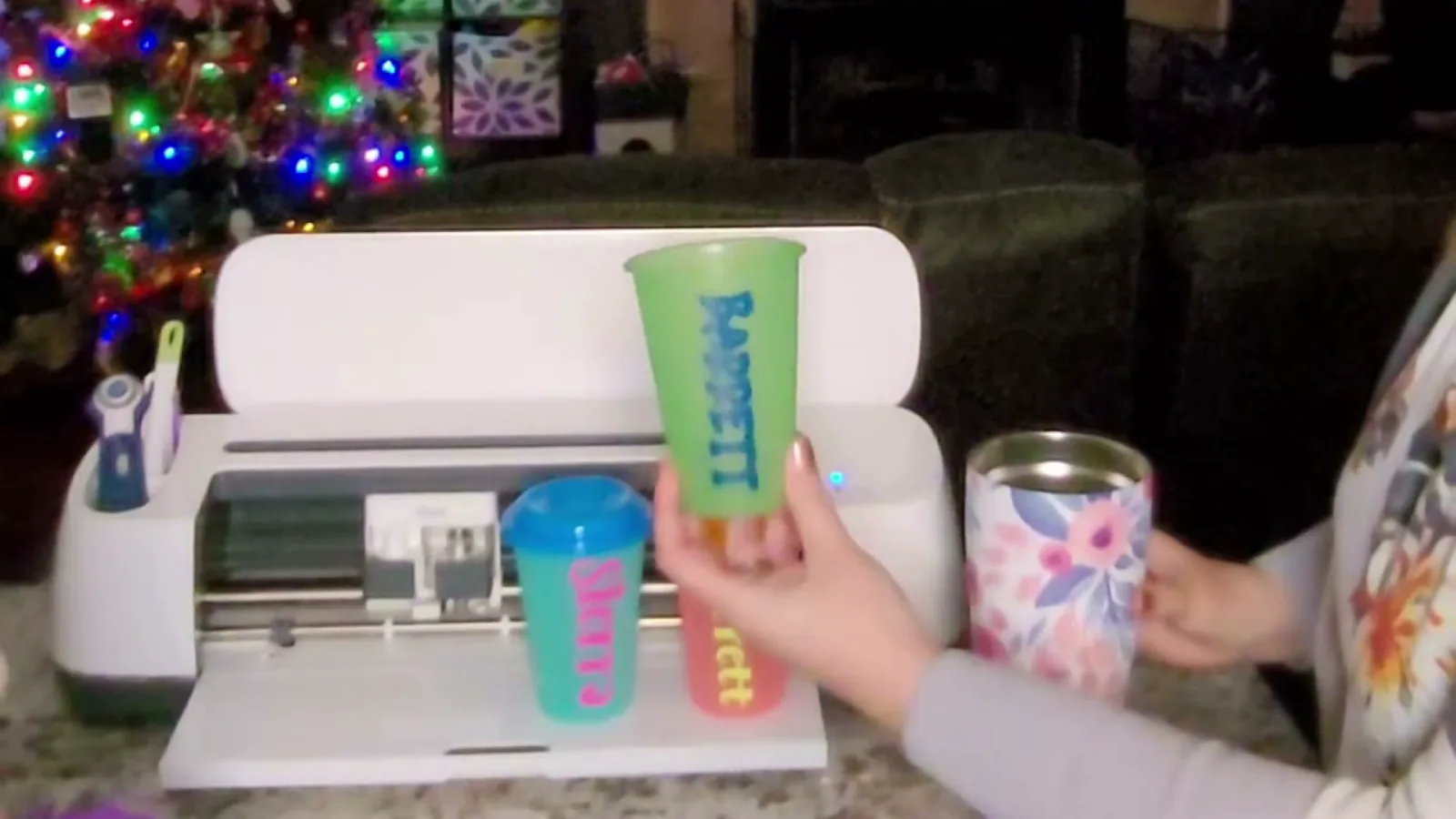
Here is my trick for making any font thicker, even when Design Space will not let you bold it:
 1:00
1:00
Watch the full tutorial
Cricut Design Space Tip - Get Thicker Fonts
🔤✨ Elevate Your Cricut Creations: Thickening Fonts Hack! Learn how to make your fonts bolder and thicker in Cricut Design Space with this quick tutorial. Many fonts in Cricut Design Space don't give you the option to make them bold. I prefer thicker fonts because they're easier to read and stick bet...
Best Monogram Fonts for Cricut
Split monogram fonts work differently from regular fonts. You type a letter and you get a shape with a gap in the middle where a name goes.
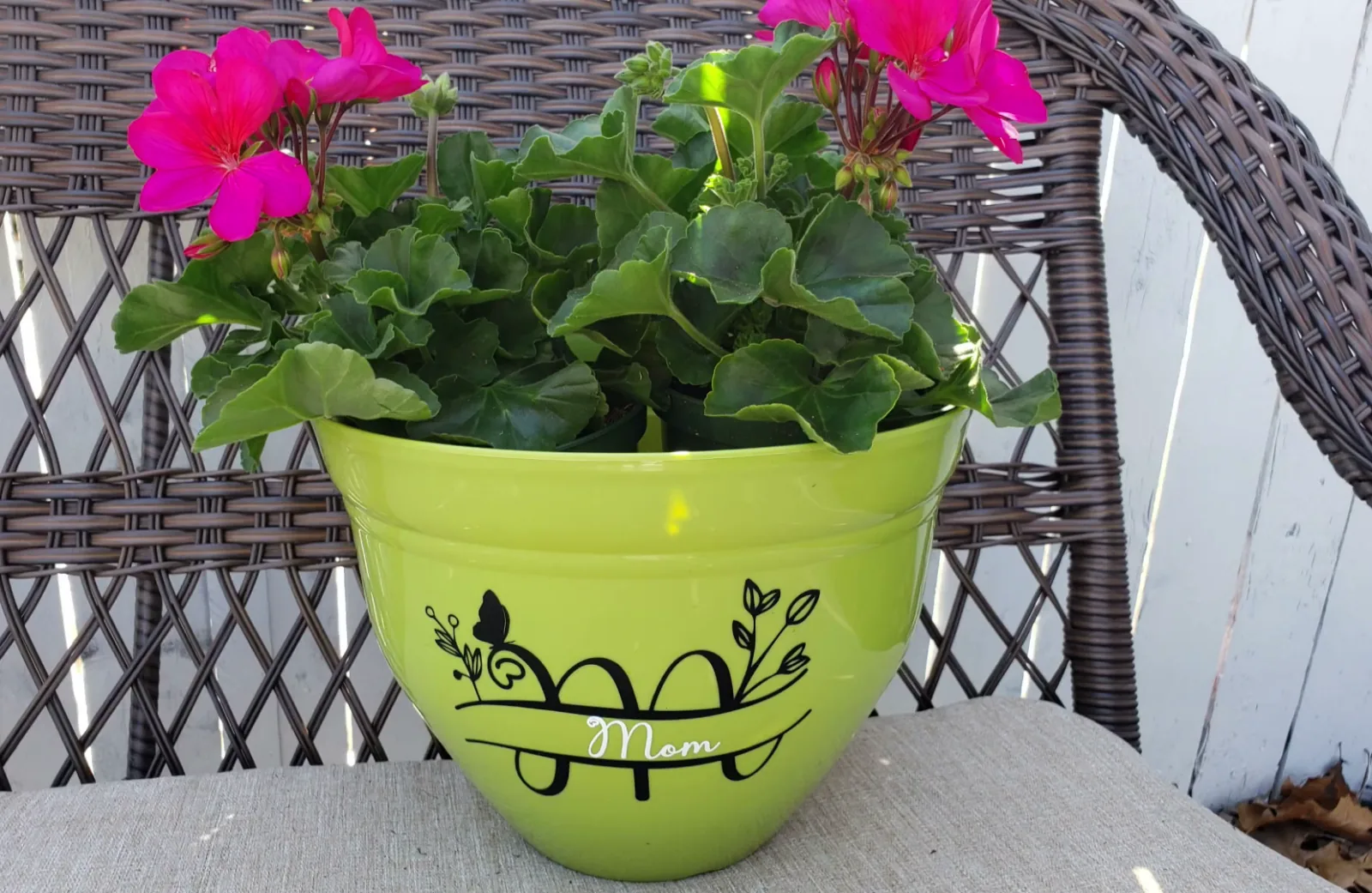
- Amillina Monogram gives you the heart split monogram I put on Dollar Tree flower pots
- Cute Butterfly Monogram is the butterfly version, and it also needs lowercase letters or you get a strange result
- Split Letter Monogram A-Z is the plain workhorse version for leather wallets and tumblers. Worth knowing before you download: this one is an SVG and PNG set rather than an installable font, so you upload the letters instead of typing them
Monogram fonts almost always hide their best characters in Character Map. Read the tricks section below before you decide one is broken.
Best Fonts for Signs and Home Decor
Lovely Home
Lovely Home is the font I put on personalized pumpkins every fall, and it is the one customers keep asking for by name even when they do not know what it is called.
Rustic Brown
Rustic Brown is what I used for the “Mama” hat in my HTVRont hat press tutorial. It has a worn, hand painted feel.
Avocado Family
Avocado Family is my sans serif half. On wood round signs I write the first name in Ashley Southine and the middle name in Avocado Family, and that pairing has never let me down.
Montage
Montage is the traditional, readable font I use when the script is doing all the decorative work and I need something to balance it.
Nickollas
Nickollas is the one I used on a pocket pillow that said “remote here, snacks here”. Clean and friendly.

The Complete List of All 50 Fonts
Every font I have named in a tutorial, with a link to each one.
| Font | Best for |
|---|---|
| Amillina Monogram | Heart split monogram |
| Angellie | Script names |
| Angista Script | Valentine and porch signs |
| Ashley Southine | Calligraphy for wood signs |
| Ask Why | Bold statement text |
| Avocado Family | Clean sans serif pairing |
| Baby Giovani Script | Thick cursive names |
| Bloom Christine | Script and sans in one family |
| Breathine | Fancy candle labels |
| Brown College | Varsity and graduation |
| Carley | Soft girly script |
| Creative Mothers | Mother's Day projects |
| Cute Butterfly | Kids names with butterflies |
| Cute Butterfly Monogram | Butterfly split monogram |
| Death Star | Sci-fi gifts for him |
| Dino AZ | Kids names with dinosaurs |
| Flowerbloom | Delicate script |
| Gemstone | Chunky decorative |
| Handwritten | Casual kid names |
| Hello Honey | Script with a tail swash |
| Hey Babe | Heart pillow script |
| Hey Baby | Script with special characters |
| Holidays Christmas | Christmas, lowercase only |
| Honey Buttercake | Sweet rounded script |
| Horror Season | Halloween |
| Jumping Unicorn | Kids unicorn projects |
| Litha Lotte | Script with a heart |
| Love It | Color changing cups |
| Love Mom | Mother's Day flower pots |
| Lovely Home | Pumpkins and home decor |
| Memories Melodironald | Personalized hammers |
| Montage | Traditional balance font |
| Nickollas | Clean friendly text |
| Outside | Laser engraved names |
| Pretty Morning | Soft script |
| Pumpkin Butter | Fall, no dash character |
| Quarantine and Chill | Funny sayings |
| Quiska | Heart pillow script |
| Rainbow | Bright playful text |
| Rustic Brown | Hats and rustic decor |
| Samantha | Script for vinyl, ships a special-character PDF |
| Simple Grinches | Festive tumblers |
| Simple Signature | Signature style script |
| Split Letter Monogram A-Z | Plain split monogram, SVG set not a font |
| Stayhome | Casual home signs |
| Super Stacked | Stacked word effect |
| Tatertot | Kids projects, my most used |
| The Lovely | Elegant script |
| The Skinny | Use the Bold weight |
| Thick | Permanent vinyl on glassware |
If you are not ready to pay for anything yet, Creative Fabrica gives away thousands of free fonts that download with a commercial license, which means you can sell the physical things you make with them. Those are not fonts I have cut with myself, so I cannot promise how they weed, but the license is the part most free font sites get wrong and that one is worth knowing about.
How to Choose a Cricut Font
After hundreds of projects, this is the shortlist I run through.
Go thicker than you think. More surface area means better adhesion and easier weeding. This matters most on anything that gets washed.
Pair one script with one sans serif. First name in script, middle name in a clean sans. Two scripts fight each other and two sans serifs look flat.
Match the font to the blank, not the design. Tiny letters on a curved tumbler are a different problem from big letters on a flat sign.
Check the special characters before you buy. Most good script fonts hide swashes, tails and alternates that never show up in the normal alphabet.
Buy with a commercial license if you sell. This is the one that costs people real money, and I have seen it go wrong.
Font Tricks Every Cricut Owner Should Know
These are the things I wish someone had told me in year one.
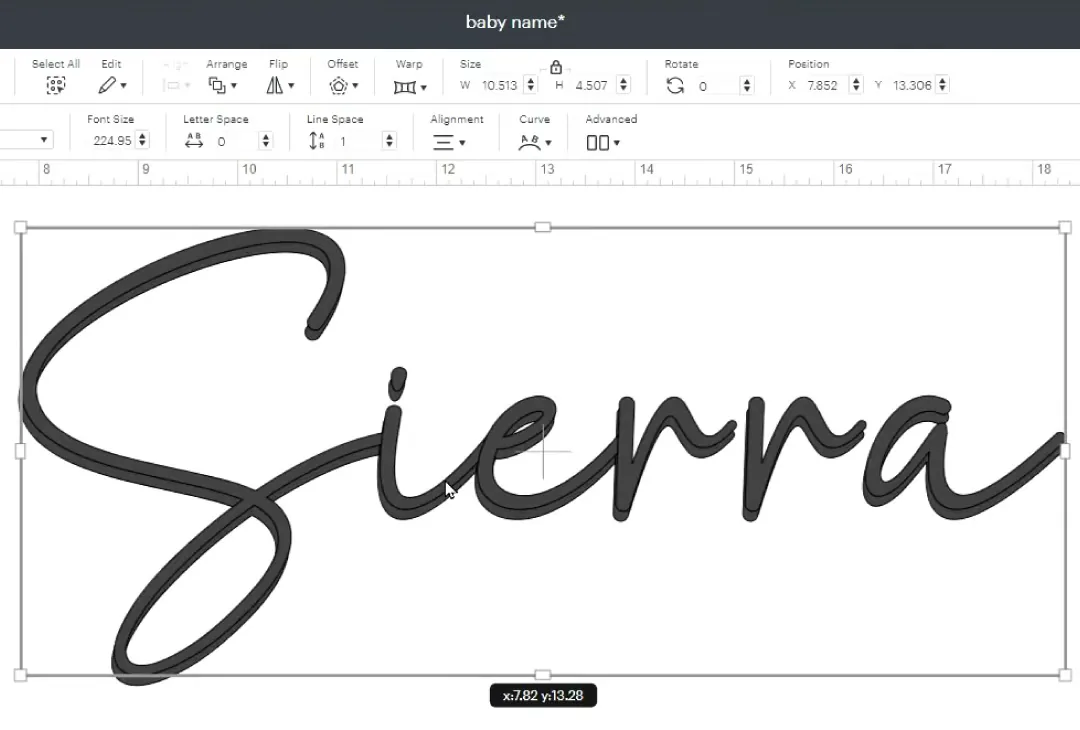
Make any font thicker. Design Space will not bold most downloaded fonts. Instead click Offset, drag the dot in toward the middle line, and click Apply. Then highlight everything, click Combine and Weld. Do it twice for an even thicker result.
Find a font name after you welded it. Once you weld, the font name disappears from the layers panel. Right click the welded layer and choose Image Info, and it tells you exactly which fonts you used. This was one of my biggest pet peeves before I found it.
Get the hidden swashes with Character Map. Type “character map” into your Start menu, pick your font from the dropdown, switch to Unicode, choose Unicode sub range, then scroll down to private use characters. Copy the flourish you want and paste it into Design Space.
Save before you reload. New fonts will not appear until you refresh Design Space, and refreshing without saving loses your project. Save first, then reload, then look under the System tab, not Cricut.
Bookmark the ones you love. Click the bookmark icon next to a font, then use the Bookmarked tab to find it instantly next time.
If you have not installed a downloaded font before, start with my step by step guide on how to add fonts to Cricut Design Space. It walks through the whole process with current screenshots.
Frequently Asked Questions
What is the best font for Cricut?
Tatertot is the font I use most across all my projects, and Baby Giovani Script is my favorite cursive. For anything going on glassware or a blank that gets washed, pick a thick font over a thin one because more surface area means the vinyl stays on.
What font is best for vinyl cutting?
Thick sans serif fonts, every time. Thick is what I put on glassware, and Brown College when I want the varsity look. More surface area means the design weeds cleanly and survives the dishwasher, which is exactly where a thin script fails. If you have your heart set on something delicate, run Offset on it first to fatten it up before you cut.
What is the best elegant font for Cricut?
Ashley Southine is my calligraphy pick, and it is what I use on wood round signs. Angellie and Breathine are the other two I reach for when a project needs to look formal. The real trick is the pairing rather than the font itself: first name in the script, middle name in a clean sans serif. That contrast is what makes a sign look professional instead of homemade.
Are Cricut fonts free?
Design Space includes a small set of free fonts, and the large library comes with a paid Cricut Access subscription. You can also install fonts from outside Cricut, which is what I do. My fonts and graphics guide compares the options.
What is the difference between Cricut fonts and system fonts?
Design Space splits them into two tabs. Cricut fonts live inside Design Space itself, and a handful of those are free while the rest need a Cricut Access subscription. System fonts are the ones already installed on your computer, including every font you download and install yourself. That is the tab all 50 fonts on this list land in.
So if a font you just installed seems to be missing, you are almost certainly looking at the wrong tab. Check System first, and if it still is not there, close Design Space and reopen it.
The other thing to watch for is the green a icon next to a font name. That marks it as Cricut Access only. If you do not subscribe, use the filter to show the free fonts instead.
How do I add a downloaded font to Cricut Design Space?
Download the font, unzip the folder, and double click the OTF or TTF file inside. On Windows click Install, on a Mac click Install Font. Then save your project, close Design Space and reopen it, and the font appears under the System tab.
If the download gives you both file types, install the OTF. OTF files carry the swashes, alternates and ligatures, which are the exact characters you go hunting for in Character Map later.
My step by step guide to adding fonts walks through the whole thing with current screenshots.
Can I sell projects made with free fonts?
Usually not without paying extra. Most free font downloads are personal use only, and the commercial license is sold separately. Magnolia Sky, one of the most popular fonts in the Cricut world, is free to download but the commercial license is $39 for desktop use and $390 for app use.
Where does Kerri get her Cricut fonts?
Almost all of them come from Creative Fabrica. My link gives you a free month, then it renews at $4.99 a month unless you cancel, and every font includes the commercial license.
Why do my cursive fonts cut as separate letters?
Because Design Space treats each letter as its own shape until you tell it otherwise. Reduce the letter spacing so the letters overlap, then highlight the word and click Weld. That turns it into one continuous cut path.
What font should I use for a shirt?
Brown College for a sporty varsity look, Baby Giovani Script or Hello Honey for names, and Tatertot for kids. Whatever you choose, go thicker rather than thinner so the heat transfer vinyl holds up in the wash.
Final Recommendation
If you are just starting, do not download 50 fonts. Download three.
Get Tatertot for anything playful, Baby Giovani Script for names and cursive, and Thick for anything that has to survive a dishwasher. Those three will cover most of what you make in your first year.
You can grab all of them through Creative Fabrica with a free month, and every download includes the commercial license you need if you plan to sell.
Then come back for the rest of the list when you need something specific. That is exactly how mine grew.
Which font are you downloading first? Come tell me in the comments, and if you make something with one of these I would love to see it.