Can a laser cut heat transfer vinyl for shirts? Yes, and laser cutting HTV on the xTool M2 worked beautifully for me, once I learned a few rules that are completely different from cutting it with a Cricut. Not sure where to begin? Laser cutting for beginners walks through the basics first.
This project was a special one. My friend was heartbroken when a raccoon got to my chickens, including her favorite hen, Cocoa Bear. I wanted to make her something to remember her beloved Cocoa Bear, so I found a gorgeous floral chicken SVG and cut it from laser-safe PU heat transfer vinyl in her favorite color, purple.
In this tutorial, I'll walk you through mirroring, material placement, test cuts, and pressing, plus the one honest limitation you should know before you commit to laser cutting HTV full time.
Project at a glance: Time: About 30 minutes | Cost: About $4.00 per shirt depending on the blank | Difficulty: Beginner-friendly with test cuts
This post contains affiliate links. If you buy through them, I may earn a small commission at no extra cost to you.

Quick Links / Table of Contents
- Can You Laser Cut HTV (Heat Transfer Vinyl)?
- Materials & Tools
- Step-by-Step Instructions
- The Big Limitation: Laser-Safe HTV Availability
- Tips & Troubleshooting
- FAQ
- Downloads & Design Files
- More Projects You'll Love
Can You Laser Cut HTV (Heat Transfer Vinyl)?
Yes, but only if it's the right kind. Just like with adhesive vinyl, you can't put regular HTV in a laser.
Most heat transfer vinyl designed for cutting machines contains PVC, which can release harmful fumes when cut with a laser. If you're planning to laser cut HTV, make sure it's specifically labeled laser-safe. I used laser-safe PU heat transfer vinyl from xTool for this project.
Want the full breakdown of what makes vinyl safe for a laser? Check out my guide to laser-safe vinyl.
Materials & Tools
Here's everything you'll need to make your own laser cut HTV shirt:
- xTool M2 Laser – grab one here. Use code KERRI116 at checkout to see if additional savings apply to your order.
- Laser-Safe PU Heat Transfer Vinyl – the exact vinyl I used from xTool
- Blank t-shirt in your favorite color
- Heat press – I love my HTVRont Auto Heat Press 2
- Weeding tools – my favorite set with a pin pen
- Floral Chicken SVG – download it from Creative Fabrica (includes commercial license)
- xTool Studio software (free with the machine)
Step-by-Step Instructions
Step 1: Import and MIRROR Your Design
Heat transfer vinyl works a little differently than adhesive vinyl. Since you're cutting from the back of the material, you need to mirror your design in xTool Studio before cutting. To mirror, select your design and click the flip (mirror horizontal) button.
If you skip this step, your design will press on backwards. Every HTV crafter has done it at least once, so make mirroring part of your routine.
Step 2: Place the HTV Color Side DOWN
This is the opposite of adhesive vinyl. Place your heat transfer vinyl with the colored side facing down and the shiny carrier sheet against the laser bed.
The carrier sheet is that clear plastic layer that holds your design together while you weed and press. Protecting it is exactly why the next step matters so much.

Step 3: Run a Test Cut (Seriously, Don't Skip This)
Just like before, I started with xTool's recommended material settings and made a small test cut first. Cut a small test shape, like a star, in a corner of the sheet before running the whole design. Here's how mine went:
- Test 1: I used the xTool material libray setting for purple HTV, but it was too strong. The laser cut right through the carrier sheet, which would let pieces fall out during weeding and pressing.
- Test 2: Too weak. It didn't quite cut through the vinyl, and the edges came out jagged.
- Test 3: Just right at 20% power, 6 mm/s speed, and 1 pass. Clean edges, carrier sheet intact.
Three tiny test cuts took a couple of minutes and saved my whole sheet of purple vinyl. Always test cut before running the full design.

Step 4: Cut the Full Design and Weed


Once I found the sweet spot, I loaded the full floral chicken design and let it cut.
I'll be honest about my results: a few tiny pieces had cut all the way through the carrier sheet, and they shifted around while I was weeding. Thankfully, this floral design was forgiving enough that the missing bits blended right in. A detailed, organic design hides little hiccups much better than crisp text does.
Step 5: Press the Design onto the Shirt
Position the design on your shirt with the carrier sheet facing up. Not sure how large or how high to place it? My decal size guide for shirts takes the guesswork out. For this laser-safe PU HTV, I pressed at 305°F for 15 seconds and did a warm peel. A warm peel just means lifting the carrier sheet off while it's still warm, not waiting for it to cool completely.
Once everything was pressed onto the shirt, my little hiccups were barely noticeable. My friend couldn't tell, and she didn't care. She loved her Cocoa Bear shirt.

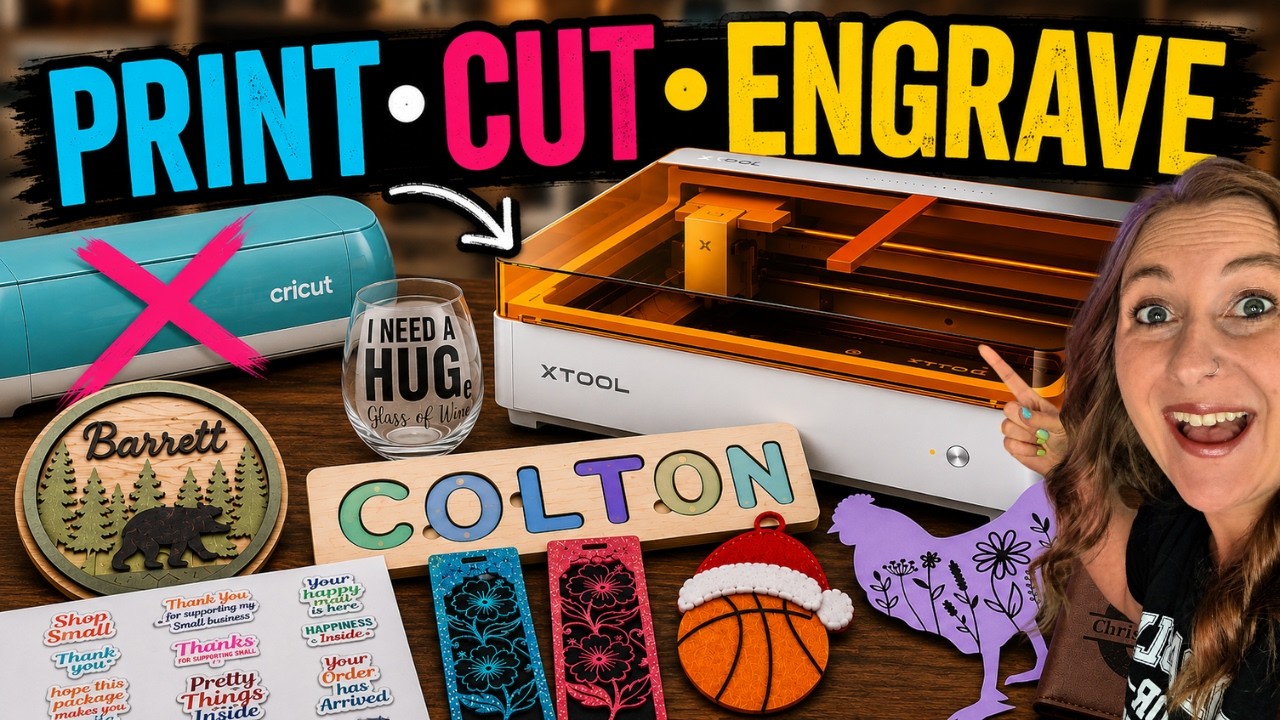
Watch me make this in my xTool M2 review:
 24:46
24:46
Watch the full tutorial
Can the xTool M2 Replace My Cricut, Laser & Printer?
💜 Use code KERRI116 at checkout to see if additional savings apply to your order.
The Big Limitation: Laser-Safe HTV Availability
Here's my honest take. The xTool M2 cuts HTV really well. The machine is not the limitation. The material is.
Laser-safe HTV is still harder to find than regular heat transfer vinyl. There aren't nearly as many colors, specialty finishes, or brands available yet, and it's generally more expensive than the vinyl most of us are used to buying.
xTool actually has a really nice selection of laser-safe heat transfer vinyl on their website, including fun finishes like glitter, glow-in-the-dark, puff, color-changing, and chameleon. The only downside I noticed was that a lot of them were out of stock while I was testing. If shirts are the majority of what you make, keep that in mind, and maybe keep your Cricut too. Not sure of the difference between vinyl types? My vinyl vs HTV guide breaks it down.
Tips & Troubleshooting
- Always test cut: My first test cut through the carrier sheet and my second left jagged edges. The third was perfect. A test cut costs you a square inch of vinyl and saves the whole project.
- Mirror every time: HTV is cut from the back, so mirror the design in xTool Studio before cutting.
- Color side down: The shiny carrier sheet goes against the laser bed. That's the opposite of adhesive vinyl.
- Pick forgiving designs while you learn: Detailed floral designs hide tiny shifted pieces. Bold text shows every flaw.
- Cut through the carrier sheet? Lower your settings slightly and re-test. Loose pieces will shift during weeding and pressing.
- New to HTV in general? Start with my beginner-friendly Cricut HTV tutorial to learn weeding and pressing basics that carry straight over to laser cutting.
FAQ
Q: Can you laser cut heat transfer vinyl? A: Yes, as long as it's specifically labeled laser-safe. Regular HTV contains PVC, which can release harmful fumes when cut with a laser. I used laser-safe PU heat transfer vinyl from xTool.
Q: Do you mirror HTV for laser cutting? A: Yes. Just like with a Cricut, heat transfer vinyl is cut from the back, so mirror your design and place the vinyl color side down with the carrier sheet against the laser bed.
Q: What happens if the laser cuts through the carrier sheet? A: Small pieces can shift around while you weed and press, which is what happened to me on a few tiny bits. Lower your power slightly and run another test cut until the vinyl cuts cleanly while the carrier sheet stays intact.
Q: Is laser-safe HTV as easy to find as regular HTV? A: Not yet. Laser-safe HTV comes in fewer colors and finishes, and it's usually pricier. xTool carries finishes like glitter, glow-in-the-dark, puff, and chameleon, but many were out of stock when I checked.
Q: Can the xTool M2 replace a Cricut for making shirts? A: It absolutely can cut HTV, and cut it well. The real limitation right now is material availability, so if shirts are most of what you make, you may want both machines.
Downloads & Design Files
- The Floral Chicken SVG is linked in the materials list above
- Creative Fabrica Subscription – unlimited downloads with commercial license
- Compatible with the xTool M2 (laser-safe HTV only), other lasers, and Cricut machines (regular HTV)
Community Invite
Now it's your turn! Whether it's a memorial shirt for a friend or a fun design for yourself, grab some laser-safe HTV and give it a try. Remember: mirror it, color side down, and always test cut.
Share your creations, I'd love to see them! Tag @KerriCraftsIt on Instagram or post a photo in my Kerri Crafts It Facebook Group. We'd all love to see who you're crafting for.