Laser safe vinyl is vinyl made without PVC, so you can cut it in a laser without releasing harmful fumes. Regular craft vinyl, including most Cricut adhesive vinyl and HTV, contains PVC and should never go inside a laser. If lasers are new to you generally, start with how laser cutting and engraving works.
When I tested the xTool M2 Laser, cutting vinyl was one of the projects I was most excited to try. I have more than 50 vinyl tutorials on my YouTube channel, and I even dedicated a full chapter of my book, Cricut For Dummies, to vinyl.
So before you load that roll of vinyl from your Cricut stash into a laser, let's talk about what makes vinyl laser safe, how to tell the difference, and when your Cricut is still the better tool for the job.
This post contains affiliate links. If you buy through them, I may earn a small commission at no extra cost to you.

Quick Links / Table of Contents
- Why Regular Cricut Vinyl Is Dangerous in a Laser
- How to Tell If Vinyl Is Laser Safe
- Cutting Adhesive Vinyl vs Heat Transfer Vinyl in a Laser
- Where to Buy Laser Safe Vinyl and What It Costs
- When to Keep Using Your Cricut Instead
- FAQ
- Related Guides
Why Regular Cricut Vinyl Is Dangerous in a Laser
Here's the rule I repeat in every laser video I make. You cannot use regular Cricut vinyl in a laser.
Most adhesive vinyl and heat transfer vinyl designed for cutting machines contains PVC. When a laser cuts PVC, it can release harmful fumes. Those fumes are bad for you, and they can also corrode the inside of your laser machine.
A Cricut uses a blade, so PVC is perfectly fine in a cutting machine. The danger only shows up when heat and vinyl mix. That's why the exact same roll can be safe in one machine and dangerous in another.
This applies to more than just vinyl rolls, too. Blanks with unknown coatings can hide vinyl or plastic layers. I learned that the hard way with a Temu flask, and I share that whole story in my post about testing blanks before you sell them.
How to Tell If Vinyl Is Laser Safe
The good news is that spotting laser safe vinyl is simple. Look for one of these two labels on the product listing or packaging:
- Laser-safe – the manufacturer made it specifically for laser cutting
- PVC-free – no PVC means no harmful PVC fumes when the laser cuts it
If the listing doesn't say either of those things, assume it is not safe and keep it out of your laser. Don't guess based on how the vinyl looks or feels. Regular vinyl and laser safe vinyl can look identical sitting on your craft table.
Tip: When in doubt, check the manufacturer's website or contact them directly. A few minutes of checking beats breathing something you shouldn't.
Cutting Adhesive Vinyl vs Heat Transfer Vinyl in a Laser

Once you have laser safe vinyl in hand, the handling rules are the same ones you already know from your Cricut. If you're not sure which type of vinyl you need, my vinyl vs HTV guide breaks down the difference.
Adhesive Vinyl: Color Side Up, No Mirroring

Adhesive vinyl is cut with the colored side facing up. You do not mirror your design.
When I cut laser safe adhesive vinyl on my xTool M2, I used the “self adhesive vinyl, glossy black” preset from the xTool Studio material library. That library includes recommended settings for hundreds of materials, which gives you a great starting point whenever you try something new.
The design weeded nicely, and after adding transfer tape, I applied it to a wine glass. I walk through that whole project in my laser cutting adhesive vinyl tutorial.
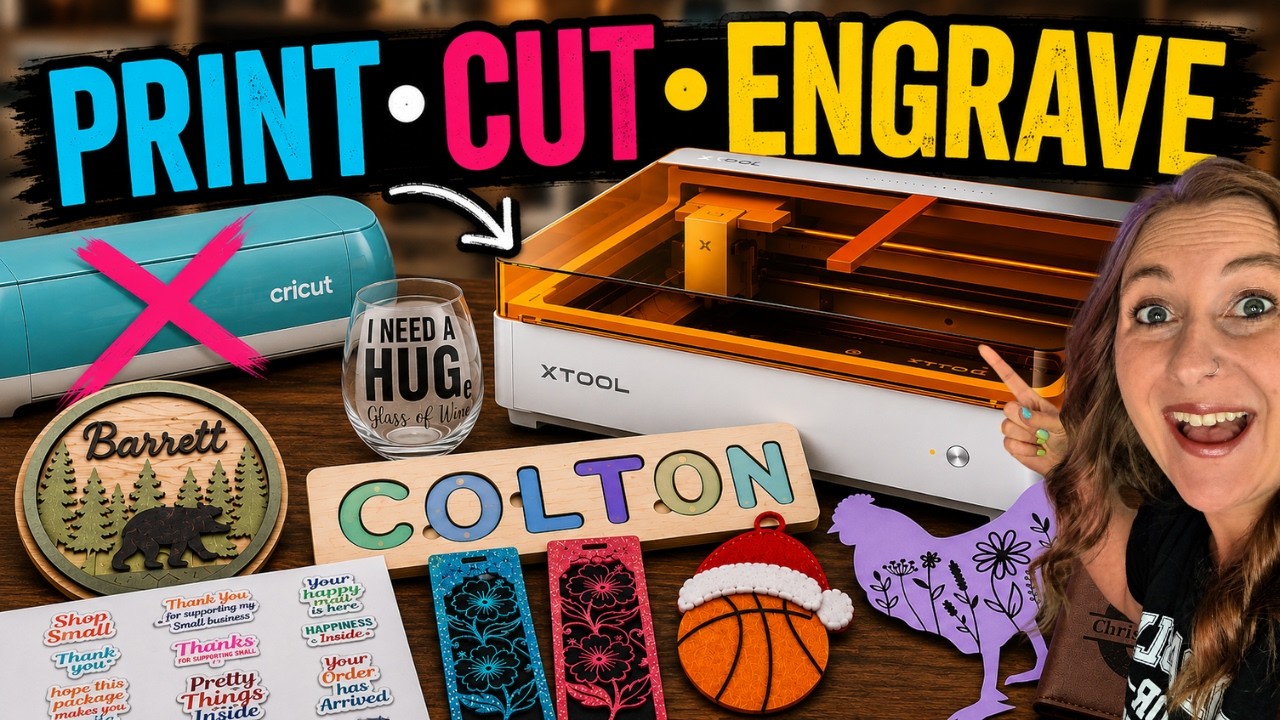
Watch me make this in my xTool M2 review:
 24:46
24:46
Watch the full tutorial
Can the xTool M2 Replace My Cricut, Laser & Printer?
💜 Use code KERRI116 at checkout to see if additional savings apply to your order.
Heat Transfer Vinyl: Mirror It, Color Side Down

Heat transfer vinyl works a little differently because you're cutting from the back. You need to mirror your design and place the material colored side down, with the shiny carrier sheet against the laser bed.
The carrier sheet matters here. It's what holds your design together while you weed and press it. When I cut laser safe HTV on the M2, my first test cut was too strong and went right through the carrier sheet. After a couple of adjustments, I found the sweet spot.
That's why I always recommend a small test cut before running your full design. I show the whole shirt project, including my mistakes, in my laser cutting heat transfer vinyl tutorial.

Where to Buy Laser Safe Vinyl and What It Costs
Here's the honest reality. Laser safe vinyl is still harder to find than regular craft vinyl.
There aren't nearly as many colors, specialty finishes, or brands available yet. And laser safe vinyl is generally more expensive than the vinyl most of us are used to buying.
The selection is growing, though. xTool has a really nice line of laser-safe PU heat transfer vinyl with fun finishes like:
- Glitter
- Glow-in-the-dark
- Puff
- Color-changing
- Chameleon
- Tons of solid colors
The only downside I noticed was that a lot of finishes were out of stock while I was filming my review. So if you see the one you want, grab it.
If you're shopping for a laser too, the xTool M2 Laser is the machine I used for all of these vinyl tests. Use code KERRI116 at checkout to see if additional savings apply to your order.
When to Keep Using Your Cricut Instead
I'll say something that might surprise you coming from someone who loves her laser. If cutting adhesive vinyl and HTV is the majority of what you make, keep your Cricut.
That's not because a laser can't cut vinyl. The xTool M2 absolutely can. The biggest limitation right now is material availability, not the machine.
Here's how I'd break it down:
- Stick with your Cricut if: vinyl decals and shirts are your main products, you love specific brands and colors, or you want the cheapest vinyl per project
- Use a laser if: you're already cutting wood, felt, leather, or paper and want vinyl as one more option in the same machine
- Use both if: you're like me and refuse to give up any craft machine
Your Cricut can safely cut every vinyl on the market because it uses a blade instead of heat. If you're building a vinyl-heavy craft business, that flexibility still wins. My beginner vinyl decal tutorial is a great place to start on the Cricut side.
FAQ
Q: What is laser safe vinyl? A: Laser safe vinyl is vinyl made without PVC, so a laser can cut it without releasing harmful fumes. It comes in both adhesive and heat transfer versions and is usually labeled laser-safe or PVC-free.
Q: Can you cut regular Cricut vinyl with a laser? A: No. Most vinyl made for cutting machines contains PVC, which can release harmful fumes when cut with a laser. Only use vinyl that is specifically labeled laser-safe or PVC-free.
Q: How do I know if my vinyl is laser safe? A: Check the packaging or product listing for the words laser-safe or PVC-free. If you don't see either label, don't put it in your laser.
Q: Do you mirror laser safe vinyl before cutting? A: It depends on the type. Mirror heat transfer vinyl and cut it colored side down. Do not mirror adhesive vinyl, and cut it colored side up.
Q: Is laser safe vinyl more expensive than regular vinyl? A: Generally, yes. Laser safe vinyl costs more and comes in fewer colors and finishes than regular craft vinyl, though brands like xTool are adding more options.
Community Invite
Now it's your turn! Grab some laser safe vinyl, run a small test cut, and see what your laser can do.
Share your creations – I'd love to see them! Tag @KerriCraftsIt on Instagram or post in my Kerri Crafts It Facebook Group. It's full of crafters who are happy to help if you get stuck.