Cricut just released the brand new Cricut Maker 5, and as the author of Cricut For Dummies I did what I always do. I ran out and bought one.
Then I spent a week actually using it. I made a card, drew on gift bags, tried to cut a cake board with the Knife Blade, engraved a black acrylic bookmark and an anodized aluminum business card, and somehow managed to scratch up and draw all over my brand new machine on the very first day.
So here is my honest answer before you read another word. If this is your first Cricut, the Maker 5 is the one I would buy. If you already own a Maker 4, I would keep it. The only real capability gain is 0.6 mm of extra clearance, and you give up your lid, your side storage, your old pens and your score-and-cut workflow to get it.
This post contains affiliate links. If you buy through them, I may earn a small commission at no extra cost to you.
 26:30
26:30
Watch the full tutorial
Cricut Maker 5 Review: Is It REALLY Worth It?
In this Cricut Maker 5 review, I’m putting the newest Cricut machine to the test with real projects to see what’s actually improved, what’s changed, and what might make you want to stick with your current Cricut.
Key Takeaways
- The only real capability upgrade is 3 mm of clearance, up from 2.4 mm on the Maker 4. My 2.61 mm acrylic bookmark fit and engraved perfectly, and it would not have fit the Maker 4.
- Clearance is not the same thing as cutting power. A thick glitter cake board fit under the carriage with room to spare, and the Knife Blade still shredded it at every setting I tried.
- Scoring now costs you two tool swaps. The new Scoring Tool shares a clamp with your blade, so a card that used to score and cut untouched on a Maker 4 now stops twice and waits for you.
- The Maker 5 costs $349, which is $30 less than the Maker 4 at $379. That is why it is an easy yes for a first machine and a hard no as an upgrade.
- It is 30% more compact and 4.5 pounds lighter, at 10.9 lb versus 15.4 lb. You pay for that with the lid and the side storage compartment, both of which are gone.
Quick Links
- Key Takeaways
- Cricut Maker 5 vs Maker 4
- Size and Design: What You Gain and Lose
- The New Pen Holder and What It Costs You
- The Scoring Problem Nobody Is Talking About
- Making a Card With the Cricut Maker 5
- Drawing on Paper Gift Bags
- The Knife Blade Cake Board Test
- Engraving Thick Acrylic
- Engraving Anodized Aluminum
- What I Love and What Could Be Better
- Who Should Buy the Cricut Maker 5
- Frequently Asked Questions
Cricut Maker 5 vs Maker 4
The Maker series has always been Cricut's most powerful line. The Maker 5 works with more than 300 materials and 13 tools, which sounds impressive until you remember the Maker 4 already did both of those things.
Here is what actually changed.
| Spec | Cricut Maker 5 | Cricut Maker 4 |
|---|---|---|
| Price | $349 | $379 |
| Max material thickness | 3 mm | 2.4 mm |
| Cut speed | 14.1 in/sec | 14.1 in/sec |
| Materials | 300+ | 300+ |
| Compatible tools | 13 | 13 |
| Cut width | 12 in | 12 in |
| Size | 19.8 x 7.5 x 4.7 in | 22.1 x 7.1 x 6.2 in |
| Weight | 10.9 lb | 15.4 lb |
| Lid | No | Yes |
| Side storage | No | Yes |
| Older Cricut pens fit | No | Yes |
| Scoring Stylus | Not compatible | Compatible |
So one number moved. Everything else on that list is either identical or a thing you lose.
Size and Design: What You Gain and Lose
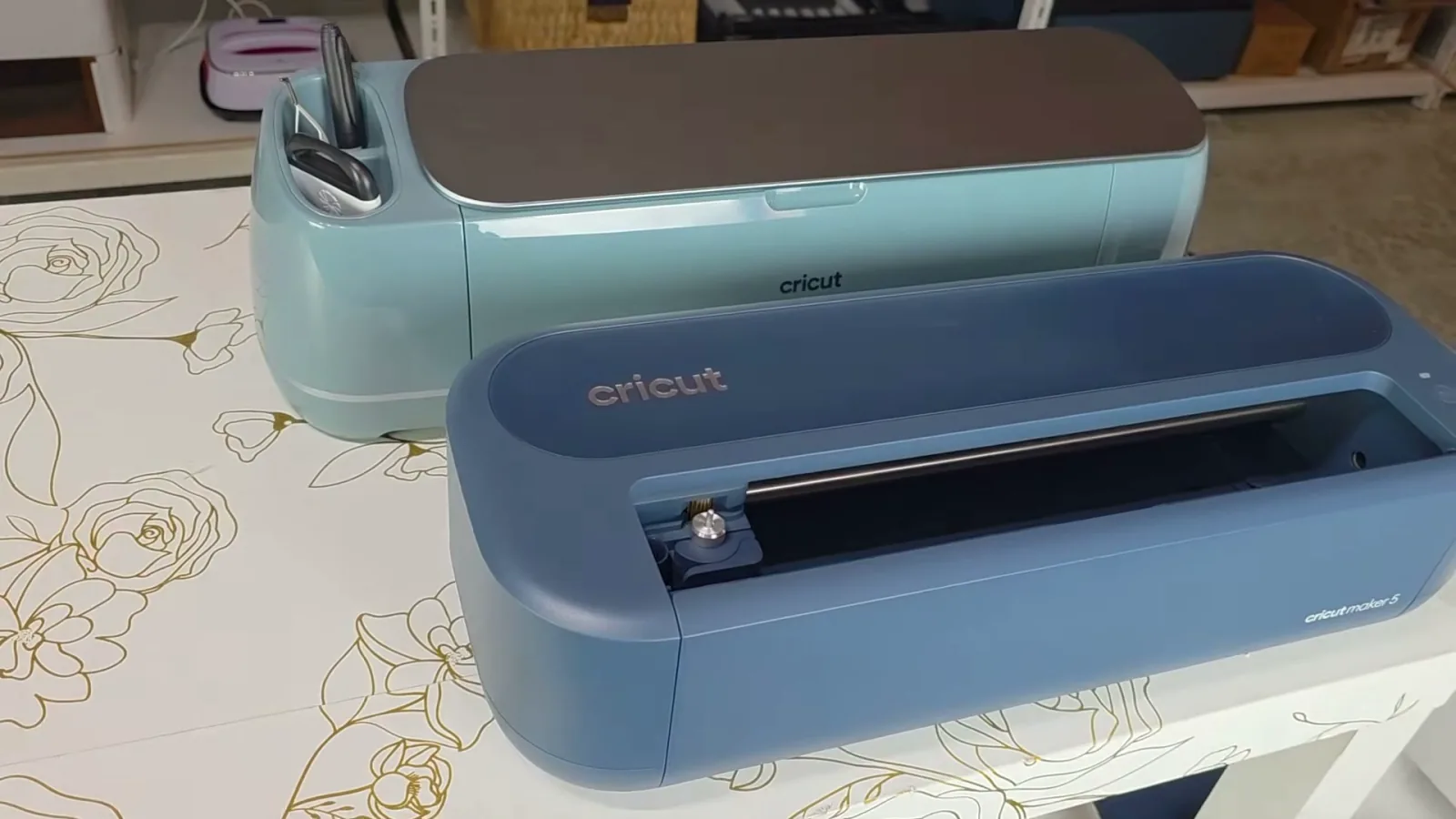
The first thing you notice is how much smaller it is. Cricut says 30% more compact, and the numbers hold up. It is 19.8 inches wide against 22.1 for the Maker 4, and it is almost five pounds lighter.
I never feel like I have enough storage space, so a machine that takes up less shelf room is always a win. I also bring my Cricut to book signings and events, and nearly five pounds is a real difference when you are carrying it. There are fewer buttons too, so there is less to press while you are making something.
What impresses me most is that they shrank the machine without taking away any of your working area. You still get the full 12 inches.
But smaller came with tradeoffs, and there are three of them.
The side storage is gone. I use mine constantly. There is still room down in the bottom compartment for weeding tools, tweezers, scissors and spare blades, but I now have nowhere to put my brayer.
The lid is gone too, which is exactly the change Cricut made when they went from the Explore 4 to the Explore 5. Put the two new machines next to each other and they have clearly had the same makeover: smaller, lighter, no side storage, open top. I had opinions about that when I reviewed the Cricut Explore 5 and I have the same ones now.
My house is basically a zoo. We have a dog, cats, a rabbit, chickens and kids, so there is always fur flying, and my craft room is in the basement, which is somehow dustier than the rest of the house. Add DTF powder, glitter and paper scraps to that and you can see why I want a machine I can close when I am not using it. You can blow dust out with compressed air, but I would rather it never got in.
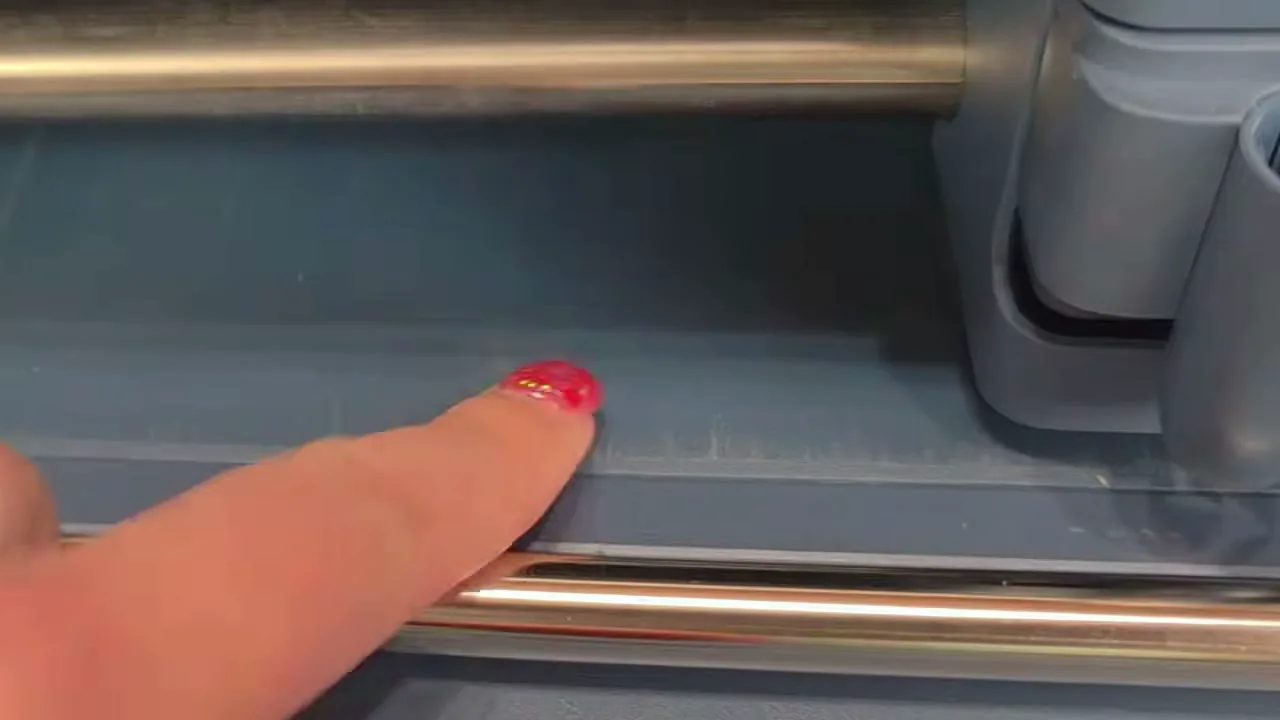
And then there is the thing I noticed after only a few uses. The paint is already scratched where the mat slides against the machine. The backs of the mats are smooth plastic, so I really would not expect normal use to wear the finish on day one. It is cosmetic and it does not affect how the machine works, but this is a brand new $349 machine and I do not love looking at scratches already.
The New Pen Holder and What It Costs You
Instead of the removable accessory adapter that lived in Clamp A on older Makers, the Maker 5 has a snap-in pen holder. You pick your tip, push it in until it clicks, and you are done.
I managed to break mine almost immediately.
I put the marker in before turning the machine on for the first time. I did not realize the carriage moves up when the machine initializes, so the tip smooshed straight into the bottom of the Cricut instead of clicking into place. It still worked, thankfully. So take my advice: turn your machine on before you start sticking things in it.
Once the machine is on, the new holder really is easy to use. The question is whether easy loading was worth what it costs you.
Pens made for the older Maker machines do not fit this holder. If you have built up a collection of Cricut pens over the years, you cannot just pop those in. Cricut sells newer pens that do work, but shopping for them is genuinely confusing right now. Cricut's own website groups the Maker 3, Maker 4 and Maker 5 together when you filter for pens by machine, even though no pen made for the Maker 3 or Maker 4 fits the Maker 5. Until they fix that, I have found it easier to filter for pens compatible with the Explore 5, because the Explore 5 uses this same holder.
Losing every one of my old pens is not even the part that bothers me most.
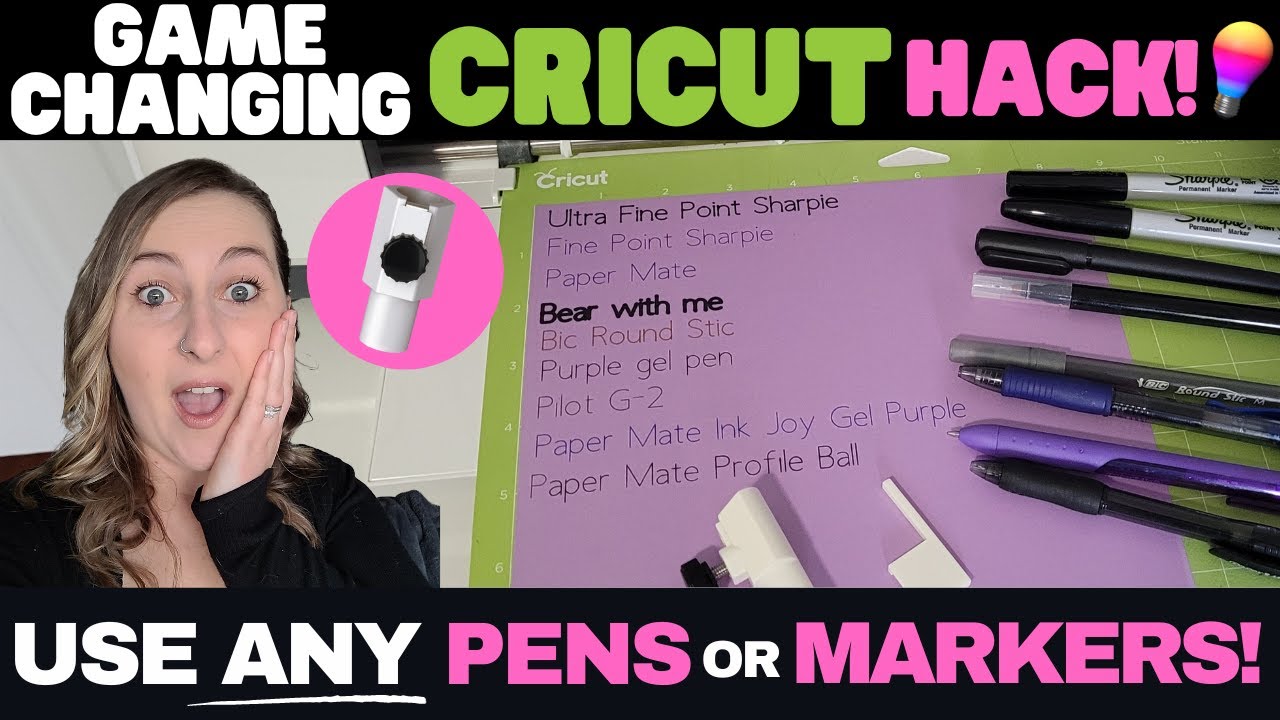
On my older Makers, the accessory adapter in Clamp A comes out. Because it comes out, you can drop in an aftermarket adapter and use all kinds of regular pens and markers. I have a whole video on the Universal Pen Adapter Set, and it saves real money. A 30-pack of Cricut gel pens normally runs $43.99. I found a 36-pack of regular gel pens on Amazon for $9.99. Just know that third party adapters are not made or approved by Cricut, and Cricut's warranty excludes damage from misuse or unauthorized modifications, so you use one at your own risk.
 5:21
5:21
How the pen adapter works
Cricut Hack: Write with ANY Pen or Marker Using the Craverland Universal Adapter
The new pen holder is not removable, so that option is gone entirely. Cricut made the pen slightly easier to insert, and the tradeoff is fewer compatible pens and no cheap third party workaround. Honestly, it feels like one more way of locking you into Cricut-brand supplies, a bit like Smart Vinyl. I would rather have the flexibility of my older Makers.
The Scoring Problem Nobody Is Talking About
This is the change that actually affects what it feels like to use the machine, and almost nobody is mentioning it.
On my Maker 4, I put the Scoring Stylus in Clamp A and the Fine-Point Blade in Clamp B. The machine scores the fold and cuts the card, and I never touch it. Same with an envelope or a gift box.
The new Scoring Tool for the Maker 5 goes in Clamp B, where the blade goes.
So the card workflow is now: write with the pen, remove the pen, take out the Fine-Point Blade, put in the Scoring Tool, let it score, take the Scoring Tool back out, put the Fine-Point Blade back in, let it cut.
We went from a score-and-cut process that needed no tool swaps at all to one that needs two. The scoring itself works perfectly. I just do not see how that workflow is an improvement.
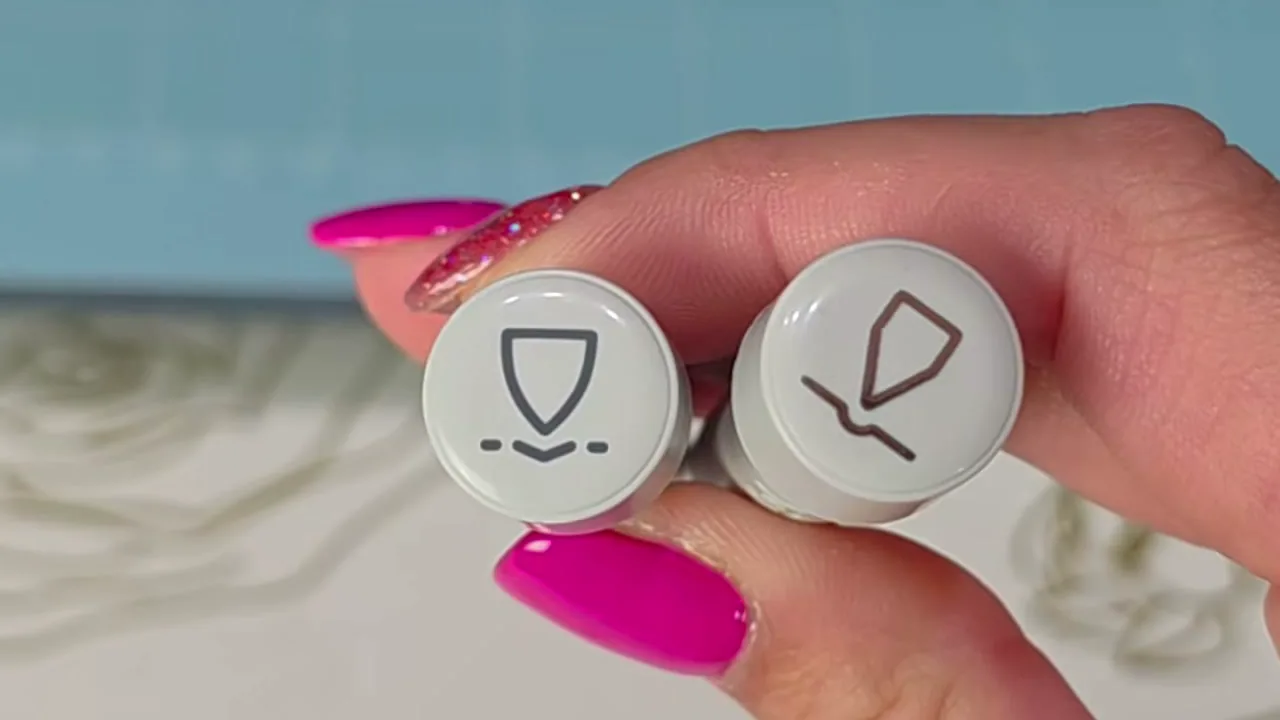
One more small thing while I am here. The Scoring Tool and the Engraving Tip look almost identical. They have little symbols on them, but at a glance I do not find the symbols helpful at all. I wish Cricut had just printed an S on one and an E on the other, because I know I am going to grab the wrong one. Luckily Design Space shows you a picture of the tool you need.
Making a Card With the Cricut Maker 5
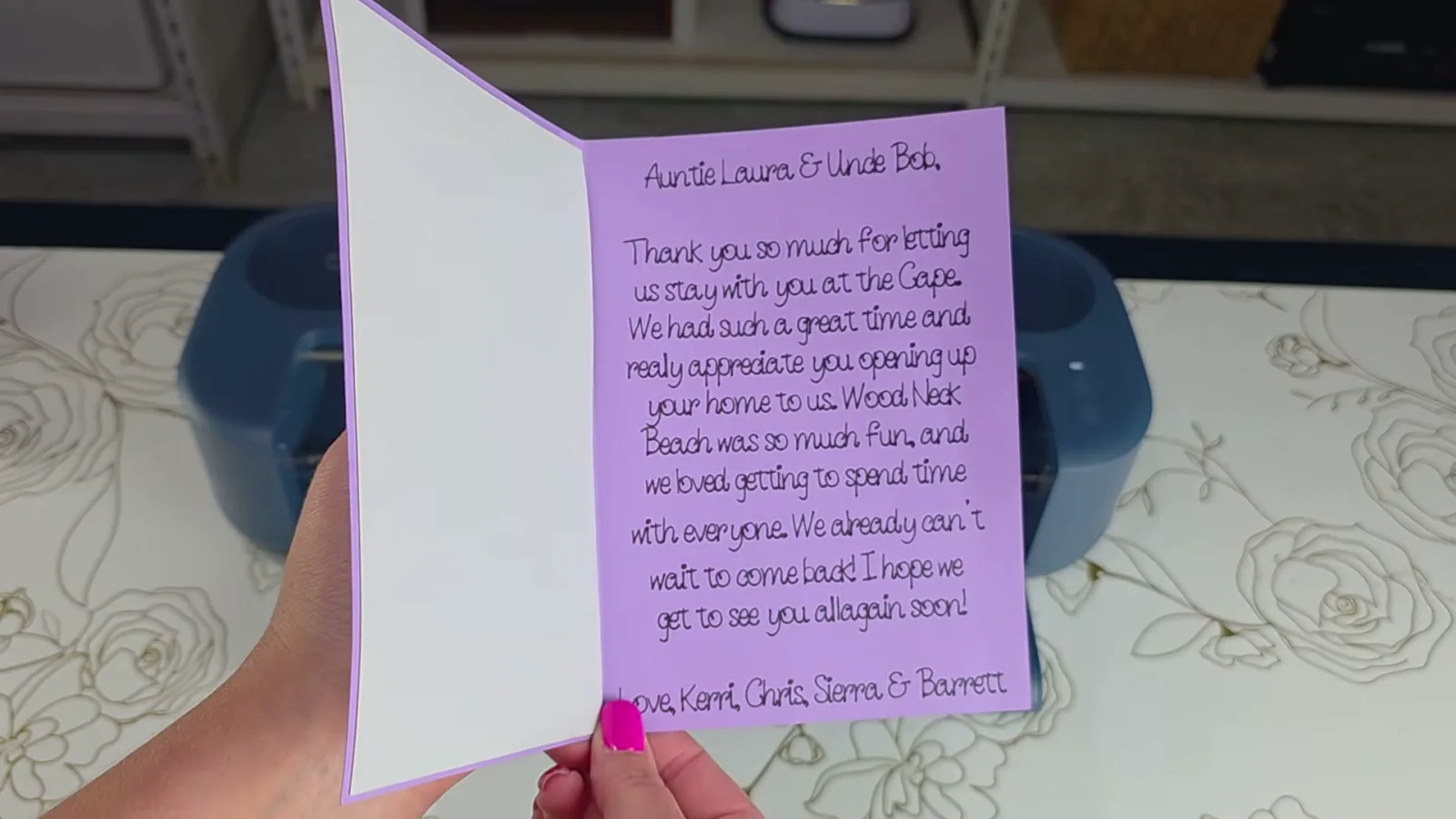
My aunt let us stay with her at the Cape over the summer, so I owed her a thank-you card. And why buy one for a dollar when I can make one myself with $400 worth of craft supplies?
I used 65 lb purple cardstock and silver glitter cardstock. The plan was simple: let the Cricut write my message, score the fold, and cut the card and the design.
I started with one of the Folded Card templates in Design Space and typed a message for the inside. Then I stuck the purple cardstock horizontally in the upper left corner of a blue LightGrip mat, loaded it, and let Design Space walk me through each tool.
And apparently I really needed those instructions, because it took me three tries.
I want to be clear that this was mostly me doing a terrible job of following directions. Part of the problem is that the workflow has changed so much from the older machines that I kept going through the old motions instead of reading what was on the screen. But hey, even I make stupid mistakes. Moral of the story: follow the directions.
Attempt one: I forgot to put the pen in. Design Space told me to. I still forgot. Instead of stopping the project, the machine started anyway and cut my text out with the blade.
Attempt two was more dramatic. Everything went fine until the pen finished writing and I just left it there. Design Space did tell me to take it out. I did not. On my older Makers I am used to leaving the pen in Clamp A while the other tools work in Clamp B, so leaving it felt normal. It is not normal here, because both tools can press down at the same time. When the Cricut started scoring and cutting, the marker was dragging across the card at the same time, then it ran off the edge of the mat and literally started drawing on my brand new Cricut. It also bent my already mangled marker tip a little more.
Attempt three: follow the directions. Put the pen in and let it write. When Design Space says to, take the pen out, swap the Fine-Point Blade for the Scoring Tool, and let it score. Then swap the Scoring Tool back out for the blade and let it finish cutting. Then put the silver glitter cardstock on the mat and cut the backing for the front.
That worked. Despite the Design Space preview making me question everything I know about folding a piece of paper, the card came out exactly the way I wanted.
I glued the glitter cardstock behind the cutout with Bearly Art Precision Craft Glue, then stuck the whole card inside a book with a dumbbell on top to keep it flat while it dried. Very sophisticated crafting equipment around here. Third time is the charm.
Drawing on Paper Gift Bags
That card only used the fine side of the double-sided marker, so I wanted to try the thicker 1 mm tip. And since the big upgrade here is extra clearance, it made sense to stop using flat sheets of cardstock.
First, move the little white star wheels over to the side. They normally keep your material flat as it feeds through, but with thicker materials you do not want them rolling over the top or getting in the way. I left mine pushed aside for the rest of these tests.
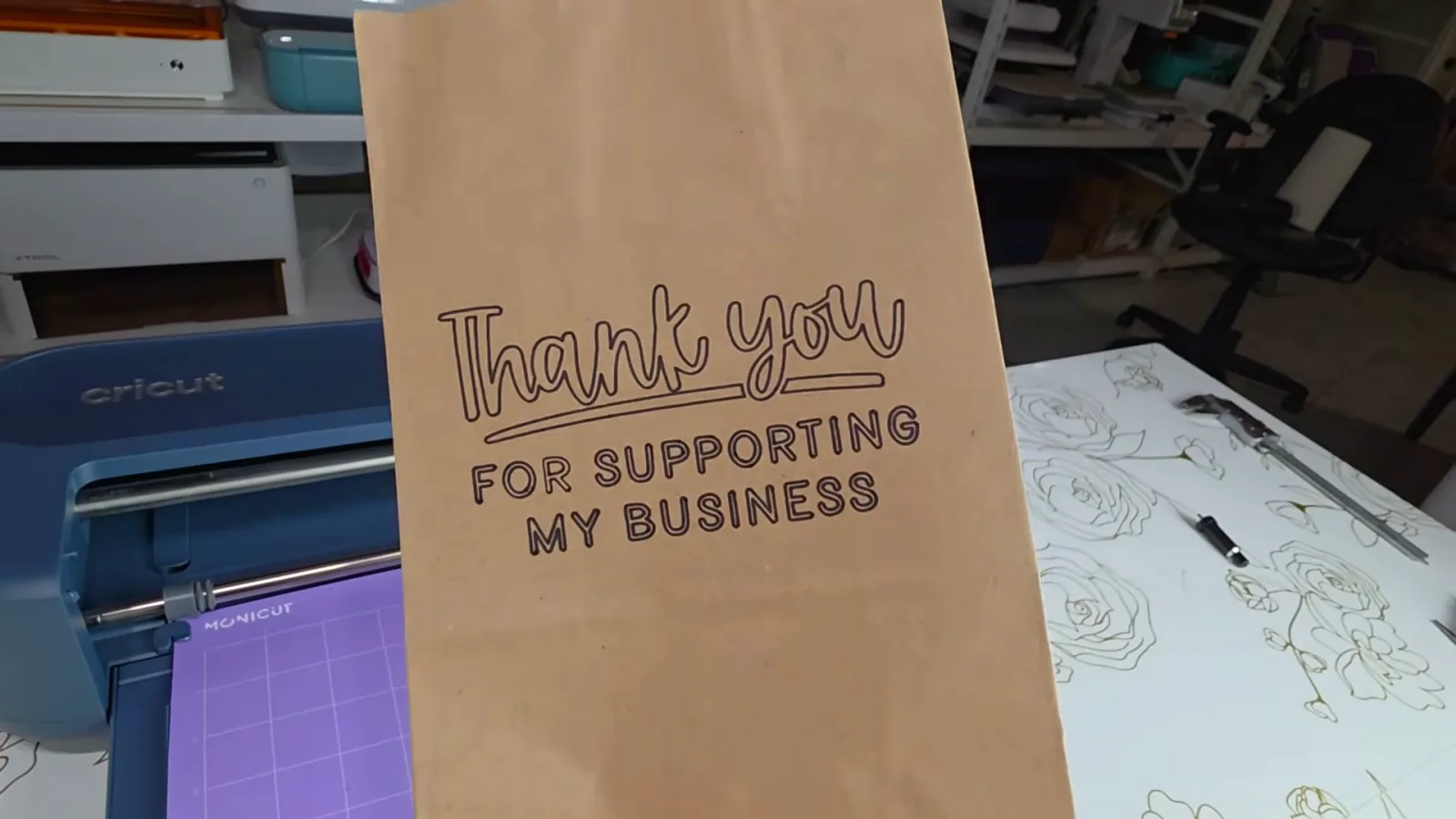
Then I started simple with a couple of plain paper gift bags. They are thicker and more uneven than a sheet of paper, and they fit under the carriage with no problem.
I put the bags on the mat with the handles facing toward me, because the handles are the thickest part and I did not want them feeding through and catching on the carriage. That meant the bag went in backwards, so I rotated my design 180 degrees in Design Space to make sure it came out right side up.
One bag got “Thank you for supporting my small business” and the other got “Merry Christmas.” Both came out great, and side by side they show the difference between the fine tip and the 1 mm tip really clearly.
This is a great example of something people forget a Cricut can do. You do not always have to cut vinyl and stick it onto something. Sometimes you can just let the machine draw straight onto the project. If you are still working out the range of what these machines handle, my guide to what a Cricut machine can actually do covers a lot more of it.
One funny note. After what happened with the card, I was so paranoid about accidentally cutting through the first bag that I took the blade out of Clamp B entirely. Turns out Clamp B does not stay latched without a tool inside, so the little door swung around the whole time the machine was drawing. It did not hurt anything. It just looked ridiculous.
The Knife Blade Cake Board Test
Now for the part where the extra clearance gets a real test.
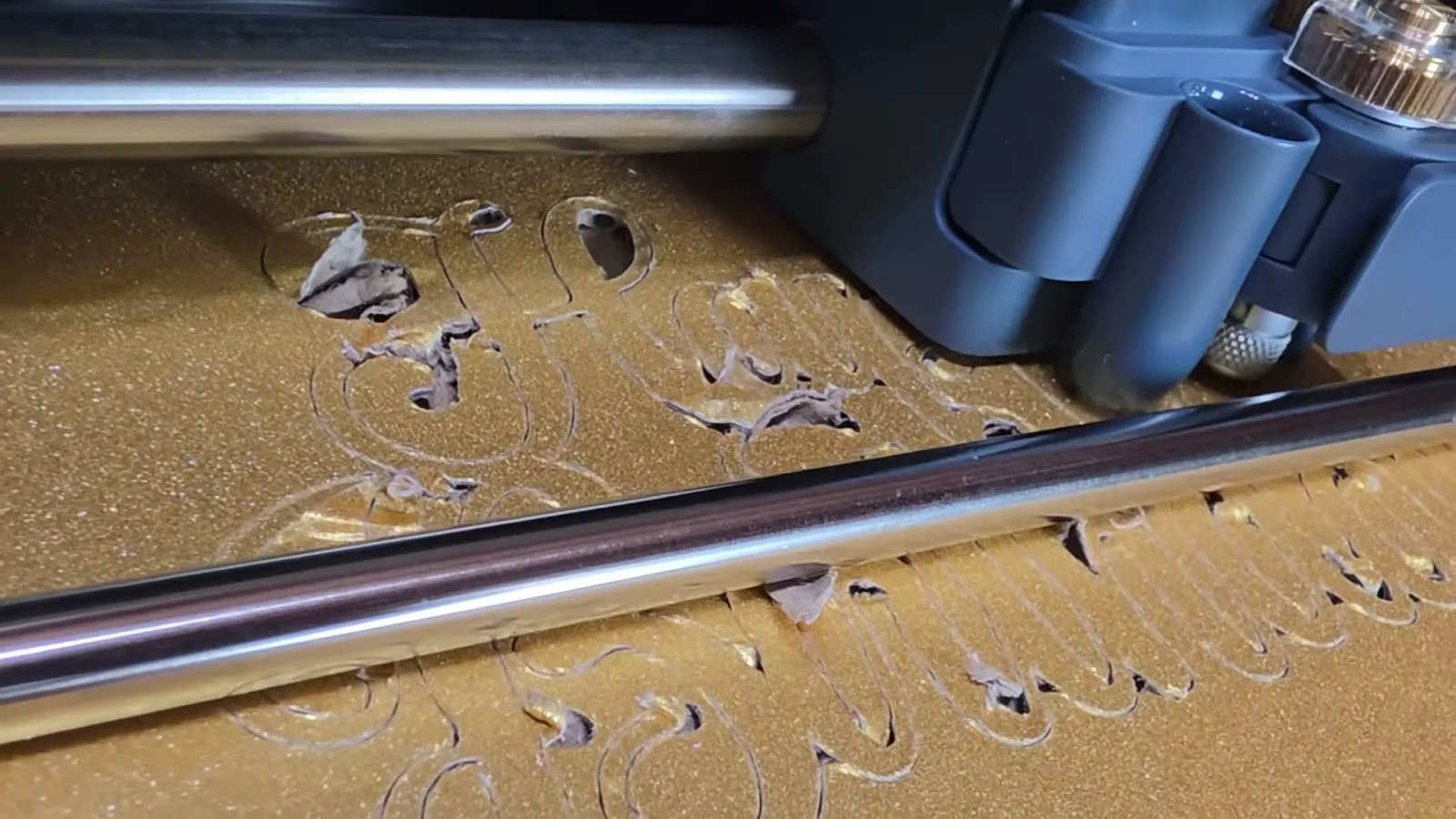
I found these thick glittery gold cake boards at Michaels and had what I thought was a brilliant idea. Could I use the Knife Blade to turn one into a cake topper? Normally you would layer a few pieces of cardstock to get a topper this thick and sturdy. This was already thick, sturdy and glittery on the front.
If you have never used the Knife Blade, it is one of the tools that separates the Maker series from the rest of Cricut's lineup. It is the heavy-duty blade for thicker, denser materials like chipboard, tooling leather, matboard and some woods. It comes in its own Drive Housing with a gear at the top that works with the machine to rotate the blade as it cuts. Installing it is easy: open Clamp B, take out the Fine-Point Blade and housing, drop the Knife Blade housing in, line up the gear with the gear inside the machine, and close the clamp.
A quick warning on price. I picked mine up at Michaels when I bought the Maker 5 and paid $54.99 for it. While making this video I looked at the Michaels website and saw it for about half that. Their online prices do not always match their in-store prices, so shop around before you grab a tool on a whim like I did.
The real problem was the material setting. Design Space does not exactly have a setting for “gold glitter cake board I randomly found at Michaels.” My first thought was Corrugated Cardboard, because that is basically what it is, but that setting calls for the Fine-Point Blade and that did not seem aggressive enough. Then I found Corrugated Plastic, which uses the Knife Blade. That made more sense, so that is where I started.
I taped the cake board to a StrongGrip mat and ran it.
It did not work. The Knife Blade got through parts of it but shredded the material instead of cutting it cleanly. So I flipped the board over and cut with the glitter side down, thinking cutting the plain cardboard first might help. Nope. Then I went back to Corrugated Cardboard with the Fine-Point Blade, which was even worse. Then I tried the Deep-Point Blade, figuring it was a happy medium between the Fine-Point and the tiny chainsaw I had going on with the Knife Blade. That failed too.
The Knife Blade got closest, but none of them cut this material cleanly enough to make a usable topper.
To be fair to Cricut, this is not a material they claim the Maker can cut, and I knew it was a weird choice going in. But because Design Space has settings for both corrugated cardboard and corrugated plastic, I thought there was at least a chance.
And this is the most useful thing I learned about the new 3 mm clearance. Just because a material fits under the carriage does not mean the Cricut can cut it. Clearance and cutting capability are two completely different things, and the spec sheet only tells you about one of them.
Engraving Thick Acrylic
So let's test that clearance with something the Cricut does not need to cut at all.
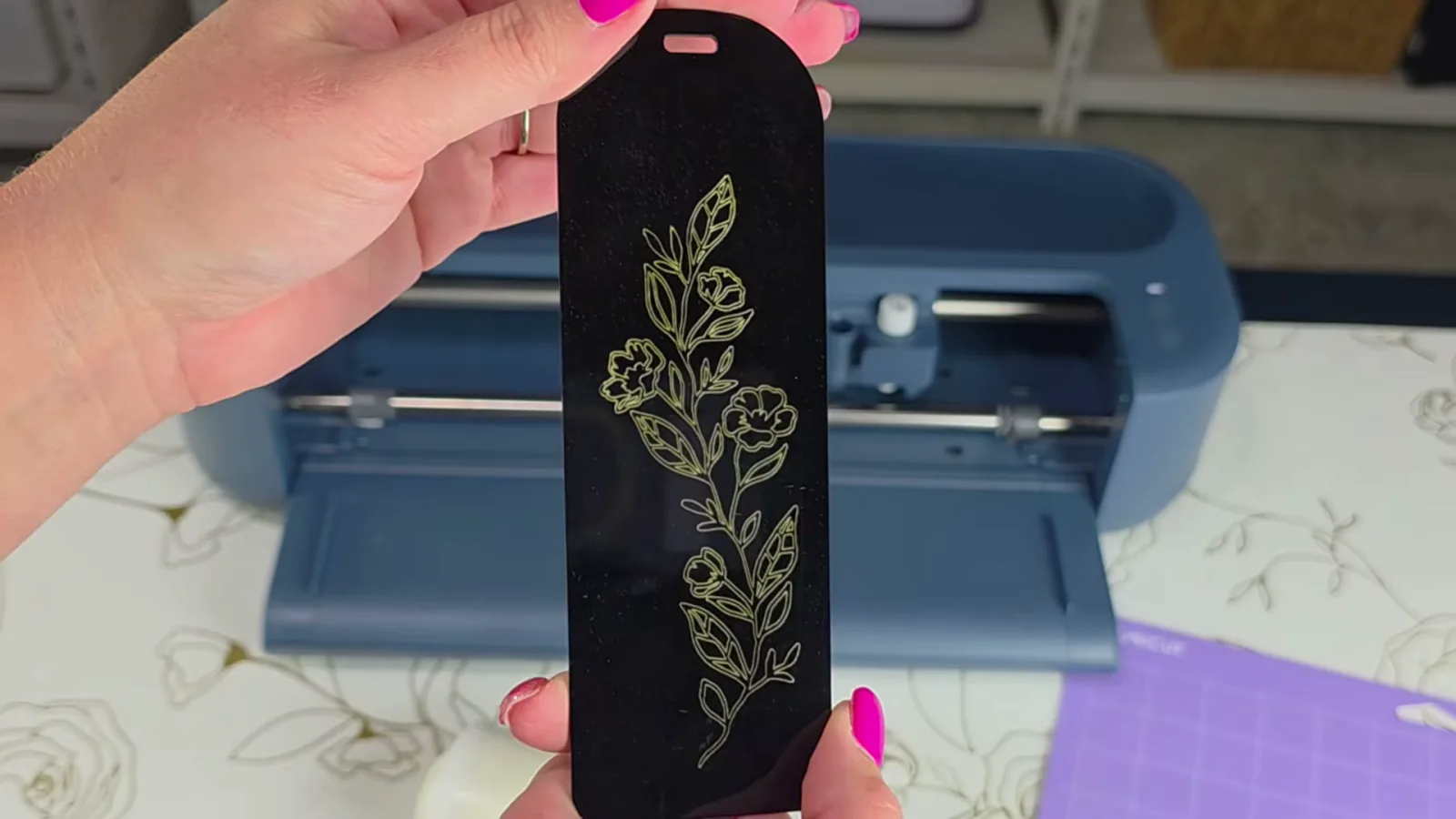
I already had these black acrylic bookmark blanks from a Cricut crafting event I ran at a local college. We decorated them with holographic and metallic vinyl, and the holographic really pops against the black acrylic. When I started thinking about how to test the extra clearance, engraving one seemed perfect.
The listing said the bookmarks are 3 mm thick, which would put them right at the Maker 5's maximum. When I measured one with my digital calipers it actually came in at 2.61 mm.
Honestly, that makes it a better test. At 2.61 mm it is thicker than the 2.4 mm clearance listed for the Maker 4 but still under the Maker 5's 3 mm. This is exactly the kind of material that should fit the new machine and would not have fit the old one.
To be clear, the Cricut cannot cut acrylic like this. We are only engraving the surface.
I used a simple floral line drawing, sized it to fit the bookmark, and changed the Operation to Engrave. With the star wheels already pushed aside, I positioned the bookmark toward the middle of a StrongGrip mat where it would not hit them, and taped the edges down with masking tape so it could not shift. Then I swapped in the Engraving Tip.
It worked. The Maker 5 had no trouble fitting the 2.61 mm acrylic under the carriage, and the detail in the engraving is genuinely good. It is just hard to see against black acrylic, so I took a gold acrylic paint marker, colored in the engraved lines, and wiped the excess off the smooth surface. That made it pop.
I wanted to try again on the back with a bigger design and two passes to get a deeper engraving. The first pass came out perfectly, but when it finished my only option in Design Space was to unload the mat. Normally when I am cutting I can press Go again without unloading and have the machine repeat the exact same cut in the exact same spot. I could not do that here, and once you unload and reload, your chances of lining the bookmark and design back up exactly are slim. So one pass it is. Honestly it did not need a second one.
Engraving Anodized Aluminum
I was having so much fun with the Engraving Tip that I wanted to try a second material: black anodized aluminum business card blanks.
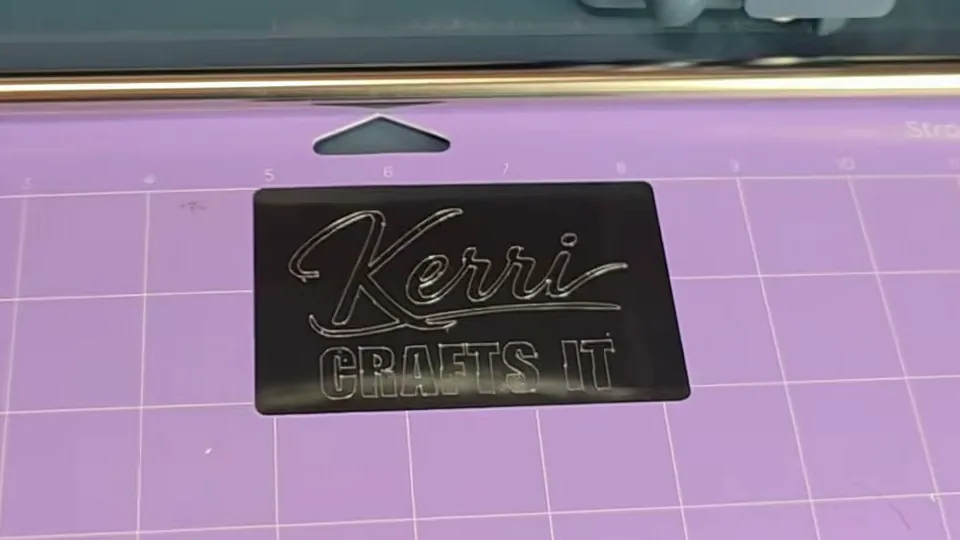
I imported my logo into Design Space, changed the Operation to Engrave, set the material to Anodized Aluminum, stuck the card to the mat and ran it. I really like how it came out, and the anodized aluminum gives you far more contrast than the black acrylic did. No paint marker needed.
There is one thing worth understanding about engraving on a Cricut, though. When you change the Operation to Engrave, the machine follows the outline of your shapes. On a laser we would call that a line engrave. A laser can also do a fill engrave, where it engraves the whole inside of the shape and not just the edge. That is a real difference in how the finished piece looks, and it is why my laser work and my Cricut engraving are not interchangeable.
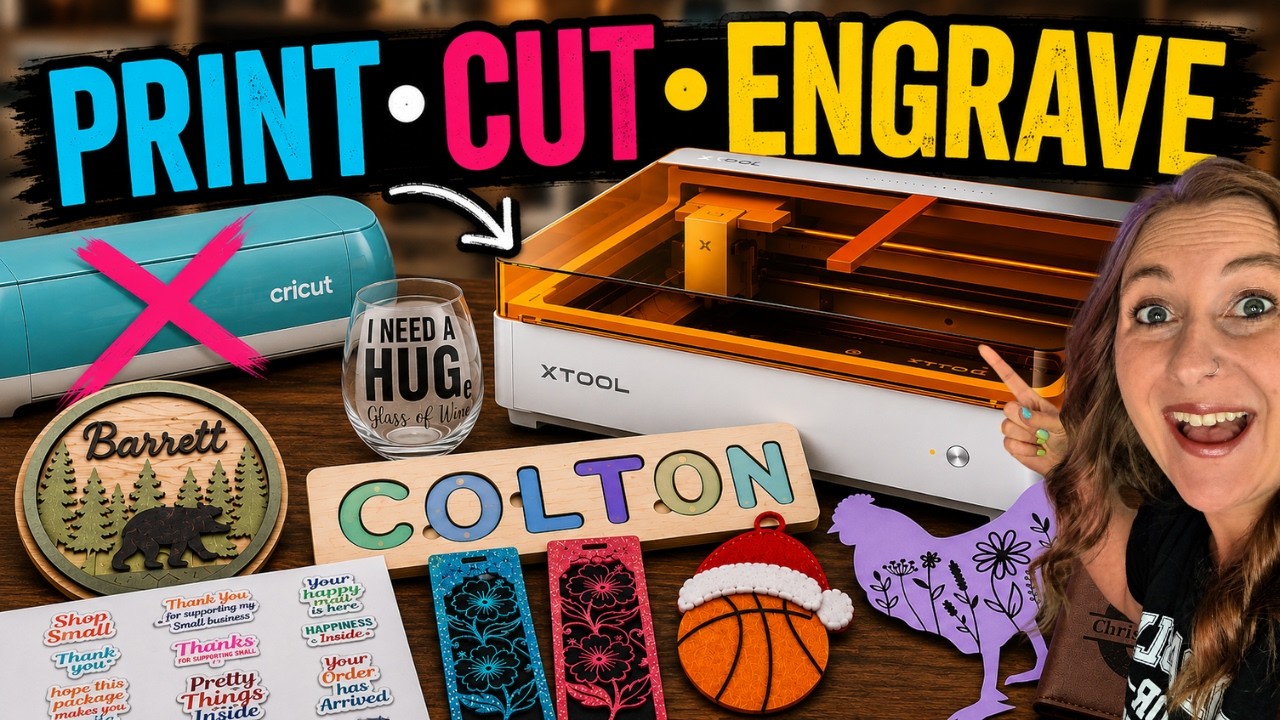
I was going to run a quick Cricut versus laser comparison here with my xTool M2, but once I started listing everything I wanted to test it turned into a whole video of its own. So that one is coming separately.
 24:46
24:46
Watch the full tutorial
Can the xTool M2 Replace My Cricut, Laser & Printer?
💜 Use code KERRI116 at checkout to see if additional savings apply to your order.
What I Love and What Could Be Better
What I love:
- The 3 mm clearance is real, and my 2.61 mm bookmark proves it
- Engraving quality is genuinely good on both acrylic and anodized aluminum
- Nearly five pounds lighter and 30% more compact, with no loss of cutting area
- Fewer buttons, so there is less to think about while you craft
- The snap-in pen holder really is easier to load
What could be better:
- Scoring and cutting now takes two tool swaps instead of none
- No lid, so dust, fur and glitter go straight into a precision machine
- No side storage compartment
- None of your older Cricut pens fit, and the aftermarket adapter route is closed
- The Scoring Tool and Engraving Tip are too easy to mix up
- The paint scratched where the mat feeds in, on day one
- You cannot run a second engraving pass without unloading the mat
Who Should Buy the Cricut Maker 5
Buying your first Cricut? This is the one. It gives you Cricut's widest range of tools and materials plus the new 3 mm clearance, and at $349 it is actually cheaper than the Maker 4 at $379. There is no reason to pay more for the older machine. If you are still deciding between the lineup, my Cricut buying guide walks through every current model.
Upgrading from an Explore to a Maker? Much easier yes. You gain the Knife Blade, the Rotary Blade, engraving and debossing, none of which any Explore can do. That is genuine new capability, not a redesign. Here is how the Joy, Explore and Maker lines actually compare if you want the full breakdown.
Upgrading from a much older Cricut? If you are on an original Maker or a Maker 3 and you want access to all the current tools, the Maker 5 makes a lot of sense.
Already have a Maker 4? This is where I struggle. Would I spend $349 to upgrade? No. For everyday projects, 0.6 mm of extra clearance is not enough to replace a perfectly good machine, especially when the upgrade costs you your lid, your side storage, your whole pen collection and your score-and-cut workflow. I am sticking with my Maker 4 as my main machine.
Frequently Asked Questions
How much is the Cricut Maker 5?
The machine on its own is $349. Cricut also sells an Essentials Bundle at $399 and an Ultimate Plus Bundle at $549, with a Cricut Access version at $499.
What is the difference between the Cricut Maker 4 and Maker 5?
The Maker 5 cuts and engraves up to 3 mm instead of 2.4 mm, is 30% more compact and 4.5 pounds lighter, and costs $30 less. Cut speed, material count, tool count and cut width are all unchanged. You lose the lid, the side storage compartment, compatibility with every older Cricut pen, and Scoring Stylus compatibility.
Will my old Cricut pens work with the Maker 5?
No. None of them do. The Maker 5 uses a new snap-in pen holder, and pens made for earlier Maker machines do not fit it. You need Cricut's newer compatible pens. Cricut's website currently groups the Maker 3, 4 and 5 together when you filter for compatible pens, which is misleading, so I filter for pens compatible with the Explore 5 instead because it uses the same holder.
Does the Scoring Stylus work with the Cricut Maker 5?
No. The new Scoring Tool replaces it, and the Single and Double Scoring Wheels are still compatible. The catch is that the Scoring Tool goes in the same clamp as your blade, so a card that scores and cuts now needs you to swap tools twice partway through.
Can the Cricut Maker 5 engrave acrylic?
Yes. I engraved a 2.61 mm black acrylic bookmark with the Engraving Tip and the detail came out clean. It cannot cut acrylic, only engrave the surface, and filling the engraved lines with a paint marker makes the design far easier to see on black.
Does the Cricut Maker 5 have a lid?
No. Like the Explore 5, the Maker 5 has an open-top design with no lid and no side storage compartment.
Is the Cricut Maker 5 worth upgrading to from a Maker 4?
For most people, no. The only capability gain is 0.6 mm of extra thickness, and you give up the lid, the side storage, all of your old pens and the score-and-cut workflow. If you are buying your first Maker it is an easy yes at $349, since that is less than the Maker 4 costs.
What Do You Think?
Are you upgrading, or shopping for your first Cricut? Does the missing lid bother you as much as it bothers me? Let me know in the comments, because I read every one.
If you want one, you can shop the Cricut Maker 5 Essentials Bundle here.
And if you are brand new to Cricut, I have tons of beginner tutorials on my channel. I also literally wrote the book on it, so grab a copy of Cricut For Dummies if you want the whole thing from setup to real projects in one place.