Trying to figure out the difference between the Cricut Joy, Explore, and Maker? You are not alone. This is the question I get asked more than any other, and Cricut has not made it easier by renaming machines every couple of years.
Here is the good news. Once you understand what separates these three families, the choice gets simple fast.
I have owned and used all of them. In this guide I will show you exactly what each one can and cannot do, what they cost, and which projects each machine is actually good at.
This post contains affiliate links. If you buy through them, I may earn a small commission at no extra cost to you.

Quick Answer: The 30-Second Version
If you only read one section, read this one.
- Cricut Joy is a small personalization machine. It cuts 4.5 inches wide. Great as a second machine, frustrating as your only one.
- Cricut Explore is the beginner sweet spot. It cuts 11.7 inches wide, handles 100+ materials, and makes stickers. This is what most people should buy.
- Cricut Maker is the do-everything machine. Same cut width as the Explore, but it adds fabric, leather, and wood with 300+ materials and 13 tools. The Maker 5 replaced the Maker 4 in September 2026 and costs less than it did.
My pick for most crafters: the Cricut Explore 4 at $199. My pick if you want to never outgrow your machine: the Cricut Maker 5 at $349, which is now $30 cheaper than the Maker 4 it replaced.
Quick Links
- Why Trust This Comparison
- Cricut Joy vs Explore vs Maker: Side by Side
- The Cricut Joy Family: Small, Portable, Limited
- The Cricut Explore Family: The Beginner Sweet Spot
- The Cricut Maker Family: Maker 4 vs Maker 5
- What About the Explore Air 2, Explore 3, and Maker 3?
- How to Choose in Under a Minute
- Frequently Asked Questions
- My Final Recommendation
Why Trust This Comparison
I have been cutting on Cricut machines since 2016, and I wrote Cricut For Dummies for Wiley. Chapter 2 of that book is entirely about picking the right machine, so I have spent a lot of time on this exact question.
I bought each of these machines with my own money, including picking up the Explore 5 the morning it launched. Everything below comes from actually running projects on them, not from reading spec sheets.
Cricut Joy vs Explore vs Maker: Side by Side
Here is the whole comparison in one table.
| Cricut Joy | Cricut Joy 2 | Cricut Joy Xtra | Cricut Explore 4 / 5 | Cricut Maker 4 / 5 | |
|---|---|---|---|---|---|
| Price | $99 | $99 | $129 | $199 | $379 / $349 |
| Materials | 50+ | 75+ | 50+ | 100+ | 300+ |
| Max cut width | 4.5″ | 4.5″ | 8.5″ | 11.7″ | 11.7″ |
| Max cut length | 4 ft | 4 ft | 4 ft | 12 ft | 12 ft |
| Cut speed | Standard | 5.3 in/sec | Standard | 14.1 in/sec | 14.1 in/sec |
| Tools | 3 | 4 | 3 | 6 | 13 |
| Tool clamps | 1 | 1 | 1 | 2 | 2 |
| Print Then Cut (stickers) | No | Yes | Yes | Yes | Yes |
| Score / fold cards | No | Yes | No | Yes | Yes |
| Cut fabric, leather, wood | No | No | No | No | Yes |
| Engrave / deboss / perforate | No | No | No | No | Yes |
The three numbers that matter most are cut width, material count, and tool count. Almost every real-world limitation traces back to one of those three.
The Cricut Joy Family: Small, Portable, Limited

The Joy family is Cricut's compact tier. There are three machines in it now.
The Cricut Joy ($99) is the smallest and cheapest Cricut you can buy. It cuts 4.5 inches wide and up to 4 feet long with Smart Materials, so no mat required.
The Cricut Joy 2 ($99) arrived in February 2026 and replaces the original Joy at the same price. Same 4.5 inch cut width, but it adds Print Then Cut, so it makes full color stickers the plain Joy cannot. It also cuts at 5.3 inches per second and ships with a Scoring Tool.
The Cricut Joy Xtra ($129) is the bigger sibling. It cuts 8.5 inches wide, which is letter paper size. It used to be the smallest Cricut that could do Print Then Cut, but the Joy 2 took that title, so the Xtra is now about width rather than capability.
What the Joy Family Is Great At
- Name labels, pantry labels, and organization decals
- Cards and gift tags
- Quick personalization at craft fairs, since both machines are light enough to carry
- Long banners, thanks to that 4 foot cut length
- Working in a tiny space, or on a shelf
Where the Joy Family Falls Short
I want to be honest with you here, because this is where people get burned.
The plain Joy cannot do Print Then Cut, so no full color stickers. It also cannot score, so no folded cards without cheating with a ruler. And 4.5 inches is simply too narrow for a t-shirt design or a sign.
Both Joy machines have only 1 tool clamp. The Explore and Maker have 2, which lets them cut and draw in one pass. On a Joy you have to stop and swap tools by hand.
My honest take: I would not recommend the Joy as your first or only Cricut. You are only a beginner for a little while. Before long you will want to make a shirt or a big sign, and the Joy simply cannot get there. It is a wonderful second machine, though.
If the compact size is what draws you, get the Joy Xtra over the plain Joy. That extra $30 buys you almost double the cut width plus stickers, and it is the single best value jump in the entire lineup.
The Cricut Explore Family: The Beginner Sweet Spot

If I had to hand one machine to a brand new crafter, it would come from this family.
The Cricut Explore 4 ($199) cuts 100+ materials at 14.1 inches per second, which is the exact same speed as the flagship Maker 4. It handles vinyl, iron-on, cardstock, bonded fabric, sticker paper, and plenty more.
What the Explore Can Do
- Cut, write, draw, foil, and score
- Print Then Cut for full color stickers
- Max cut size of 11.7 inches wide by 12 feet long with Smart Materials
- Work with 6 interchangeable tools
- Cut and draw in the same pass, thanks to 2 tool clamps
- Connect over Bluetooth or USB
That 11.7 inch width is the real story. It is what makes adult t-shirt designs, door signs, and big wall decals possible. The Joy cannot touch any of that.
Explore 4 vs Explore 5: Don't Overthink This One
Cricut released the Explore 5 in 2026 and I bought one the morning it launched to test it.
Here is my honest verdict: the Explore 5 is a redesign, not an upgrade. It cuts the same materials at the same speed as the Explore 4. It makes the same projects. It runs the same Design Space software.
What actually changed is the look. The Explore 5 drops the built-in lid and the storage compartment, and its Essentials Bundle skips the scissors and tweezers you used to get.
So if this is your first Cricut, either one is a great $199 starter machine. If you already own an Explore 4, do not upgrade. There is nothing in the 5 that changes what you can make. I walk through the whole thing in my full Cricut Explore 5 review.
Where the Explore Falls Short
The Explore cannot use the Adaptive Tool System. In plain English, that means no rotary blade and no knife blade. So you cannot cut fabric without backing, and you cannot cut thick materials like basswood or leather.
You also cannot engrave, deboss, or perforate. If any of that is on your project list, keep reading.
The Cricut Maker Family: Maker 4 vs Maker 5
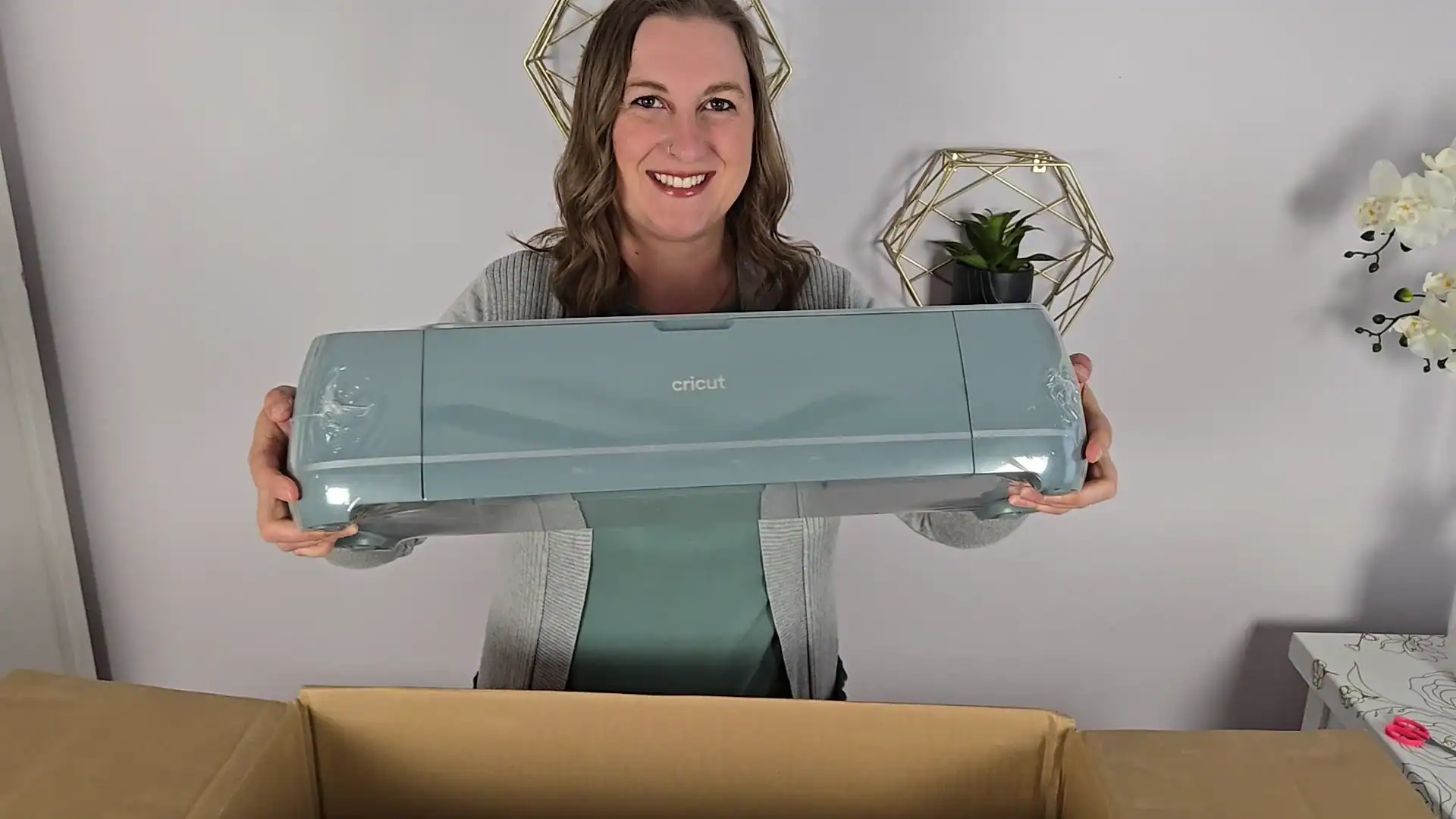
The Maker is Cricut's flagship, and it is my top recommendation for anyone who is serious about crafting or planning to sell. There are two current models: the Cricut Maker 5 ($349), released September 2026, and the Cricut Maker 4 ($379) it replaced.
Everything in this section applies to both of them. They cut the same materials, at the same speed, with the same tools. If you are choosing between the two, skip to what actually changed.
It has 10x the cutting force of older generations, which is what unlocks 300+ materials. Vinyl, iron-on, cardstock, leather, basswood, fabric, felt, chipboard, and a long list beyond that.
Maker 4 vs Maker 5: What Actually Changed
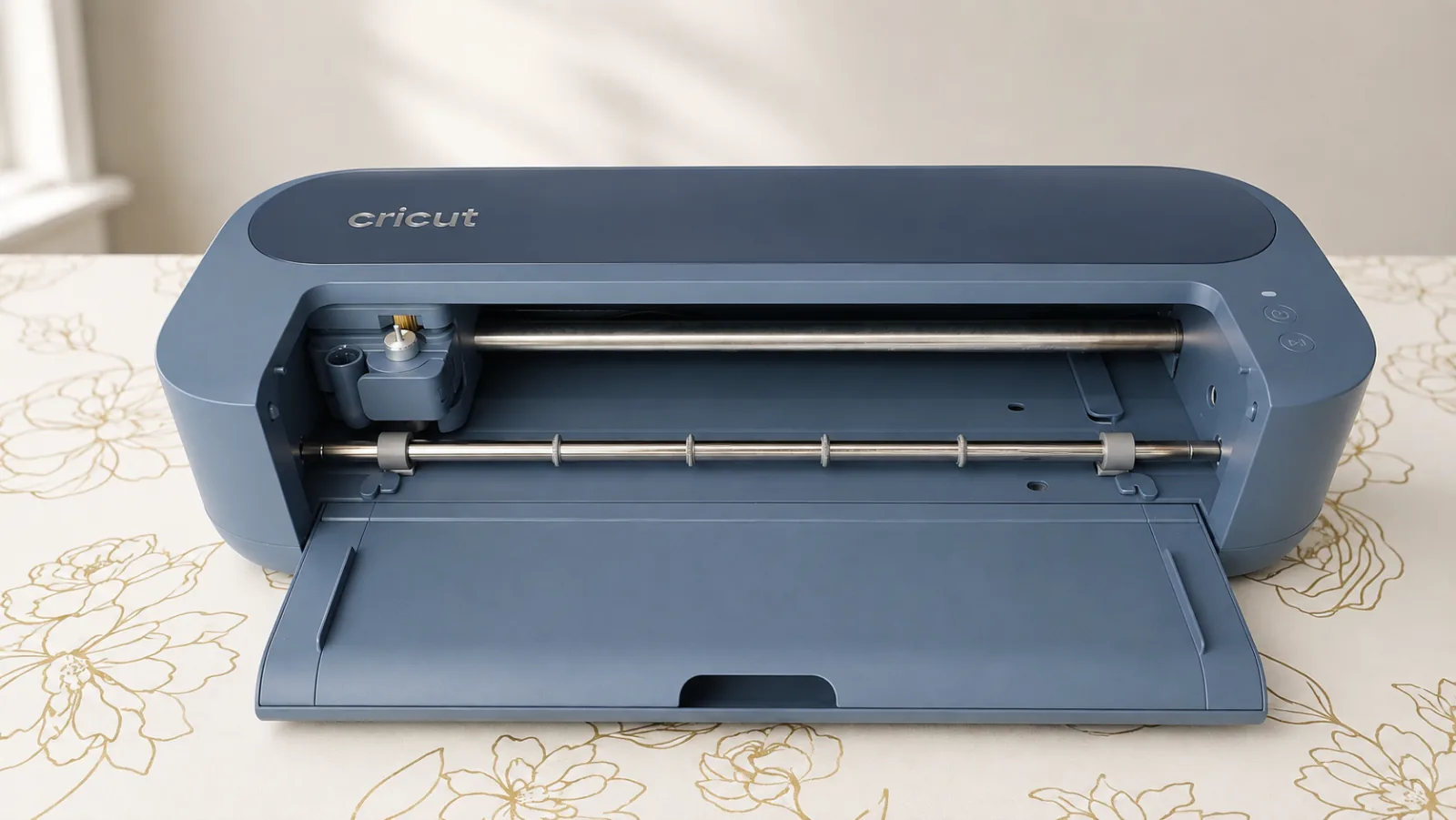
Cricut announced the Maker 5 on September 3, 2026. I do not have one on my craft table yet, so this is Cricut's published specs set against the Maker 4 I have been using.
The short version is that one thing got better and several things got smaller. The Maker 5 cuts and engraves up to 3 mm where the Maker 4 stops at 2.4 mm, a 25% increase. Cut speed, material count, tool count and cutting area are all unchanged.
| Maker 4 | Maker 5 | |
|---|---|---|
| Price | $379 | $349 |
| Max material thickness | 2.4 mm | 3 mm |
| Cut speed | 14.1 in/sec | 14.1 in/sec |
| Materials / tools | 300+ / 13 | 300+ / 13 |
| Weight | 15.4 lb | 10.9 lb |
| Lid and side storage | Yes | No |
| Older Cricut pens fit | Yes | No |
| Scoring Stylus | Compatible | Not compatible |
The two compatibility rows are the ones that catch people out. Older Cricut pens do not fit the Maker 5's new snap-in holder, so a pen collection built up over years does not carry over. And the Scoring Stylus is not compatible, which matters more than it sounds: on the Maker 4 you could load the Stylus in Clamp A and a blade in Clamp B and let the machine score and cut a card in one pass. On the Maker 5 that job needs a tool swap partway through.
Buying your first Maker? Get the Maker 5. It is cheaper and there is no reason to pay more for the older machine. Already own a Maker 4? Stay where you are, unless you are regularly hitting that 2.4 mm ceiling or you badly need the desk space. I am keeping mine, and I lay out why I am staying on the Maker 4 for now.
What Makes the Maker Different
The one feature that separates it from everything else is the Adaptive Tool System. It lets the machine work with 13 interchangeable tools that no Explore can use:
- Rotary blade cuts fabric with no backing or stabilizer needed. If you sew, this alone is worth the upgrade.
- Knife blade cuts thick material like basswood and heavy leather.
- Engraving tip for metal blanks and acrylic.
- Debossing tip for pressed designs in cardstock and leather.
- Perforation blade for clean tear lines in tickets and coupons.
It also cuts at that same fast 14.1 inches per second, handles the same 11.7 inch by 12 foot max size, and has the Easy Printables sensor for Print Then Cut.
Watch my full Maker 4 setup and first project:
 22:24
22:24
Watch the full tutorial
Should You Really Buy the Cricut Maker 4? Setup And First Project
Thinking about upgrading to the Cricut Maker 4 or buying your first Cricut machine? In this video, I’m unboxing the Sage Cricut Maker 4 Essentials Bundle (a Michaels exclusive!), walking you through setup, and showing how to make a custom Mother’s Day sweatshirt using iron-on vinyl (HTV). This tutor...
If you want the step by step, I have a written Cricut Maker 4 setup guide too.
Where the Maker Falls Short
The price. At $349 the Maker 5 is $150 more than an Explore, and honestly, plenty of crafters never touch the specialty blades.
If you only cut vinyl, iron-on, and paper, you are paying for tools you will not use. That is not a knock on the machine, it just means the Explore is the smarter buy for that person.
What About the Explore Air 2, Explore 3, and Maker 3?
A lot of people land here searching for the Cricut Explore Air 2, so let me address it directly.
The Explore Air 2, Explore 3, and Maker 3 have all been phased out of Cricut's main lineup in favor of the newer “4” generation machines.
If you already own one, keep it. They are still solid machines and they run the exact same Cricut Design Space software as everything current. Nothing about your machine stopped working.
If you are shopping used or find one on clearance, they are a fine deal at the right price. Just know what you are giving up. The Explore 4 and Maker 4 cut at roughly twice the speed and have improved sensors.
Here is how the old names map to the new ones:
| Older machine | Current equivalent |
|---|---|
| Cricut Explore Air 2 | Cricut Explore 4 or 5 |
| Cricut Explore 3 | Cricut Explore 4 or 5 |
| Cricut Maker (original) | Cricut Maker 4 or 5 |
| Cricut Maker 3 | Cricut Maker 4 or 5 |
So if an older tutorial tells you to compare “the Joy, the Explore Air 2, and the Maker,” that is the same three-way decision this post covers. Only the model numbers changed.
How to Choose in Under a Minute
Answer these in order and stop at your first yes.
1. Do you want to cut fabric, leather, or wood? Get a Maker 5. Nothing else in the lineup can do it, and no accessory will change that.
2. Do you want to engrave, deboss, or perforate? Get a Maker 5. Same reason, and it goes to 3 mm where the Maker 4 stopped at 2.4 mm.
3. Do you want to make t-shirts, signs, or big decals? Get an Explore 4. You need that 11.7 inch width, and the Explore gets you there for $199.
4. Do you want to make full color stickers? Get an Explore 4, or a Joy 2 if space is tight. You need Print Then Cut, which rules out the plain Joy but no longer rules out the small machines.
5. Do you only want small labels and cards, and do you already own a bigger machine? Now the Joy makes sense.
If you answered no to all five, start with the Explore 4. It is the machine I recommend most often, and it is very hard to outgrow in your first year.
One more thing worth knowing: there is also the Cricut Venture ($499), a wide-format pro machine that cuts 24 inches wide at 25.4 inches per second. It is built for businesses making big signs and high volume. I cover it fully in my complete Cricut buying guide.
Frequently Asked Questions
What is the difference between the Cricut Joy, Explore, and Maker?
Cut width, materials, and tools. The Joy cuts 4.5 inches wide and 50+ materials. The Explore cuts 11.7 inches wide and 100+ materials. The Maker cuts the same 11.7 inches but handles 300+ materials, including fabric, leather, and wood, because of its Adaptive Tool System.
What is the difference between the Cricut Maker 4 and Maker 5?
The Maker 5 cuts and engraves up to 3 mm where the Maker 4 stops at 2.4 mm, and it costs $349 against the Maker 4's $379. It is also 4.5 pounds lighter and 30% more compact, but it drops the lid and the side storage compartment. Cut speed, material count and tool count are identical at 14.1 inches per second, 300+ materials and 13 tools. Two things do not carry over: older Cricut pens do not fit the new pen holder, and the Scoring Stylus is not compatible, so scoring and cutting a card in one pass now needs a tool swap.
Is the Cricut Maker worth it over the Explore?
It is worth it if you want to cut fabric, leather, or wood, or if you want to engrave, deboss, or perforate. Those are the only things the Maker does that the Explore cannot. If you mainly cut vinyl, iron-on, and cardstock, save the $180 and get the Explore.
Can the Cricut Joy cut vinyl?
Yes. The Joy cuts adhesive vinyl and iron-on just fine, including Smart Vinyl with no mat. The catch is the 4.5 inch width, so it is limited to small decals and labels rather than shirts or signs.
Should I still buy a Cricut Explore Air 2?
Only if you find one at a real discount. It has been phased out of Cricut's lineup, and the Explore 4 cuts about twice as fast for the same $199. If you already own an Explore Air 2 there is no reason to replace it, since it runs the same software as every current machine.
Which Cricut machine is best for beginners?
The Cricut Explore 4 at $199. It cuts 100+ materials, makes stickers, handles shirt-size designs, and costs $180 less than the Maker. It is the machine most new crafters are happiest with a year later.
Do all Cricut machines use the same software?
Yes. Every machine here runs Cricut Design Space, so the learning curve carries over if you upgrade later. If you are brand new to it, start with my beginner's guide to Cricut Design Space.
Do I need to buy a bundle?
Bundles are usually worth it for a first machine. They bundle in blades, mats, pens, and starter materials for a lot less than buying those separately, and having extra materials on hand genuinely does push you to try more projects. Compare the Explore 4 Everything Bundle and the Maker 4 Everything Bundle, which also include a Cricut Access subscription.
My Final Recommendation
For most people reading this, the answer is the Cricut Explore 4. At $199 it does the overwhelming majority of what people actually want a Cricut for, and the things it cannot do are specialty jobs most crafters never need.
Step up to the Maker 5 if you sew, work with leather or wood, or plan to sell. The extra $150 buys you a machine you will genuinely never outgrow.
Pick a Joy Xtra if space is your hard limit, or if you already have a big machine and want something small for stickers and cards.
And skip the plain Joy as a first machine. I have watched too many crafters buy it to save money, then upgrade within six months. That is not saving money. If your heart is set on something that small, the Joy 2 costs the same and at least does Print Then Cut.
Whichever one you pick, you are going to love it. Now go make something!
Have a question about which machine fits your projects? Drop it in the comments and I will help you figure it out.
More Guides You'll Love
- Which Cricut Should I Buy? Complete Buying Guide
- Cricut Explore 5 Review: Upgrade or Skip It?
- Cricut Maker 4 Setup: Step-by-Step Guide + First Project
- What Can a Cricut Machine Do? 10 Amazing Things You Can Make
- Everything You Need to Know About Cricut Access
- Cricut Cutting Mats Explained: LightGrip vs StandardGrip vs StrongGrip vs Fabric