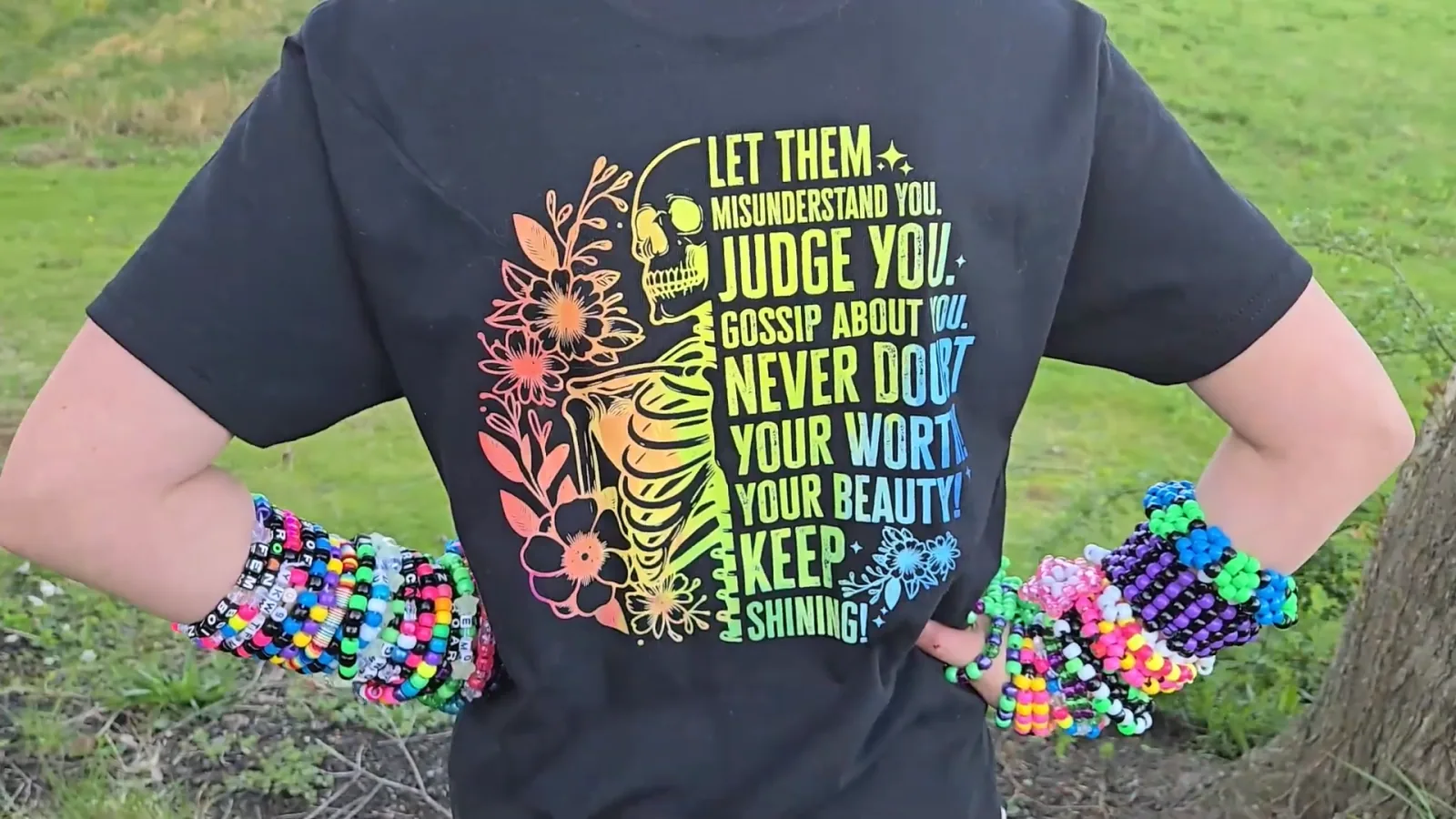
DTF stands for direct to film. You print your design onto a clear film, coat the wet ink with hot melt powder, cure the powder, then heat press that film onto your garment.
Here's why it changed how I make shirts: it works on cotton, on polyester, on blends, and on dark fabrics. Full color, no weeding, no polyester-only rule, and the transfer can sit in a drawer until you need it.
I've printed on two different DTF machines and put them through a head-to-head test, so this guide is built on what actually came out of my press. That includes the settings, the real prices, and the safety issue almost nobody mentions.
This post contains affiliate links. If you buy through them, I may earn a small commission at no extra cost to you.
Watch me test DTF printing on every material I could get my hands on:
 12:04
12:04
Watch the full tutorial
I Tried DTF Printing on EVERYTHING with My Procolored F13 DTF Printer! (Wood, Hats, Bags & More!)
👉Ever wondered what a DTF printer can REALLY do? 🎨 I put the Procolored F13 DTF printer to the ultimate test — printing on shirts, hats, tote bags, wood, slate coasters, can coozies, and more!
Quick Links
- What DTF Printing Actually Is
- How DTF Printing Works Step by Step
- What You Need to Get Started
- The Settings That Actually Work
- DTF vs Sublimation vs HTV
- Is DTF Printing Safe
- What DTF Printing Costs
- Can You Do DTF Without a DTF Printer
- Who DTF Is Actually For
- Frequently Asked Questions
- Related Guides
What DTF Printing Actually Is
DTF is short for direct to film, and the name is the explanation. You are not printing onto the shirt. You print onto a sheet of film first, and that film becomes a transfer you can press whenever you want.
The reason crafters got excited is that every other method comes with a rule that limits you:
- Sublimation only bonds to polyester, and only on light colors.
- Heat transfer vinyl means cutting and weeding every tiny piece, then layering for each extra color.
- Screen printing needs a separate screen per color.
DTF has none of those. One pass, full color, on almost any fabric, in any shirt color.
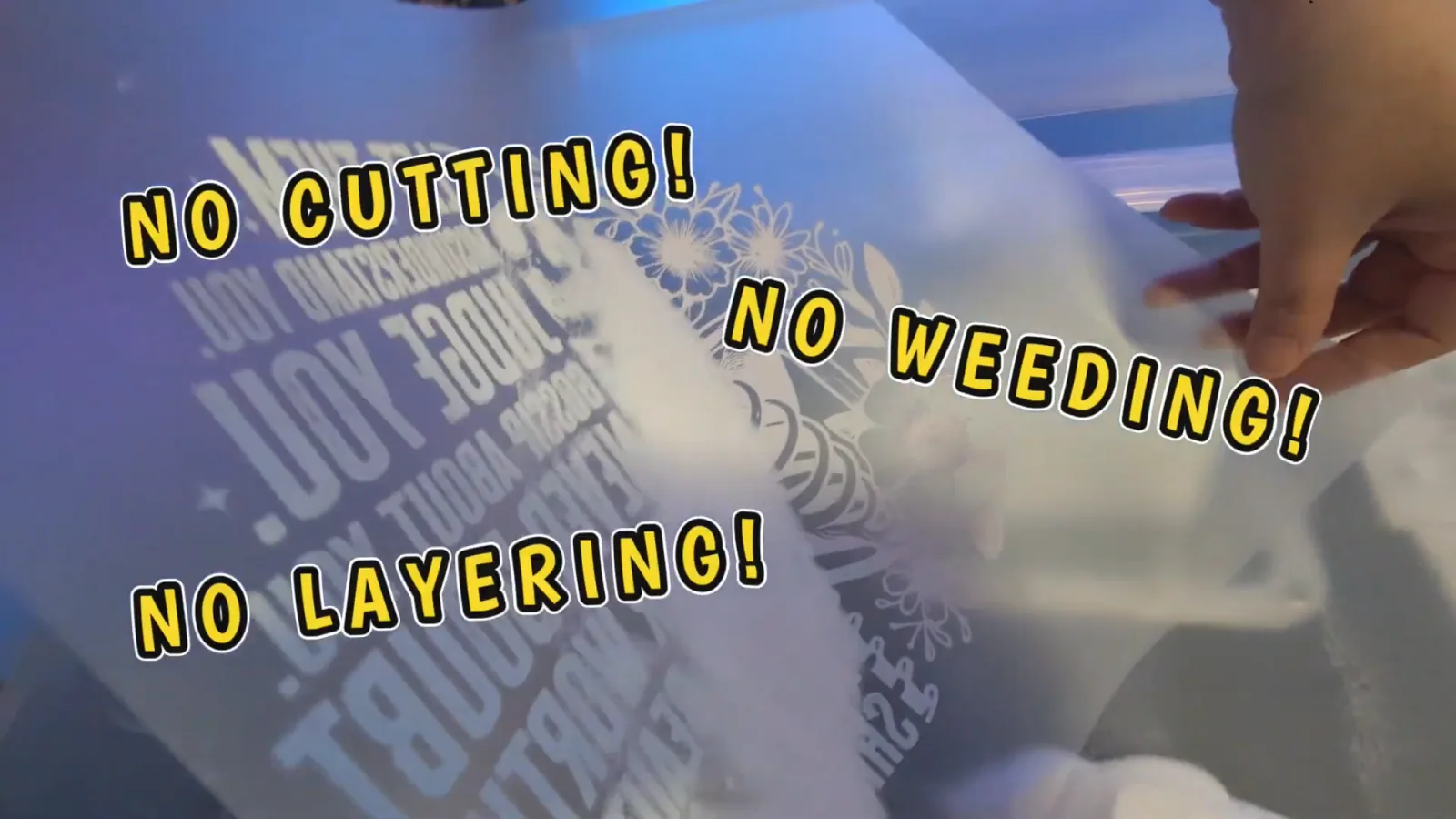
The thing that makes dark shirts possible is white ink. A DTF printer lays down a white underbase behind your design, so your colors sit on white instead of on navy. That single feature is what separates real DTF from every workaround you'll read about.
How DTF Printing Works Step by Step
Five steps. On an all-in-one machine several of them happen automatically, but it's worth knowing what's going on inside.
1. Make your design
Any design software works: Canva, Photoshop, Procreate, or your printer's own software.
Two things matter more than which one you pick:
- At least 300 DPI. DTF picks up fine detail, so a low-resolution file gives you a fuzzy shirt.
- A transparent background, saved as PNG or TIFF. Not JPEG, which can't hold transparency and will print a white box around your art.
I pull most of my designs from Creative Fabrica, where the t-shirt category alone runs past a million files and the subscription includes a commercial license.
2. Print onto the film
The printer lays down your colors, then a white backing layer behind them. The film has a printable side, and it's the matte one. Loading it the wrong way round is the classic first-time mistake.
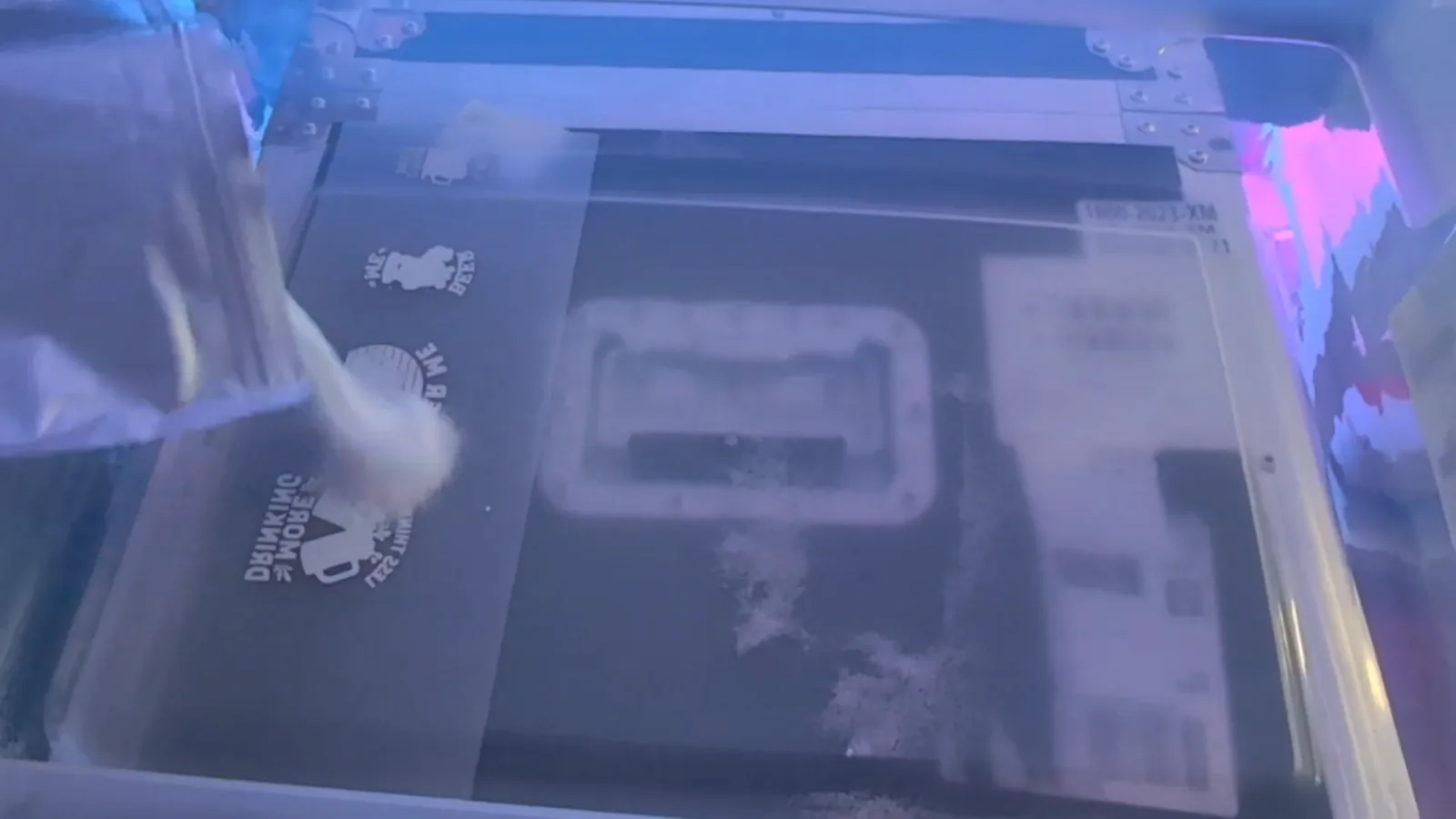
3. Powder the wet ink
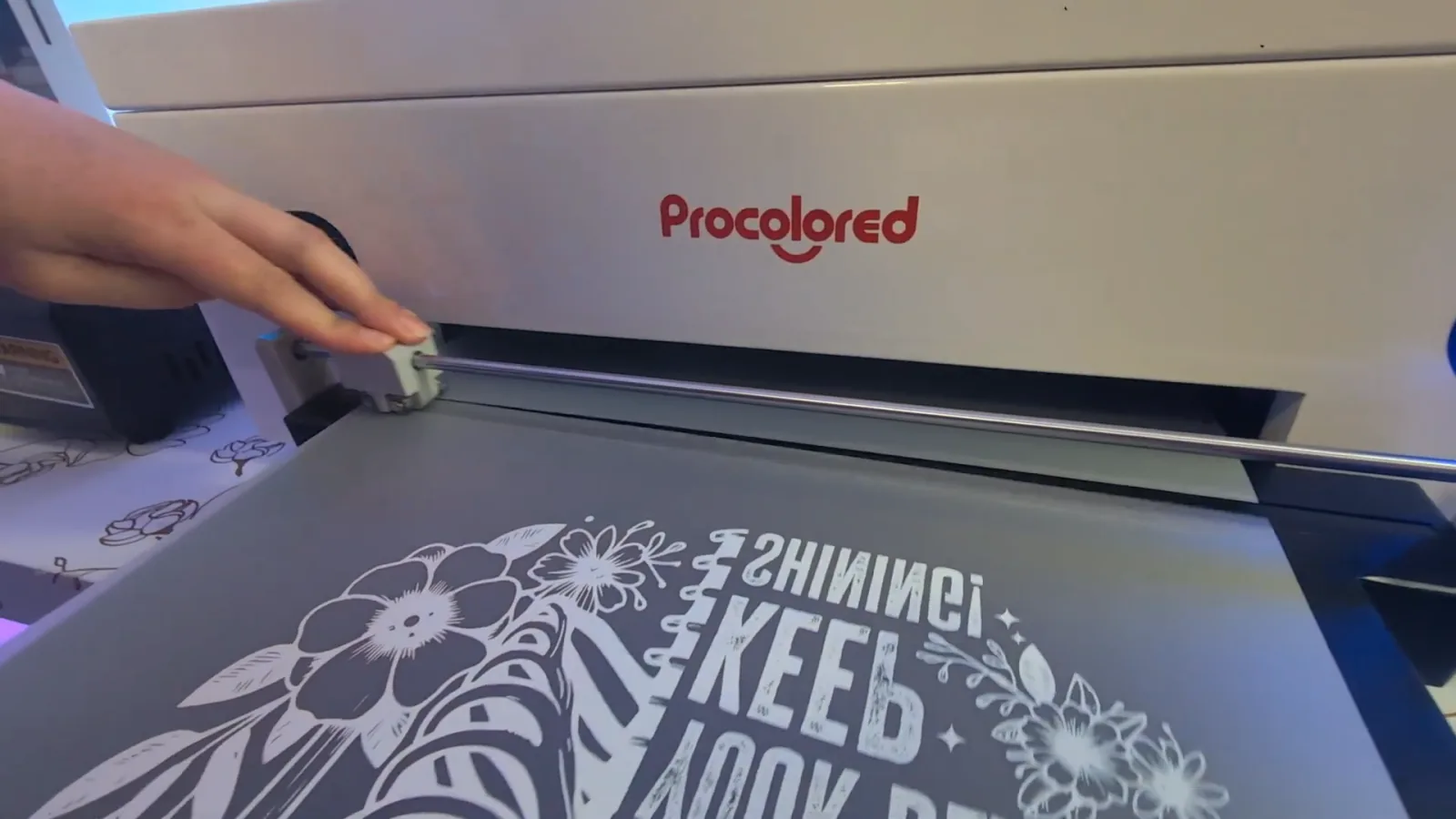
Hot melt powder gets spread over the design while the ink is still wet. It clings to the ink and falls off the clear areas by itself.
On an automated machine this happens inside a sealed shaker. On a manual setup you're scooping powder by hand in an open bin, which matters a lot for safety.
4. Cure the powder
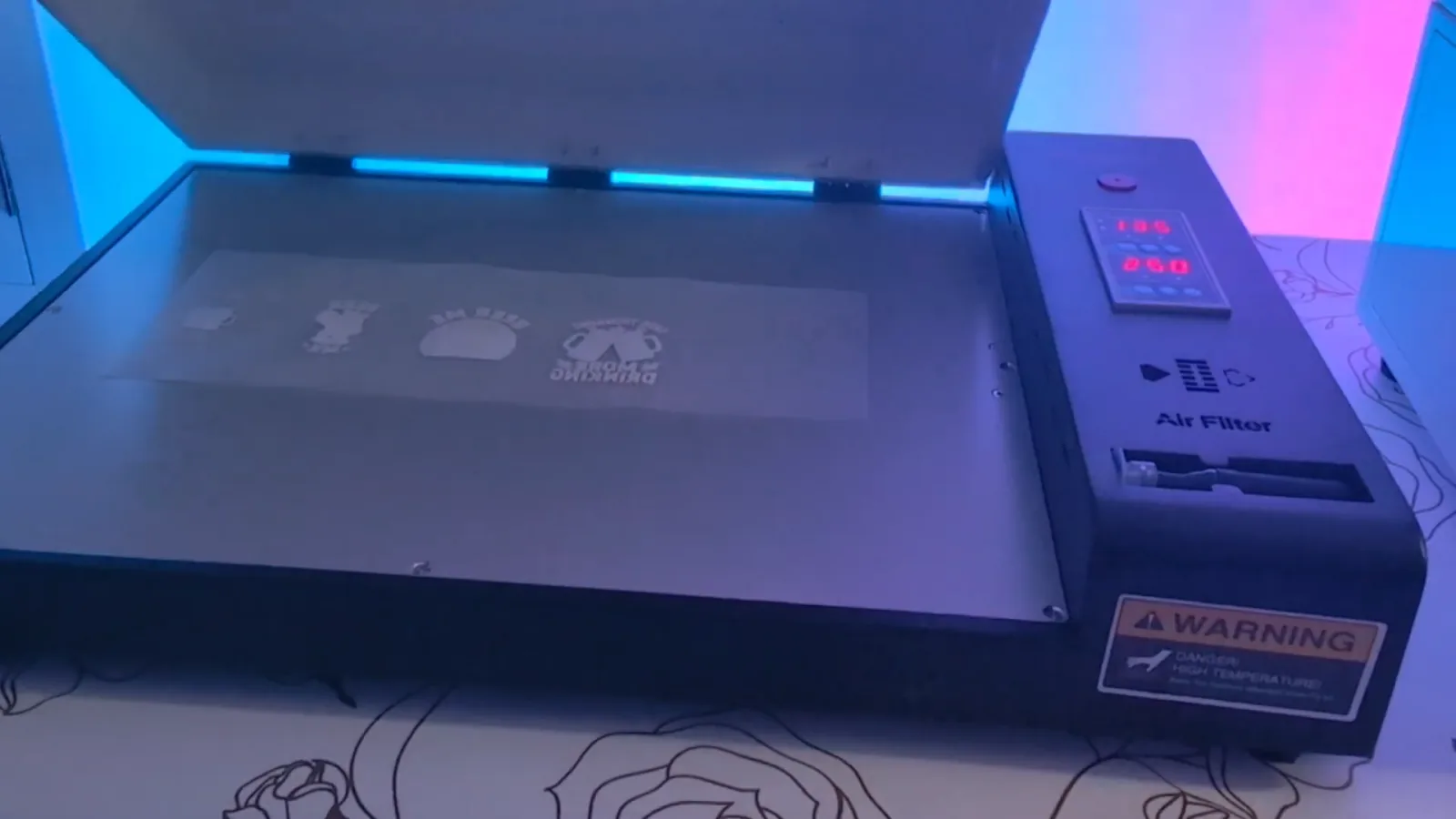
Heat melts the powder into the ink and turns it into an adhesive layer. You'll know it's done when the surface goes from dusty and powdery to shiny and gel-like.
Automated machines have a built-in shaker oven. Manual setups use a separate curing oven.
5. Heat press onto the garment
Pre-press the shirt, position the transfer, press, peel, then press once more. Exact numbers are in the next section.

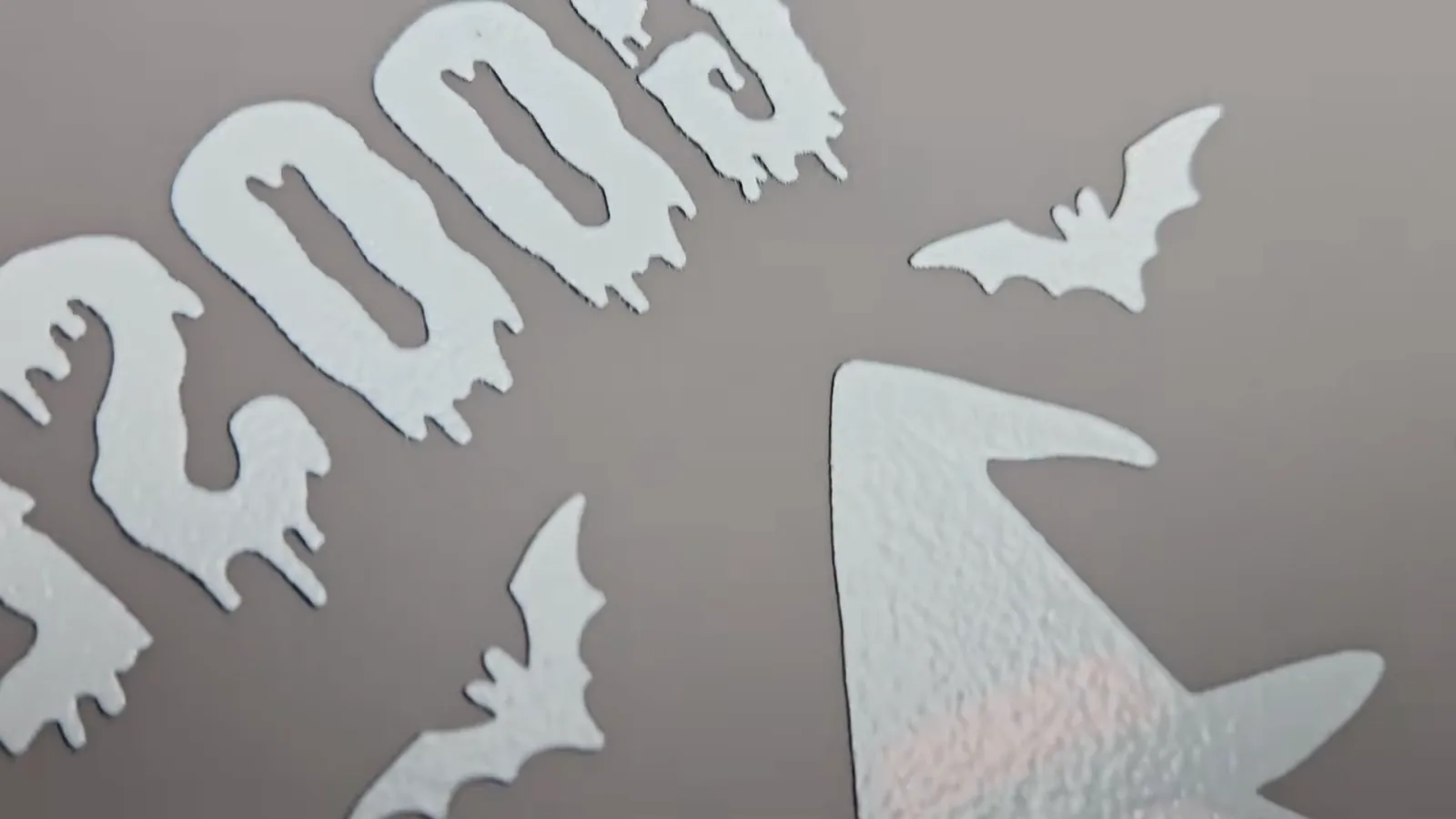
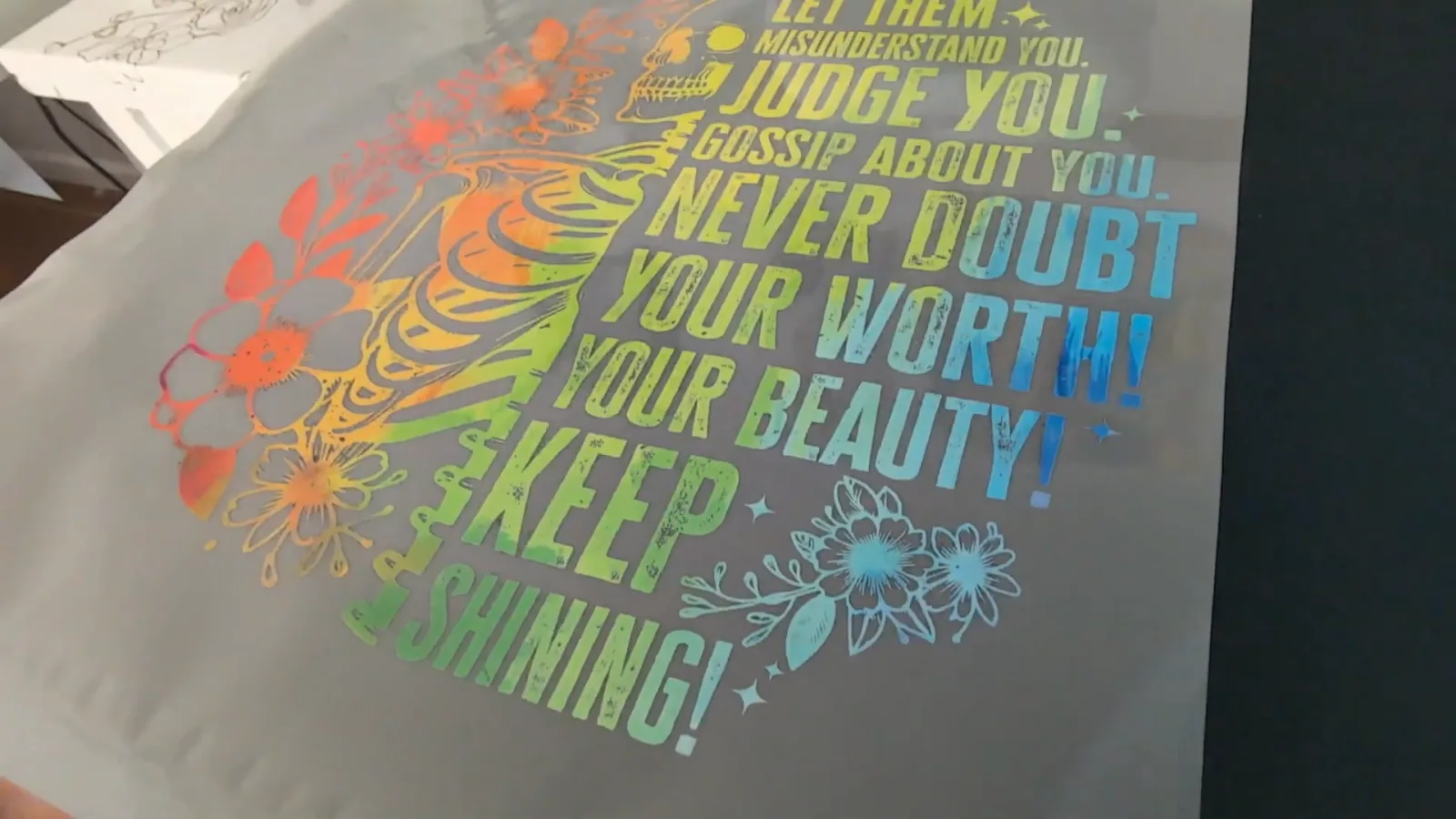
Here's what a finished transfer looks like up close before it goes anywhere near a shirt. That white layer behind the design is the underbase, and the slightly grainy texture on it is the cured powder. This is the part that makes DTF work on a black shirt, and it's the part sublimation simply cannot do.
What You Need to Get Started
- A DTF printer. This is the real cost and the real decision. I've tested the xTool Apparel Printer and the Procolored F13 Panda side by side. I also have a full walkthrough of the xTool Apparel Printer if that is the one you are leaning towards.
- DTF film, ink and powder. These are printer-specific, so buy what your machine expects. Procolored sells its own transfer film, ink and powder.
- A heat press. I use the HTVRont Auto Heat Press. A full size press gives more even pressure than a small one, which shows on bigger designs.
- A Teflon sheet, butcher paper, or parchment paper to cover the design while pressing.
- Heat tape so the transfer can't shift mid-press.
- Blanks. DTF works on almost anything, so Gildan cotton on sale is fair game. Bella and Canvas if you want softer.
- Ventilation, and proper protection if your setup is manual. See the safety section. This is not the corner to cut.
The Settings That Actually Work
These are the numbers I press at, and they've been consistent across both machines.
| Stage | Setting |
|---|---|
| Pre-press the shirt | 10 seconds |
| Press the transfer | 335°F for 15 seconds |
| Peel | Depends on your film, see below |
| Final press | 5 to 10 seconds |
Pre-pressing is not optional. Ten seconds drives out moisture and wrinkles, and the transfer sticks noticeably better for it.
Warm peel or cold peel depends on your film, not your preference. Check which one you bought:
- Warm peel lets you pull the film almost immediately while it's still warm.
- Cold peel means waiting until the shirt is back to room temperature. Pull it early and you'll tear the design.
If the film resists or starts lifting the print as you peel, stop, lay it back down and press again briefly.

🔴 Do not skip the final press. Cover the design again and press for another 5 to 10 seconds. This melts the adhesive deeper into the fibers, so the print survives the wash and feels softer instead of like a sticker sitting on top. It is the single biggest difference between a homemade-looking shirt and a professional one.
DTF vs Sublimation vs HTV
The question I get most. Here's the honest comparison.
| DTF | Sublimation | HTV | |
|---|---|---|---|
| Fabrics | Cotton, poly, blends, denim, canvas | Polyester only, 55% minimum | Most fabrics |
| Shirt colors | Any, including black | Light colors only | Any |
| Full color art | Yes, in one pass | Yes | Layering required |
| Weeding | None | None | Yes, every piece |
| Feel on fabric | Slight layer you can feel | None, ink is in the fibers | Noticeable layer |
| Best at | Detailed color art on anything | Soft finish on poly blanks | Simple logos and text |
The short version:
- Sublimation still wins on feel. Nothing sits on top of the fabric. But you're locked to light polyester.
- HTV still wins on cost for one-color text. Vinyl is cheap and you probably already own a cutter.
- DTF wins the moment your design has more than two colors, or your blank isn't polyester, or your shirt is dark.
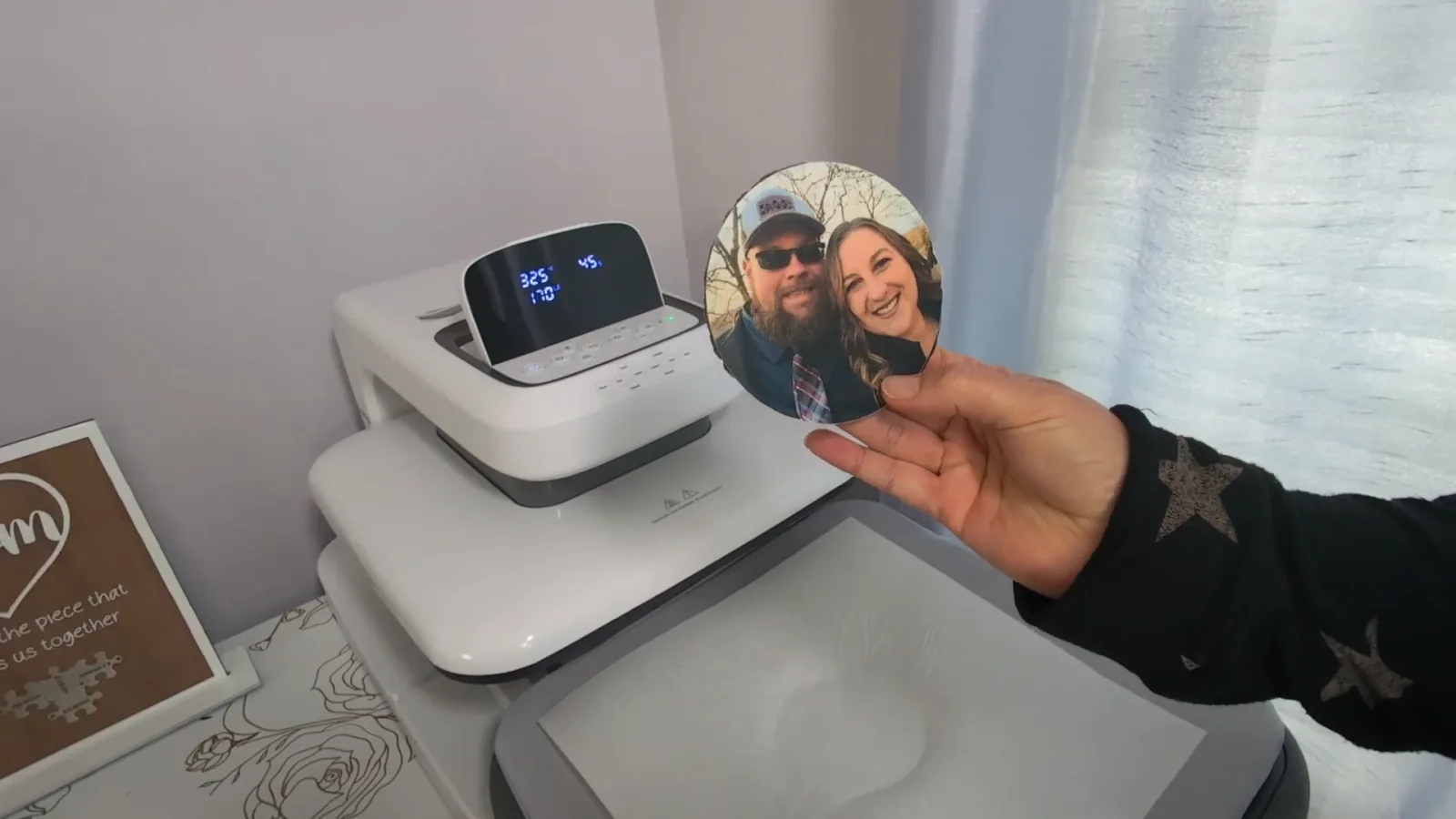
They aren't really competitors. Most people I know who do this seriously own all three and pick per project. If you're weighing sublimation specifically, I go deep in what is sublimation, and on vinyl in vinyl vs HTV vinyl. Photo work is where the gap shows most: I put a full photo collage on a sweatshirt in this DTF photo project.
Is DTF Printing Safe
This is the part most beginner guides leave out entirely, and it's the part I'd want to know first.
⚠️ When you heat DTF powder, you are cooking plastic and glue. That releases TVOCs, total volatile organic compounds. They're invisible chemical fumes, and breathing them can cause headaches, dizziness, and long-term lung irritation.

A cloth mask is not enough protection. Neither is opening a window and hoping.
How exposed you are comes down entirely to your setup:
- Manual setups mean scooping fine powder by hand in an open bin, where it goes airborne immediately. To do that safely you need a heavy-duty respirator, gloves and goggles. That's the honest reality, and you should factor it in before you buy.
- Enclosed all-in-one machines keep the powder sealed inside the unit. Paired with proper filtration using HEPA and activated carbon, the fumes are handled for you and you can work in a normal room without dressing like you're entering a hazmat zone.
If your craft space is a spare bedroom rather than a garage, this should probably drive your buying decision more than price does.
What DTF Printing Costs
Real numbers from when I bought and tested these. Prices shift, so check before you order.
| Setup | Approximate price |
|---|---|
| Procolored F13 Panda, printer only | ~$2,900 |
| Procolored F13 with smokeless oven | ~$4,000 |
| xTool Apparel Printer, printer only | ~$5,600 |
| xTool all-in-one bundle with shaker oven and air purifier | ~$8,000 |
That is a real gap, and it buys two things: speed and safety. In my own timed test the automated machine finished three shirts in 12 minutes 26 seconds, while the manual one took 16 minutes 5 seconds to print a single design, and around 21 minutes once powdering and curing were done.
For a hobby, the slower machine is genuinely fine. For orders, that difference is the whole business case. I break it all down in xTool Apparel Printer vs Procolored F13.
Where DTF quietly saves money is blanks. Cotton Gildan shirts go on sale at my Michaels for $2.99 or less, while the 100% polyester ones sublimation needs run around $9.99. If you're selling, that gap compounds fast. On pricing your finished pieces, see how to price your items.
Can You Do DTF Without a DTF Printer
Short answer: not really, but there is a related workaround worth knowing about, as long as you understand it is a different thing.
If you already own a sublimation printer, you can buy a film and hot melt powder kit and use sublimation ink to make transfers that stick to cotton. It borrows the powder step from DTF, and it does genuinely work.
But it is not DTF, and the difference matters:
- No white ink. Sublimation printers don't have any, and the kit doesn't add it. White areas of your design come out transparent.
- Light shirts only. On white cotton the result is excellent. On dark shirts it looks bad. Skip it.
- Different press settings from real DTF, so don't mix the numbers on this page with that method.
It's a good way to get more out of a sublimation printer you already own. It is not a way to avoid buying a DTF printer if you want dark shirts. Full walkthrough in sublimation on cotton.
Who DTF Is Actually For
DTF is worth it if you:
- Want full color designs with no weeding
- Print on cotton, on dark shirts, or on blanks that aren't polyester
- Sell shirts and want blank costs down
- Are tired of layering vinyl for multi-color art
- Want to print transfers in batches and press them as orders come in, the way I do for team and sports apparel orders
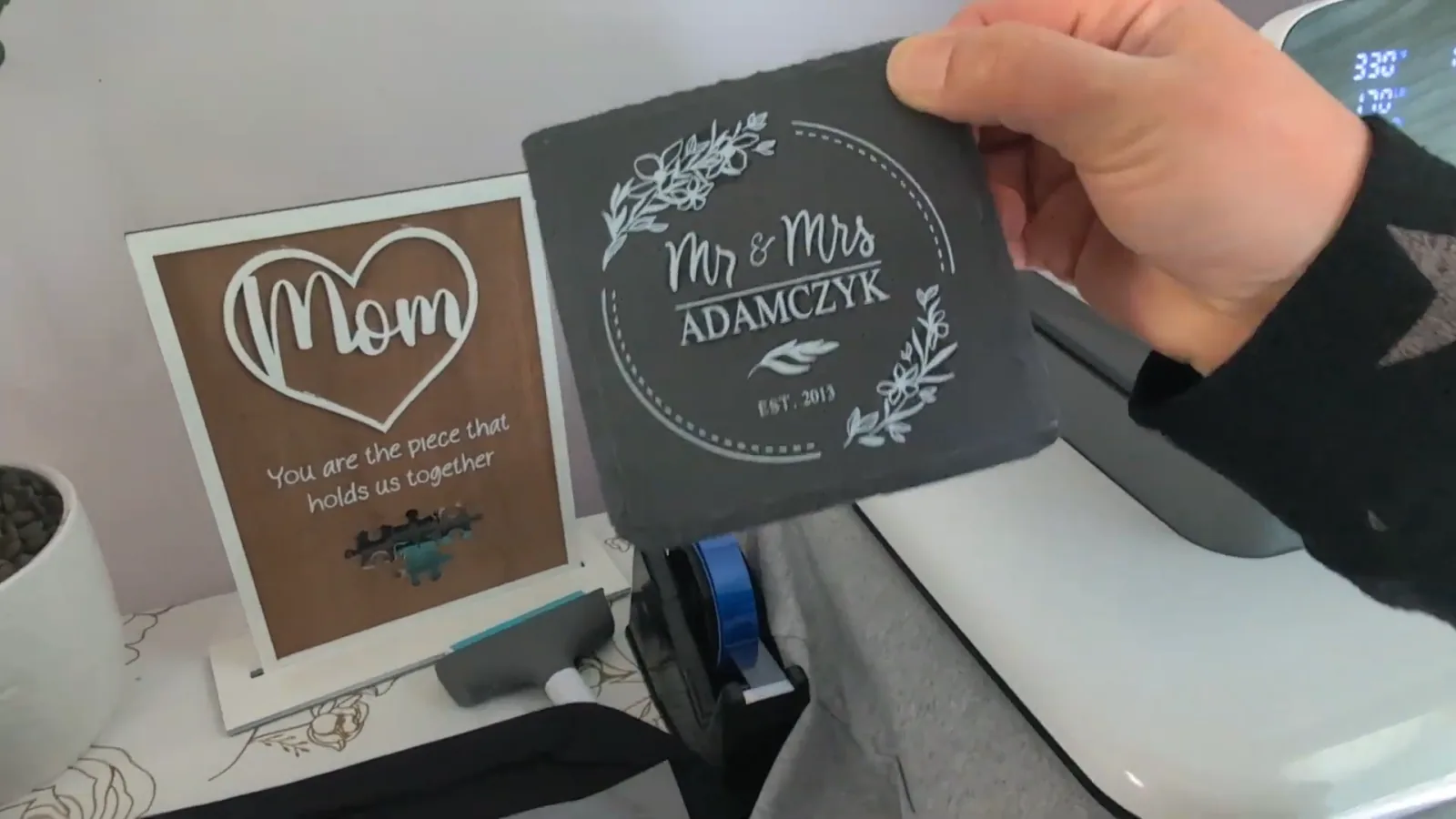
And it isn't only shirts. I've put DTF transfers on slate, wood, canvas bags, hats and koozies. If a surface can take the heat of a press, it's usually fair game, which opens up a lot more product ideas than a cutting machine does.

Stick with what you have if you:
- Mostly make one-color text and logos. HTV is cheaper and faster.
- Only use polyester blanks and love the no-feel finish. Sublimation still wins there.
- Aren't ready for a machine at this price, plus consumables and the space to run it.
I'll be straight with you: DTF didn't replace my other machines. It solved one specific problem completely, which was full color art on cheap cotton and on dark shirts. Everything else I still do the way I always did.
More practical day-to-day tips are in DTF printing tips for beginners.
Frequently Asked Questions
What does DTF stand for? Direct to film. You print onto a clear film first, then transfer that film onto fabric with heat.
Does DTF printing work on cotton? Yes. That's one of its biggest advantages over sublimation, which needs at least 55% polyester to bond. DTF sits on the fibers with an adhesive layer, so fabric content doesn't matter.
Can you do DTF on dark shirts? Yes. DTF printers lay down a white ink underbase behind your design, so colors stay bright on black or navy. This is the main thing that separates real DTF from sublimation-based workarounds.
Can I use a regular inkjet printer for DTF? No. DTF needs dedicated DTF ink, including white, and a printer built to handle it. A standard inkjet's ink won't bond to the film properly.
What temperature do you press DTF transfers at? I press at 335°F for 15 seconds, after a 10 second pre-press, then do a final 5 to 10 second press once the film is peeled. Check your film's own guidance too, since they vary.
How long do DTF transfers last? They hold up well through washing when pressed properly. That final press after peeling matters more than people expect. Skip it and you'll see edges lift after a few washes.
Is DTF printing safe to do at home? It depends on your setup. Heated DTF powder releases TVOC fumes, so a manual powdering setup needs a respirator and real ventilation. Enclosed machines with proper filtration handle it for you.
What's the difference between DTF and DTG? DTG is direct to garment, printing straight onto the shirt. DTF prints onto film first, which means you can make transfers ahead of time, store them, and press them when an order arrives.
Do DTF printers clog? White ink is heavy and settles if the machine sits unused, so clogging is the main maintenance concern. Most printers now have circulation and auto-cleaning cycles to prevent it, but a DTF printer is not a machine you can ignore for a month.
Call to Action & Community Invite
If you've been circling DTF but weren't sure whether it justified the setup, the honest test is a single dark shirt with a full color design. That's the job nothing else on your bench can do, and it'll tell you quickly whether the machine earns its space.
When it works, I want to see it. Tag me on Instagram @kerricraftsit or share it in my Facebook community.
Find me everywhere: linktr.ee/kerricraftsit
Related Guides
- xTool Apparel Printer vs Procolored F13 : the full head-to-head, with timed tests
- DTF Printing Tips for Beginners
- What Is Sublimation? : the method DTF gets compared to most
- Sublimation on Cotton : the powder kit workaround, if you already own a sublimation printer
- Vinyl vs HTV Vinyl
- Epson EcoTank for Sublimation
- How to Price Your Items